專案程式編輯時,往往不會一下就完整產出程式,需經過驗證、修改才有標準化程式產出,這過程中版本的控管就很重要了不僅可以知道修改紀錄以及為何修改。
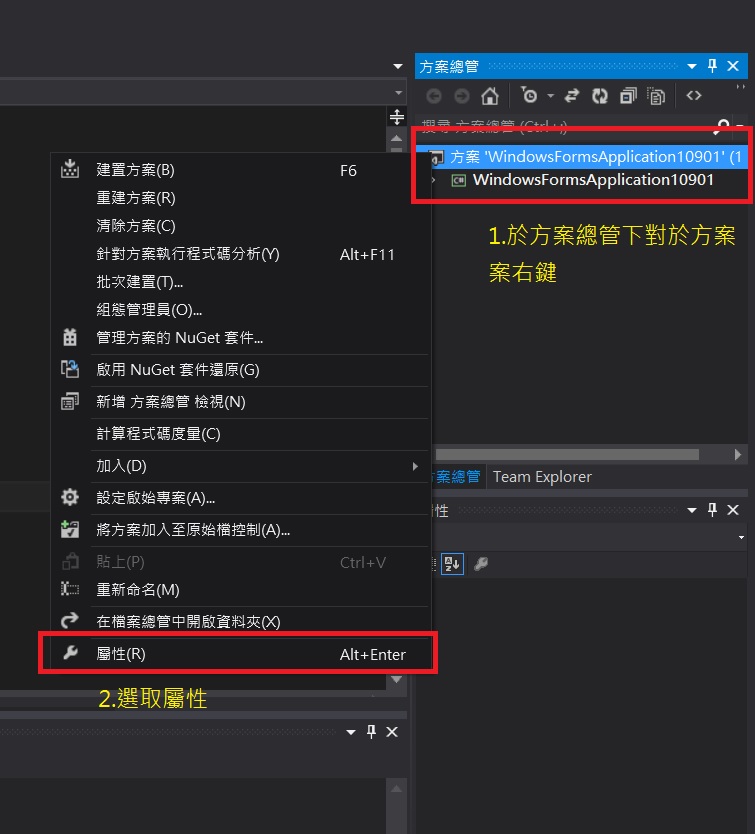
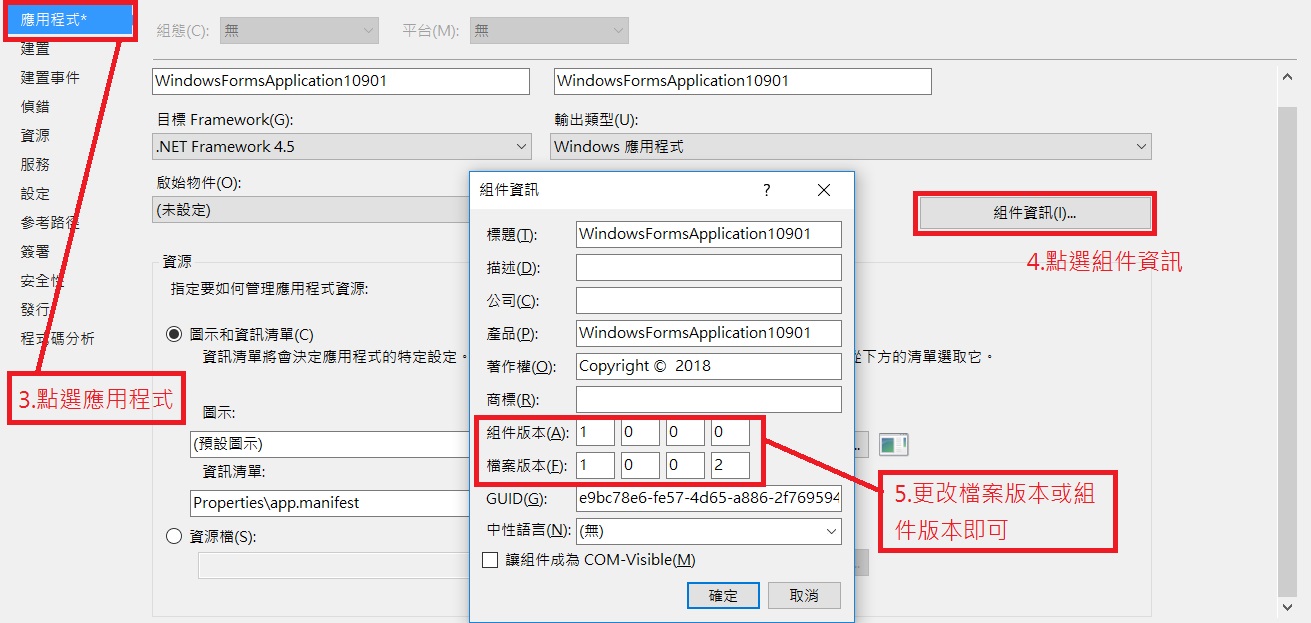
C# 版本取得號碼,本例以VS C#2012為範例。
using System;
using System.Collections.Generic;
using System.ComponentModel;
using System.Data;
using System.Drawing;
using System.Linq;
using System.Text;
using System.Threading.Tasks;
using System.Windows.Forms;
using System.Diagnostics;//記得取用 FileVersionInfo繼承
using System.Reflection;//記得取用 Assembly繼承

namespace WindowsFormsApplication10901
{
    public partial class Form1 : Form
    {
        public Form1()
        {
            InitializeComponent();
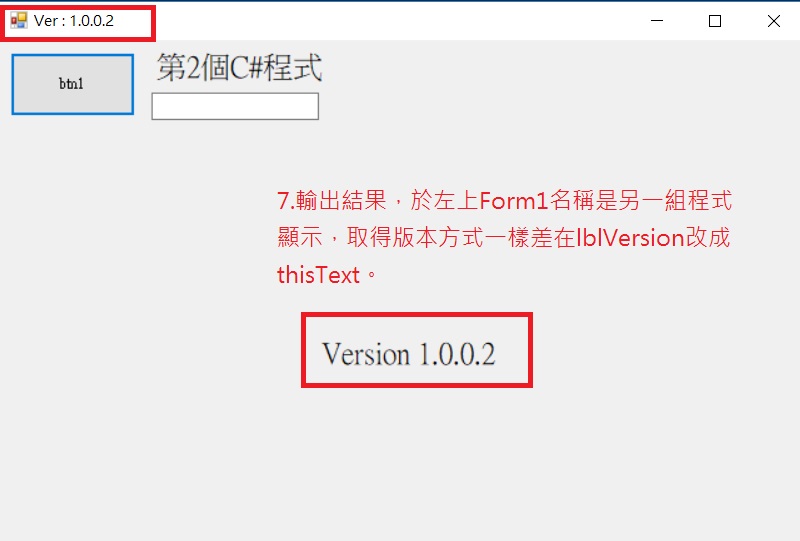
            ///Form1左上角名稱改成Ver:檔案版本
            ///Type: System.Diagnostics.FileVersionInfo含有檔案相關資訊的 FileVersionInfo。
            ///如果檔案內不含任何版本資訊,則 FileVersionInfo 就只含有所要求檔案的名稱。
            this.Text = "Ver : " + FileVersionInfo.GetVersionInfo(Assembly.
                GetExecutingAssembly().Location).FileVersion;

            lbVersion.Text = string.Format("Version {0}",FileVersionInfo.
                GetVersionInfo(Assembly.GetExecutingAssembly().Location).FileVersion.ToString());
            ///lbVersion顯示字串Version 檔案版本
            ///Assembly繼承System.Reflection 可控制版本
            ///Location取得資訊清單內載入檔的路徑
            ///FileVersion取得檔案版本號碼
        }

        private void btn1_Click(object sender, EventArgs e)
        {
            if (txtbox1.Text == "")
            {
                lbl1.ForeColor = Color.Red;
                txtbox1.Text = lbl1.Text;
            }
            else
            {
                txtbox1.Text = "";
                lbl1.ForeColor = Color.Black;
            }


        }
    }
}
新手發文,如果錯誤,還請各位高手不吝指教~~