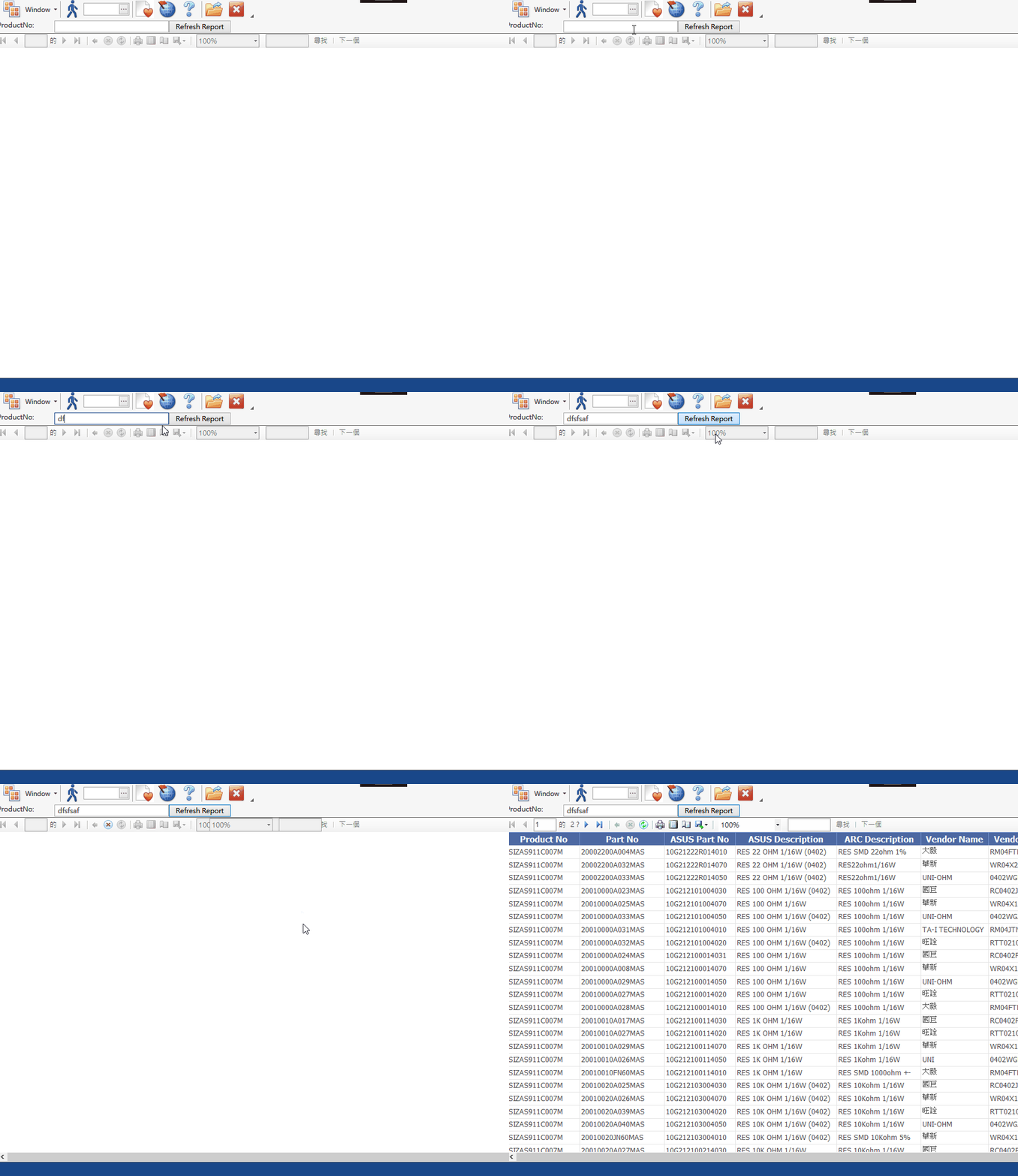
Reporting Service 嵌入WPF
效果=>
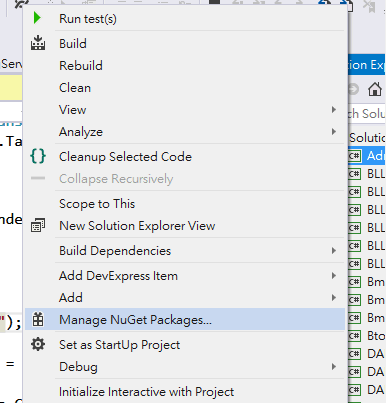
Step1 在project 右鍵點Manager NuGet Packages
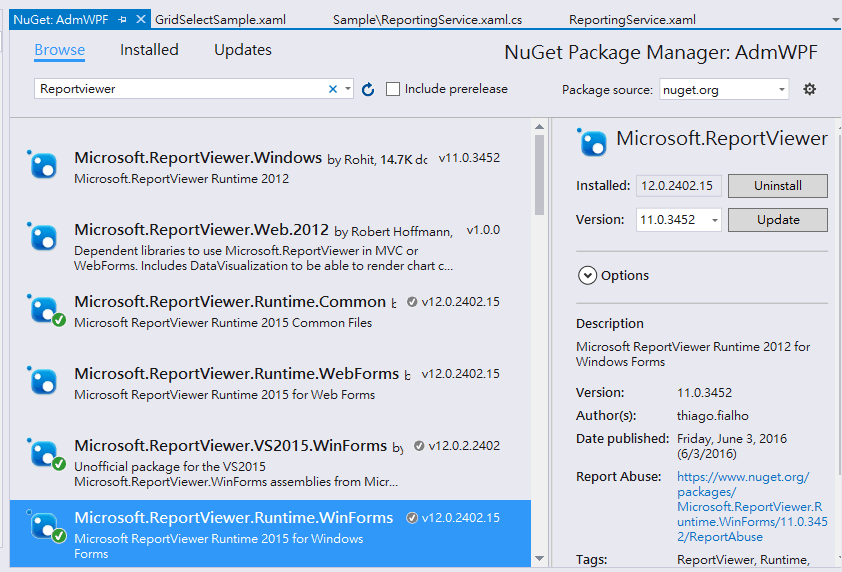
Step2 打關鍵字:Reportviewer
分別安裝Microsort.ReportViewer.Runtime.Common
Microsoft.ReportViewer.VS2015.WinForms
Microsoft.ReportViewer.Runtime.WinForms
右邊按Install
Step3
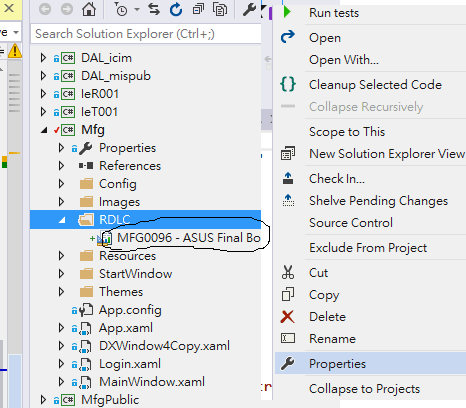
在預設起始專案加入一資料夾RDLC, 將Reporting Service的檔案加入資源
Step4
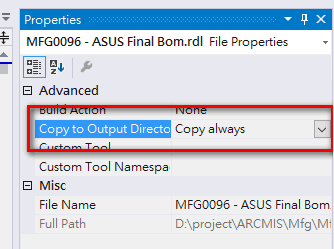
如上圖在MFG0096 - ASUS Final Bom.rdlc 檔案的 右鍵 出現 Proprties 後選 Copy always (如下圖)
目的是把檔案資源也載入執行環境
Step5
在開發報表的專案的Reference 加入WindowsFormsInegration 的dll
把它當作是WPF 跟 WindowForm 控件的轉接器(因為ReportViewer 是WinForm的控制項)
Step6 Xaml 拉好後加入這些引用跟Container(DockPanel.Dock 可以省略因為這例子是用DockPanel)
xmlns:rv="clr-namespace:Microsoft.Reporting.WinForms;assembly=Microsoft.ReportViewer.WinForms"
<WindowsFormsHost DockPanel.Dock="Bottom">
<rv:ReportViewer x:Name="reportViewer" ProcessingMode="Local" />
</WindowsFormsHost>
<AdmWPF:WindowBase
    xmlns="http://schemas.microsoft.com/winfx/2006/xaml/presentation"
    xmlns:x="http://schemas.microsoft.com/winfx/2006/xaml"
    xmlns:dx="http://schemas.devexpress.com/winfx/2008/xaml/core"
    xmlns:dxlc="http://schemas.devexpress.com/winfx/2008/xaml/layoutcontrol"
    xmlns:dxe="http://schemas.devexpress.com/winfx/2008/xaml/editors"
    xmlns:AdmWPF="clr-namespace:ARCMIS.AdmWPF"
    xmlns:rv="clr-namespace:Microsoft.Reporting.WinForms;assembly=Microsoft.ReportViewer.WinForms"

    x:Class="ARCMIS.ReportingService"
    Title="ReportingService" Height="350" Width="525"
    >

    <DockPanel>
        <StackPanel DockPanel.Dock="Top" Orientation="Horizontal">
            <TextBlock Text="ProductNo:"  Width="100px" x:Name="tbProductNo"></TextBlock>
            <TextBox Width="200px" x:Name="txtProductNo"></TextBox>
            <Button x:Name="btnRefresh" Margin="0,0,0,0">Refresh Report</Button>
        </StackPanel>

        <WindowsFormsHost DockPanel.Dock="Bottom">
            <rv:ReportViewer x:Name="reportViewer" ProcessingMode="Local" />
     </WindowsFormsHost>
    </DockPanel>
</AdmWPF:WindowBase>
Step7 Code Behind 加一顆按鈕設定刷新資料的事件
private void BtnRefresh_Click(object sender, RoutedEventArgs e)
  {
            //非同步寫法
            // bg.RunWorkerAsync();

            //quer
            DataTable dt = Query("NIZAS911AE02M");

            //報表載入的路徑
            reportViewer.LocalReport.ReportPath = Environment.CurrentDirectory + @"\RDLC\MFG0096 - ASUS Final Bom.rdl";

            //設定資料來源與載入資料
            reportViewer.LocalReport.DataSources.Clear();
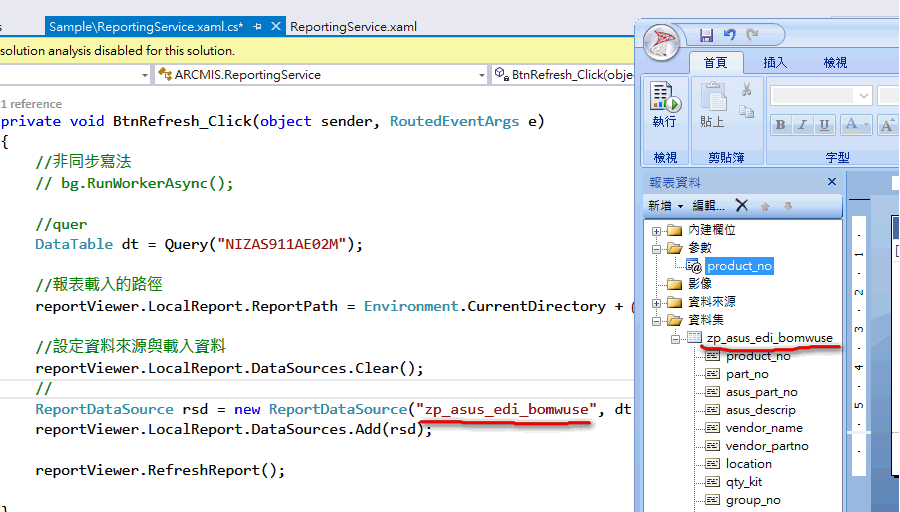
            ReportDataSource rsd = new ReportDataSource("zp_asus_edi_bomwuse", dt);
            reportViewer.LocalReport.DataSources.Add(rsd);

            //產生報表
            reportViewer.RefreshReport();

   }
補充1
這2個名字要一樣
 補充2
補充2
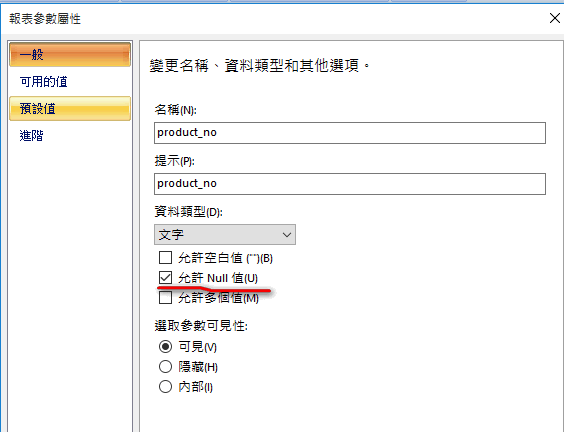
參數要設為允許NULL值