摘要:ASP.NET- 動態新增物件
透過後端的程式(.cs) 來動態新增Label物件在表格中
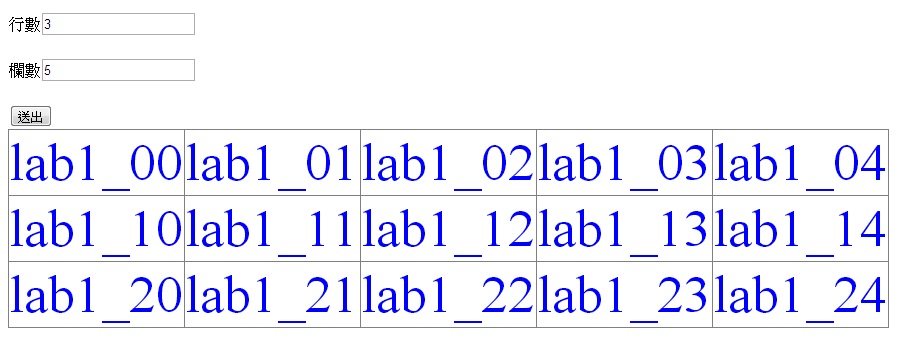
Step1. 在aspx設計頁面做好以下設計
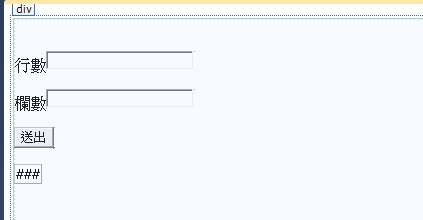
p.s. Table 物件一定要有
Step2.在按鈕事件中加入以下程式碼
 protected void Button1_Click(object sender, EventArgs e)
    {
        TableRow tr = null;//行數
        TableCell tc = null;//欄位
        Label[] NameArray = new Label[6];

        for (int j = 0; j < int.Parse(TextBox1.Text); j++)
        {
            tr = new TableRow();//創出一行
            for (int i = 0; i < int.Parse(TextBox2.Text); i++)
            {
                tc = new TableCell();//欄位
                Label lab = new Label();
                lab.ID = "lab1_" + j.ToString() + i.ToString();
                lab.Text = lab.ID;
                lab.Font.Size = FontUnit.Point(40);//字型大小
                lab.ForeColor = System.Drawing.Color.Blue;//顏色
                tc.Controls.Add(lab);//將物件加入欄(tc)中
                tr.Cells.Add(tc);//將欄(tc)加入到行(tr)中
                NameArray[j] = lab;//物件陣列,可供之後呼叫使用
            }
            Table1.Rows.Add(tr);//將以上的物件加到table物件裡面
        }
    }
即可完成動態新增的動作