Startup MSDTC in Window7 (Enable transaction function)
[ErrorInfo in VisualStudio]
The flowed transaction could not be unmarshaled. The following exception occurred: The MSDTC transaction manager's WS-AtomicTransaction protocol service 'Version10' is disabled and cannot unmarshal incoming transactions."
[Solution]
因為Windows 7 MSDTC未開啟,步驟:
1. Run cmd
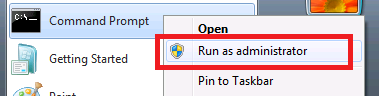
2. msdtc –install
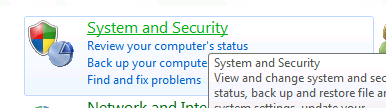
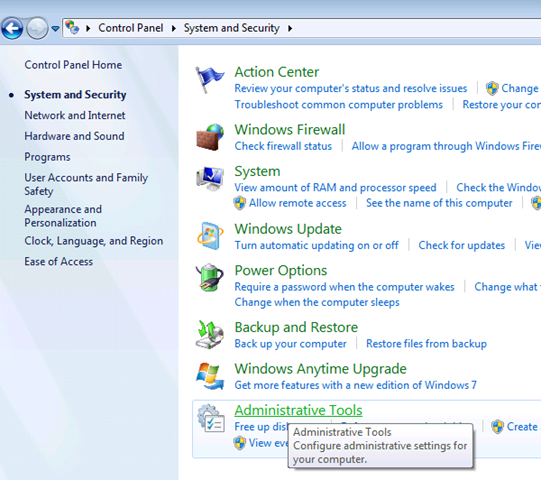
3. Control Panel => System and Security
的 Administrative Tools
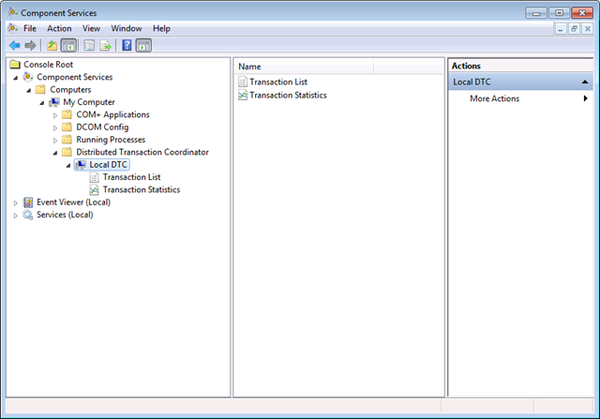
到 Components Service

展開到 Local DTC 按右鍵Properties
到 Security Tab ,確定相關的權限都有啟用及設定
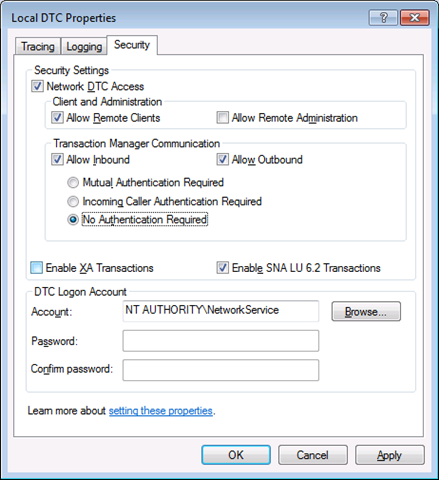
完成。