測試 Internet Explorer 參數,以及展示各項參數效果的小程式
一、簡介
在 The Will Will Web 中閱讀了 啟動 Internet Explorer 的幾個好用的指令列參數 這篇文章,覺得 Internet Explorer 參數還
蠻有趣的,因此上網找了一些參數的資料,並且將這些常用的參數,透過C#寫了一個小程式,讓想要了解這方面的人
可以很容易的馬上看到下什麼參數,就會有什麼結果。
二、參數介紹
接著,透過我寫好的小程式,將執行的結果顯示如下
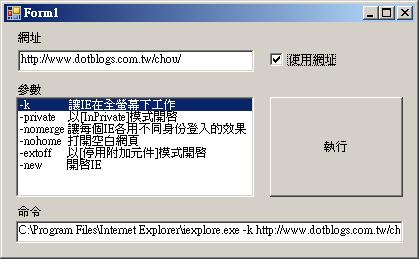
1. 參數 -k : 開啟IE,並且讓IE在全螢幕下工作
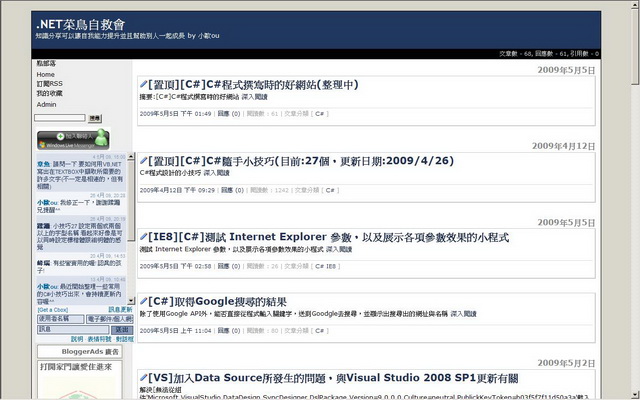
執行結果
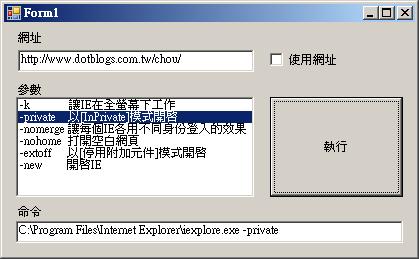
2. 參數 -private : 開啟IE,並且以[InPrivate]模式開啟
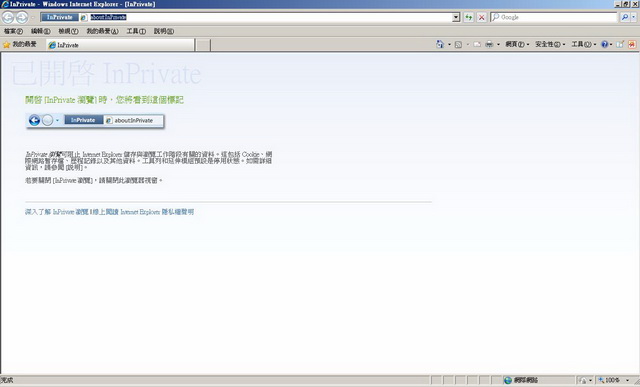
執行結果
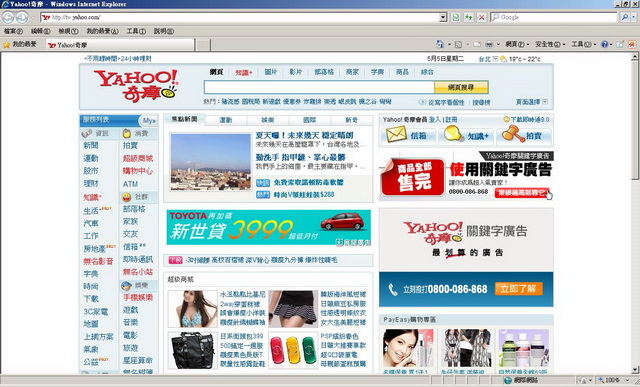
3. 參數 -nomerge : 開啟IE,並且讓每個IE各用不同身份登入的效果。
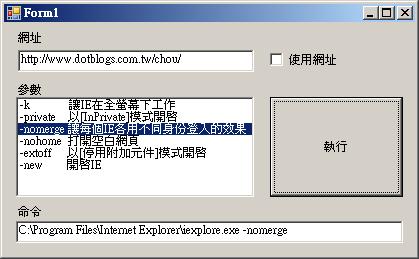
執行結果
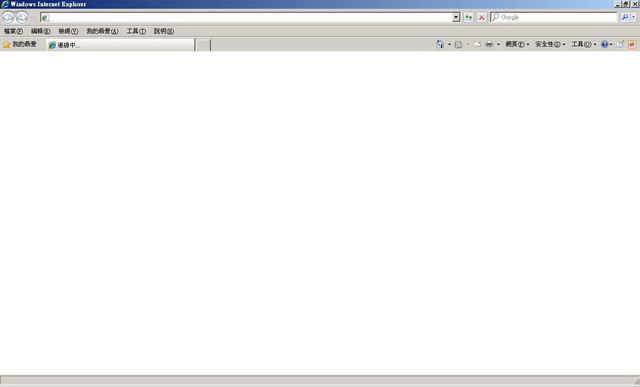
4. 參數 -nohome : 開啟IE,打開空白網頁。
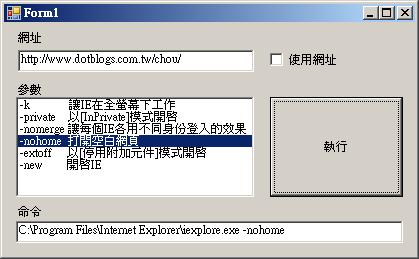
執行結果
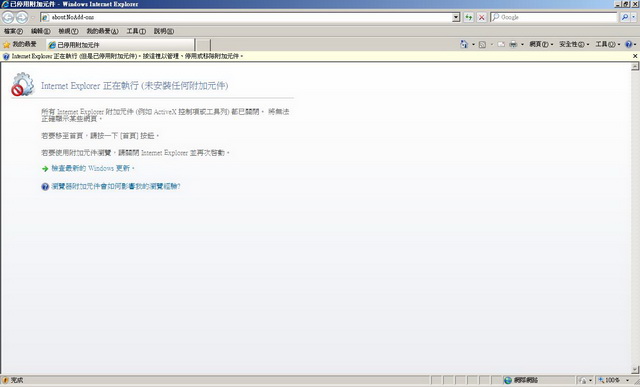
5. 參數 -extoff : 開啟IE,並且以[停用附加元件]模式開啟。
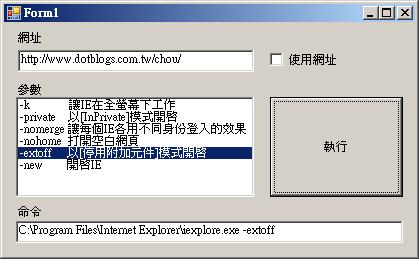
執行結果
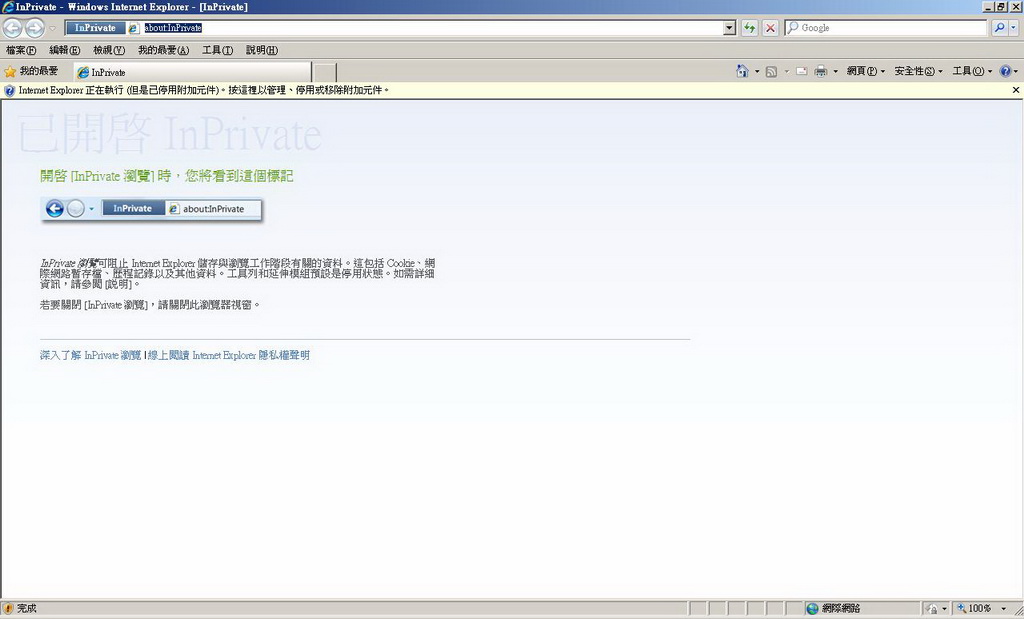
6. 同時下兩個參數 -private 與 -extoff : 開啟IE,並且以[InPrivate]模式 與 [停用附加元件]模式開啟。
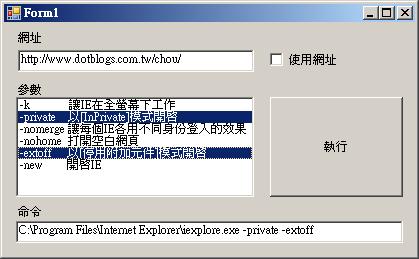
執行結果
三、程式碼
01  using System;
02 using System.Collections.Generic;
03using System.ComponentModel;
04using System.Data;
05using System.Drawing;
06using System.Text;
07using System.Windows.Forms;
08 using System.Diagnostics;
09
10namespace WindowsApplication11
11{
12 public partial class Form1 : Form
13 {
{
14 public Form1()
15 {
16 InitializeComponent();
17 }
}
18
19 string strProcessName;
20 string strCommand;
21 private void Form1_Load(object sender, EventArgs e)
22 {
23 txtUrl.Text = "http://www.dotblogs.com.tw/chou/";
24
25 listBoxParameter.SelectionMode = SelectionMode.MultiExtended;
26 listBoxParameter.Items.Add("-k 讓IE在全螢幕下工作"); // 開啟IE,並且讓IE在全螢幕下工作
27 listBoxParameter.Items.Add("-private 以[InPrivate]模式開啟"); // 開啟IE,並且以[InPrivate]模式開啟
28 listBoxParameter.Items.Add("-nomerge 讓每個IE各用不同身份登入的效果"); // 開啟IE,並且讓每個IE各用不同身份登入的效果
29 listBoxParameter.Items.Add("-nohome 打開空白網頁"); // 開啟IE,打開空白網頁。
30 listBoxParameter.Items.Add("-extoff 以[停用附加元件]模式開啟"); // 開啟IE,並且以[停用附加元件]模式開啟
31 listBoxParameter.Items.Add("-new 開啟IE"); // 開啟IE
32 }
33
34 private void listBoxParameter_SelectedIndexChanged(object sender, EventArgs e)
35 {
36 strProcessName = @"C:\Program Files\Internet Explorer\iexplore.exe ";
37 strCommand = "";
38 foreach (string strPara in listBoxParameter.SelectedItems)
39 {
40 strCommand += strPara.Split()[0].TrimStart() + " ";
41 }
42
43 if (chkSetUrl.Checked)
44 {
45 strCommand += txtUrl.Text;
46 }
47 txtCommand.Text = strProcessName + strCommand;
48 }
49
50 private void btnProcess_Click(object sender, EventArgs e)
51 {
52 Process.Start(strProcessName, strCommand);
53 }
54
55 private void chkSetUrl_CheckedChanged(object sender, EventArgs e)
56 {
57 listBoxParameter_SelectedIndexChanged(null, null);
58 }
59 }
60}
using System;  using
using 02
using System.Collections.Generic; 03
using System.ComponentModel; 04
using System.Data; 05
using System.Drawing; 06
using System.Text; 07
using System.Windows.Forms; 08
using System.Diagnostics; 09
10
namespace WindowsApplication11 11
{ 12
public partial class Form1 : Form 13
{ 
14
public Form1() 15
{ 16
InitializeComponent(); 17
} 18
19
string strProcessName; 20
string strCommand; 21
private void Form1_Load(object sender, EventArgs e) 22
{ 23
txtUrl.Text = "http://www.dotblogs.com.tw/chou/"; 24
25
listBoxParameter.SelectionMode = SelectionMode.MultiExtended; 26
listBoxParameter.Items.Add("-k 讓IE在全螢幕下工作"); // 開啟IE,並且讓IE在全螢幕下工作 27
listBoxParameter.Items.Add("-private 以[InPrivate]模式開啟"); // 開啟IE,並且以[InPrivate]模式開啟 28
listBoxParameter.Items.Add("-nomerge 讓每個IE各用不同身份登入的效果"); // 開啟IE,並且讓每個IE各用不同身份登入的效果 29
listBoxParameter.Items.Add("-nohome 打開空白網頁"); // 開啟IE,打開空白網頁。 30
listBoxParameter.Items.Add("-extoff 以[停用附加元件]模式開啟"); // 開啟IE,並且以[停用附加元件]模式開啟 31
listBoxParameter.Items.Add("-new 開啟IE"); // 開啟IE 32
} 33
34
private void listBoxParameter_SelectedIndexChanged(object sender, EventArgs e) 35
{ 36
strProcessName = @"C:\Program Files\Internet Explorer\iexplore.exe "; 37
strCommand = ""; 38
foreach (string strPara in listBoxParameter.SelectedItems) 39
{ 40
strCommand += strPara.Split()[0].TrimStart() + " "; 41
} 42
43
if (chkSetUrl.Checked) 44
{ 45
strCommand += txtUrl.Text; 46
} 47
txtCommand.Text = strProcessName + strCommand; 48
} 49
50
private void btnProcess_Click(object sender, EventArgs e) 51
{ 52
Process.Start(strProcessName, strCommand); 53
} 54
55
private void chkSetUrl_CheckedChanged(object sender, EventArgs e) 56
{ 57
listBoxParameter_SelectedIndexChanged(null, null); 58
} 59
} 60
}
四、程式下載
五、結論
本文提供了一個小程式,使用者可以單選或者多選參數,來了解 Internet Explorer 參數,並將各參數的執行結果顯示出來。