最近一直在測試各種可以產生圖片與影片的 AI API
前一篇測試了 Agnes AI 的圖片生成, 既然圖片可以直接用 API 產生,當然就會想看看影片是不是也可以
結果 Agnes AI 也有提供 agnes-video-v2.0 影片生成模型,而且可以直接透過 API 呼叫
Agnes AI 官方目前也將圖片與影片模型列為可透過 API 使用的多模態功能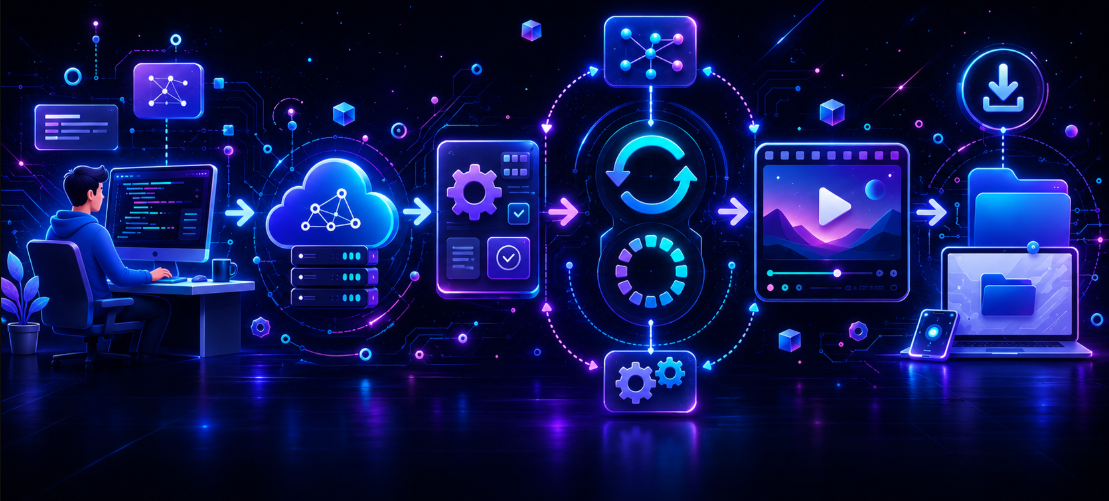
1. 就按照慣例,提醒一下你必須要先去拿 key https://platform.agnes-ai.com/settings/apiKeys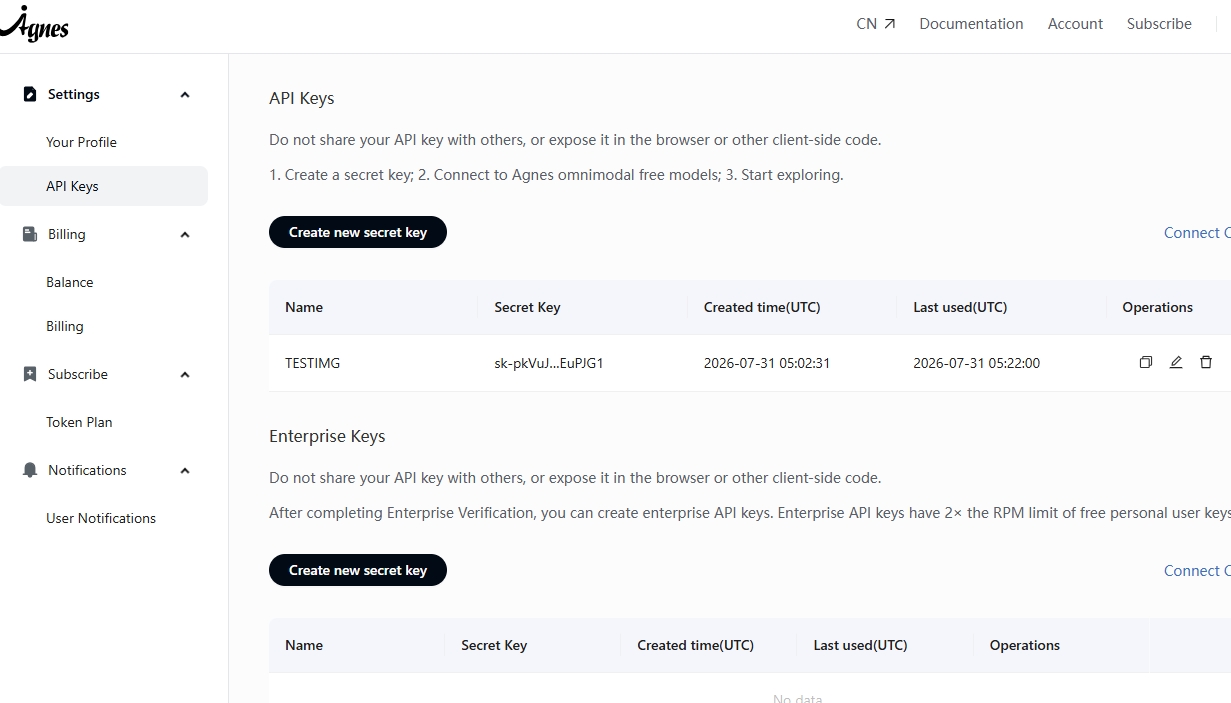
2. 影片生成跟圖片生成有一點不同,圖片通常呼叫 API 後,就可以直接取得圖片網址
影片需要比較久,所以會先建立一個任務,取得任務 ID,再持續查詢影片的生成進度,所以必須要一直查詢
大概流程就是:
送出影片生成要求
↓
取得任務 ID
↓
每隔幾秒查詢進度
↓
影片生成完成
↓
取得影片網址
↓
下載 MP4 到本機
整個流程雖然比圖片生成多了一些步驟,但實際串接並不困難
3. 接下來就是程式碼的部分,需要注意的就是寫在程式裡面, 基本上你就丟給 AI ,補上你的 Key
應該就是可以輕鬆寫出你要的效果..
internal class Program
   {
       static void Main(string[] args)
       {
           try
           {
               /*
                * Agnes AI 影片生成是非同步流程。
                *
                * 由同步 Main 進入點等待 MainAsync 執行完成。
                */
               MainAsync().GetAwaiter().GetResult();
           }
           catch (Exception ex)
           {
               Console.WriteLine("程式執行失敗:");
               Console.WriteLine(ex.Message);
           }

           Console.WriteLine();
           Console.WriteLine("按任意鍵結束...");
           Console.ReadKey();
       }

       private static async Task MainAsync()
       {
           /*
            * 直接帶入 Agnes AI API Key。
            *
            * 測試時可以直接寫在這裡,
            * 但正式專案不要將 API Key 提交到 GitHub。
            */
           const string apiKey = "YOUR_API_KEY";

           /*
            * Agnes AI 建立影片任務 API。
            */
           const string createEndpoint =
               "https://apihub.agnes-ai.com/v1/videos";

           if (string.IsNullOrWhiteSpace(apiKey) ||
               apiKey.Contains("帶入你的"))
           {
               Console.WriteLine("請先設定 Agnes AI API Key");
               return;
           }

           /*
            * 這個 HttpClient 只負責呼叫 Agnes AI API。
            *
            * 因為會加入 Authorization Header,
            * 不要使用它下載最後產生的影片。
            */
           using var apiHttpClient = new HttpClient
           {
               Timeout = TimeSpan.FromMinutes(5)
           };

           /*
            * Agnes AI 使用 Bearer Token 驗證。
            */
           apiHttpClient.DefaultRequestHeaders.Authorization =
               new AuthenticationHeaderValue("Bearer", apiKey);

           /*
            * 影片生成參數。
            *
            * model:
            * 使用 Agnes Video V2.0。
            *
            * prompt:
            * 建議描述主體、動作、鏡頭、場景與光線。
            *
            * width、height:
            * Agnes AI 可能會自動映射成最接近的預設尺寸。
            *
            * num_frames:
            * 必須符合 8n + 1。
            *
            * 例如:
            * 121、241、441。
            *
            * 121 個影格搭配 24 FPS,
            * 大約會產生 5 秒影片。
            */
           var request = new
           {
               model = "agnes-video-v2.0",

               prompt = """
                        A cinematic shot of a software engineer working
                        in a dark technology studio, typing C# code,
                        computer screens glowing softly,
                        slow camera movement,
                        realistic motion,
                        cinematic lighting
                        """,

               width = 1152,

               height = 768,

               num_frames = 121,

               frame_rate = 24
           };

           Console.WriteLine("開始建立影片生成任務...");

           /*
            * 建立影片生成任務。
            */
           using var createResponse =
               await apiHttpClient.PostAsJsonAsync(
                   createEndpoint,
                   request);

           var createResponseText =
               await createResponse.Content.ReadAsStringAsync();

           if (!createResponse.IsSuccessStatusCode)
           {
               Console.WriteLine(
                   $"建立任務失敗:{(int)createResponse.StatusCode} " +
                   $"{createResponse.StatusCode}");

               Console.WriteLine(createResponseText);
               return;
           }

           /*
            * 建立成功後,API 回傳的任務編號可能位於:
            *
            * id
            * task_id
            * video_id
            *
            * 目前實際回傳格式主要使用 id。
            */
           var createResult =
               JsonSerializer.Deserialize(
                   createResponseText,
                   new JsonSerializerOptions
                   {
                       PropertyNameCaseInsensitive = true
                   });

           var videoId =
               createResult?.Id ??
               createResult?.TaskId ??
               createResult?.VideoId;

           if (string.IsNullOrWhiteSpace(videoId))
           {
               Console.WriteLine("API 回應中找不到影片任務 ID");
               Console.WriteLine(createResponseText);
               return;
           }

           Console.WriteLine($"任務建立成功:{videoId}");

           /*
            * 影片生成需要一段時間。
            *
            * 每隔 10 秒查詢一次任務狀態,
            * 最多等待 30 分鐘。
            */
           var startedAt = DateTime.UtcNow;
           var maximumWaitTime = TimeSpan.FromMinutes(30);

           while (true)
           {
               if (DateTime.UtcNow - startedAt > maximumWaitTime)
               {
                   Console.WriteLine("等待影片生成逾時");
                   return;
               }

               await Task.Delay(TimeSpan.FromSeconds(10));

               /*
                * 使用影片任務 ID 查詢目前狀態。
                */
               var statusEndpoint =
                   "https://apihub.agnes-ai.com/agnesapi" +
                   $"?video_id={Uri.EscapeDataString(videoId)}";

               using var statusResponse =
                   await apiHttpClient.GetAsync(statusEndpoint);

               var statusResponseText =
                   await statusResponse.Content.ReadAsStringAsync();

               if (!statusResponse.IsSuccessStatusCode)
               {
                   Console.WriteLine(
                       $"查詢任務失敗:{(int)statusResponse.StatusCode} " +
                       $"{statusResponse.StatusCode}");

                   Console.WriteLine(statusResponseText);
                   return;
               }

               var statusResult =
                   JsonSerializer.Deserialize(
                       statusResponseText,
                       new JsonSerializerOptions
                       {
                           PropertyNameCaseInsensitive = true
                       });

               Console.WriteLine(
                   $"目前狀態:{statusResult?.Status}," +
                   $"進度:{statusResult?.Progress}%");

               /*
                * 任務失敗時停止輪詢。
                */
               if (string.Equals(
                   statusResult?.Status,
                   "failed",
                   StringComparison.OrdinalIgnoreCase))
               {
                   Console.WriteLine("影片生成失敗");

                   if (statusResult?.Error != null)
                   {
                       Console.WriteLine(
                           JsonSerializer.Serialize(
                               statusResult.Error));
                   }
                   else
                   {
                       Console.WriteLine(statusResponseText);
                   }

                   return;
               }

               /*
                * Agnes AI 完成後,
                * 影片下載網址直接放在最外層 url。
                *
                * 不是 metadata.url。
                */
               if (string.Equals(
                   statusResult?.Status,
                   "completed",
                   StringComparison.OrdinalIgnoreCase))
               {
                   var videoUrl = statusResult?.Url;

                   if (string.IsNullOrWhiteSpace(videoUrl))
                   {
                       Console.WriteLine("找不到影片下載網址");
                       Console.WriteLine(statusResponseText);
                       return;
                   }

                   Console.WriteLine();
                   Console.WriteLine("影片生成完成");
                   Console.WriteLine($"影片網址:{videoUrl}");

                   await DownloadVideoAsync(videoUrl);
                   return;
               }
           }
       }

       private static async Task DownloadVideoAsync(string videoUrl)
       {
           /*
            * 影片下載必須使用新的 HttpClient。
            *
            * 不要使用前面帶有 Agnes API Key 的 apiHttpClient,
            * 避免將 Authorization Header 傳到影片輸出網域,
            * 否則有可能出現 401 Unauthorized。
            */
           using var downloadHttpClient = new HttpClient
           {
               Timeout = TimeSpan.FromMinutes(15)
           };

           Console.WriteLine("開始下載影片...");

           using var response =
               await downloadHttpClient.GetAsync(
                   videoUrl,
                   HttpCompletionOption.ResponseHeadersRead);

           if (!response.IsSuccessStatusCode)
           {
               var errorContent =
                   await response.Content.ReadAsStringAsync();

               Console.WriteLine(
                   $"影片下載失敗:{(int)response.StatusCode} " +
                   $"{response.StatusCode}");

               Console.WriteLine(errorContent);
               return;
           }

           var videoBytes =
               await response.Content.ReadAsByteArrayAsync();

           if (videoBytes.Length == 0)
           {
               Console.WriteLine("影片下載失敗:回傳內容為空");
               return;
           }

           /*
            * 影片儲存在程式執行目錄。
            *
            * 檔名加入目前時間,
            * 避免重複執行時覆蓋原本的影片。
            */
           var outputPath = Path.Combine(
               AppContext.BaseDirectory,
               $"agnes-video-{DateTime.Now:yyyyMMdd-HHmmss}.mp4");

           await File.WriteAllBytesAsync(
               outputPath,
               videoBytes);

           Console.WriteLine();
           Console.WriteLine("影片下載完成");
           Console.WriteLine($"檔案位置:{outputPath}");
           Console.WriteLine($"檔案大小:{videoBytes.Length:N0} Bytes");
       }
   }

   /*
    * Agnes AI 影片任務回應格式。
    */
   public sealed class VideoResponse
   {
       /*
        * 目前建立任務時,
        * 任務 ID 主要會放在 id。
        */
       [JsonPropertyName("id")]
       public string? Id { get; set; }

       /*
        * 保留其他可能的欄位格式。
        */
       [JsonPropertyName("task_id")]
       public string? TaskId { get; set; }

       [JsonPropertyName("video_id")]
       public string? VideoId { get; set; }

       /*
        * 例如:
        *
        * in_progress
        * completed
        * failed
        */
       [JsonPropertyName("status")]
       public string? Status { get; set; }

       /*
        * 影片生成進度。
        */
       [JsonPropertyName("progress")]
       public int Progress { get; set; }

       /*
        * 影片秒數。
        */
       [JsonPropertyName("seconds")]
       public string? Seconds { get; set; }

       /*
        * 影片尺寸。
        *
        * 例如:
        * 1088x832
        */
       [JsonPropertyName("size")]
       public string? Size { get; set; }

       /*
        * 影片完成後,
        * 下載網址直接位於最外層 url。
        */
       [JsonPropertyName("url")]
       public string? Url { get; set; }

       /*
        * 任務失敗時的錯誤內容。
        */
       [JsonPropertyName("error")]
       public object? Error { get; set; }

       /*
        * Agnes AI 可能自動調整輸出尺寸,
        * 詳細資訊會放在 size_mapping。
        */
       [JsonPropertyName("size_mapping")]
       public VideoSizeMapping? SizeMapping { get; set; }
   }

   public sealed class VideoSizeMapping
   {
       [JsonPropertyName("adjusted")]
       public bool Adjusted { get; set; }

       [JsonPropertyName("requested_width")]
       public int RequestedWidth { get; set; }

       [JsonPropertyName("requested_height")]
       public int RequestedHeight { get; set; }

       [JsonPropertyName("width")]
       public int Width { get; set; }

       [JsonPropertyName("height")]
       public int Height { get; set; }

       [JsonPropertyName("ratio")]
       public string? Ratio { get; set; }

       [JsonPropertyName("resolution")]
       public string? Resolution { get; set; }

       [JsonPropertyName("message")]
       public string? Message { get; set; }
   }
4. 中間遇到一些小問題 ,這邊就筆記一下
第一個是影片下載網址不是放在 metadata.url
實際回傳是直接放在 JSON 最外層 url 所以程式必須直接讀取 var videoUrl = statusResult?.Url;
第二個問題是下載影片時,不要直接使用原本帶有 Agnes AI API Key 的 HttpClient
因為影片網址位於另一個網域,如果連 Authorization Header 一起送過去,有可能會出現 401 Unauthorized
所以範例中另外建立了一個沒有 Bearer Token 的 HttpClient,專門負責下載影片
我原本傳入的影片尺寸是 1152 × 768 但 Agnes AI 最後自動轉成 1088 × 832
結論
這次實際測試 Agnes AI 的影片生成 API,整個流程比圖片生成多了一個任務查詢的步驟,但其實沒有想像中複雜。
拿到 API Key 之後,使用 C# 的 HttpClient 就可以建立影片任務、查詢進度,最後再把影片下載到本機。
現在串接這類 AI API,其實程式碼也不用自己慢慢從頭寫。
你可以直接把官方文件跟這篇案例丟給 AI,再換掉 API Key 與提示詞,基本上很快就可以做出自己的 AI 影片生成功能。
至少目前實際測試下來,文字生成影片可以正常完成,產生的 MP4 也能直接下載。
之後不管是拿來做文章影片、商品展示、短影音素材,或整合到自己的工具中,都有不少可以玩的地方。
這邊附上產出的影片
---
The bug existed in all possible states.
Until I ran the code.


