windows phone Jumpstart Maps and Location
重點:
Demo 1: Get Phone Position and Location Emulator
-
BasicLocationandMap 範例
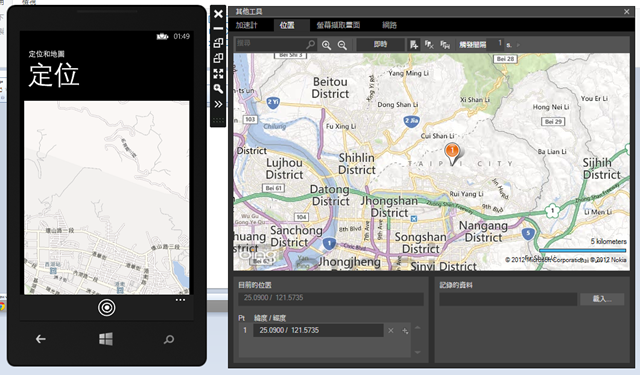
按下定位按鈕:
1: private async void LocateMeButton_Click_1(object sender, EventArgs e)
2: {
3: //Getting Phone's current location
4: Geolocator MyGeolocator = new Geolocator();
5: MyGeolocator.DesiredAccuracyInMeters = 5;
6: Geoposition myGeoPosition = null;
7: try
8: {
9: //參數一:maximumAge, 參數二: timeout
10: myGeoPosition = await MyGeolocator.GetGeopositionAsync(TimeSpan.FromMinutes(1), TimeSpan.FromSeconds(10));
11: }
12: catch (UnauthorizedAccessException)
13: {
14: MessageBox.Show("定位失敗");
15: }
16:
17: // Set the center on the map
18: this.MyMap.Center = new GeoCoordinate(myGeoPosition.Coordinate.Latitude, myGeoPosition.Coordinate.Longitude);
19: this.MyMap.ZoomLevel = 15;
20: }
註記:
Demo 4: Map Control & Demo 5 : Pushpin
-
LocationTracker 範例
流程:
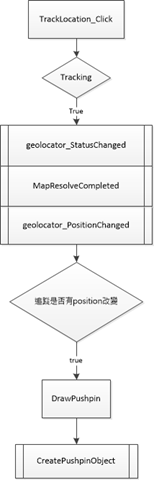
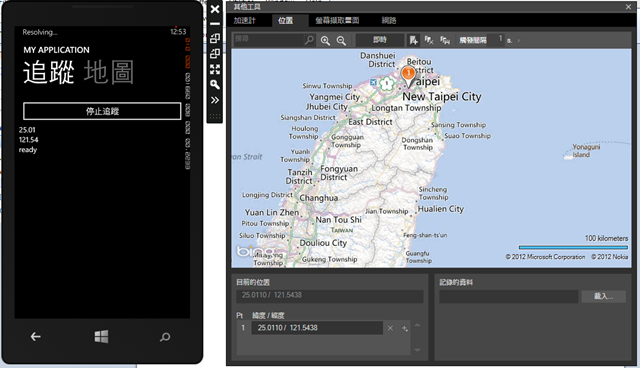
- 按下追蹤按鈕:
1: private void TrackLocation_Click(object sender, RoutedEventArgs e)
2: {
3: if (!tracking)//非追蹤狀態
4: {
5: geolocator = new Geolocator();
6: geolocator.DesiredAccuracy = PositionAccuracy.High;
7: // 和上一個位置距離超過50公尺才觸發position change動作
8: geolocator.MovementThreshold = 50;
9:
10:
11: //更改geolocator提供更新位置能力的狀態
12: geolocator.StatusChanged += geolocator_StatusChanged;
13: //觸發位置改變處理事件
14: geolocator.PositionChanged += geolocator_PositionChanged;
15:
16: tracking = true;
17: TrackLocationButton.Content = "停止追蹤";
18:
19: //map進入idle狀態觸發事件
20: this.MyMap.ResolveCompleted += MapResolveCompleted;
21:
22: }
23: else
24: {
25: geolocator.PositionChanged -= geolocator_PositionChanged;
26: geolocator.StatusChanged -= geolocator_StatusChanged;
27: geolocator = null;
28:
29: tracking = false;
30: TrackLocationButton.Content = "追蹤位置";
31: StatusTextBlock.Text = "已停止";
32:
33: this.MyMap.ResolveCompleted -= MapResolveCompleted;
34: }
35: }
註記:
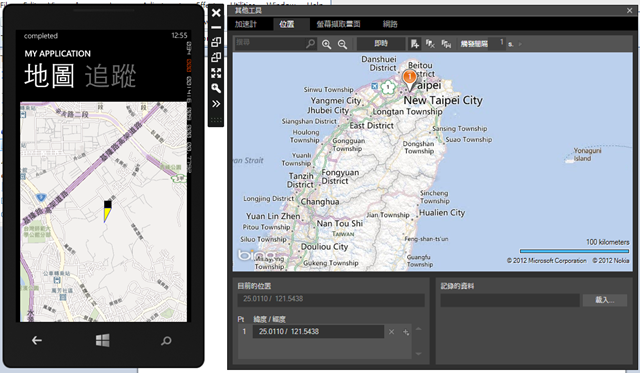
- 位置改變事件:
1: void geolocator_PositionChanged(Geolocator sender, PositionChangedEventArgs args)
2: {
3: Dispatcher.BeginInvoke(() =>
4: {
5: LatitudeTextBlock.Text = args.Position.Coordinate.Latitude.ToString("0.00");
6: LongitudeTextBlock.Text = args.Position.Coordinate.Longitude.ToString("0.00");
7:
8:
9: //因為location使用Windows.Devices.Geolocation.Geocoordinate物件
10: //但map control使用System.Device.Location.GeoCoordinate物件
11: //所以需要做轉換
12: GeoCoordinate positionCoord = new GeoCoordinate()
13: {
14: Altitude = args.Position.Coordinate.Altitude.HasValue ? args.Position.Coordinate.Altitude.Value : 0.0,
15: //取得 GeoCoordinate 的高度 (以公尺為單位)。
16: Course = args.Position.Coordinate.Heading.HasValue ? args.Position.Coordinate.Heading.Value : 0.0,
17: //取得或設定相對於真北方的航向
18: HorizontalAccuracy = args.Position.Coordinate.Accuracy,//經緯度的精確度
19: Latitude = args.Position.Coordinate.Latitude,
20: Longitude = args.Position.Coordinate.Longitude,
21: Speed = args.Position.Coordinate.Speed.HasValue ? args.Position.Coordinate.Speed.Value : 0.0,
22: VerticalAccuracy = args.Position.Coordinate.AltitudeAccuracy.HasValue ? args.Position.Coordinate.AltitudeAccuracy.Value : 0.0
23: };
24:
25: // 利用新的location創建新的map
26: this.MyMap.Center = positionCoord;
27:
28: this.MyMap.ZoomLevel = 15;
29:
30: //// 更簡潔的方法
31: //GeoCoordinateEx gex = new GeoCoordinateEx();
32: //gex = args.Position.Coordinate;
33: //this.MyMap.Center = gex.GeoCoordinate;
34: ////或者使用Map extension method:
35: //this.MyMap.SetCenter(args.Position.Coordinate);
36:
37:
38: // Draw a pushpin
39: DrawPushpin(positionCoord);
40:
41: // 設定系統匣顯示的進度
42: pi.IsVisible = true;
43: pi.IsIndeterminate = true;
44: pi.Text = "Resolving...";
45: SystemTray.SetProgressIndicator(this, pi);
46: //bind頁面和系統匣
47: });
48: }
註記:
- GeoCoordinateEx : 此class定義在GeoCoordinateExtensions.cs
- 畫pushpin:
1: private void DrawPushpin(GeoCoordinate coord)
2: {
3: var aPushpin = CreatePushpinObject();
4:
5: //把創建好的pushpin加進MapOverlay物件中
6: MapOverlay MyOverlay = new MapOverlay();
7: MyOverlay.Content = aPushpin;
8: MyOverlay.GeoCoordinate = coord;
9: MyOverlay.PositionOrigin = new Point(0, 0.5);
10:
11: //把MyOverlay物件加到MapLayer上面
12: this.PushpinMapLayer.Add(MyOverlay);
13: }
註記:
- pushpin在wp8沒有pushpin object 但可以自行畫UIElement在 MapOverlay上 然後在 MapLayer上給定位置。
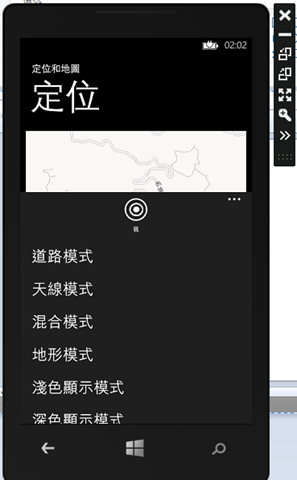
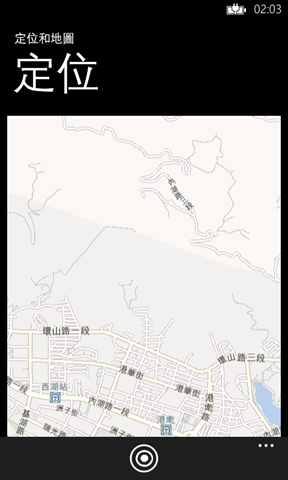
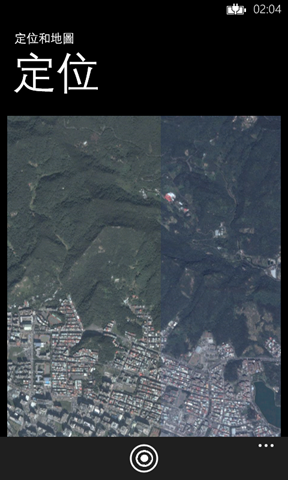
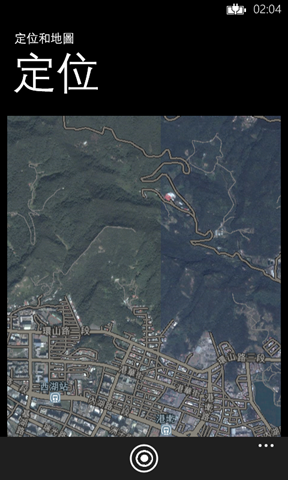
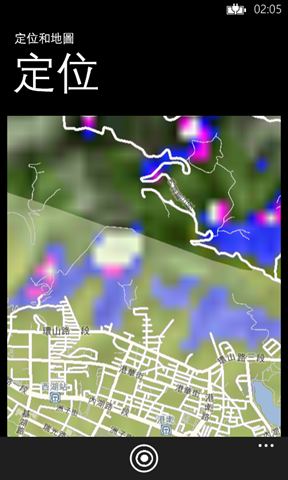
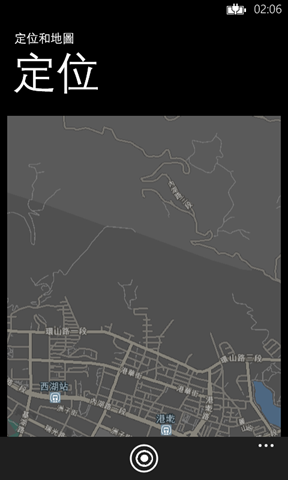
道路 天線 混合 地形 深色
註記:
- 設定map顯示模式
- Map.CartographicMode
- Map.ColorMode
Demo 2: Tracking Phone Position & Demo 3: Background Location Tracking
-
BackgroundLocationTracker 範例
- 註冊app在背景執行:
1: <Application.ApplicationLifetimeObjects>
2: <!--Required object that handles lifetime events for the application-->
3: <shell:PhoneApplicationService
4: Launching="Application_Launching" Closing="Application_Closing"
5: Activated="Application_Activated" Deactivated="Application_Deactivated"
6: RunningInBackground="Application_RunningInBackground"/>
7: </Application.ApplicationLifetimeObjects>
註記:
- 在App.xaml內註冊Application_RunningInBackground事件
- 需要一個方法告訴app現在是否在背景執行:
1: public static bool RunningInBackground { get; set; }
註記:
- 在App.xaml.cs內宣告一個bool
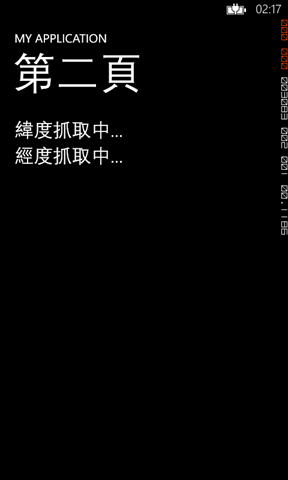
程式執行中。非在背景執行,所以持續更新UI
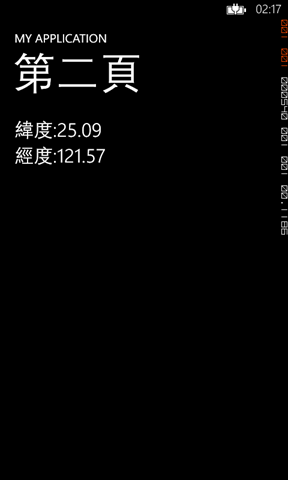
離開此app,但未reset,所以仍在背景執行,一旦感測到位置有改變,send toast告知user。
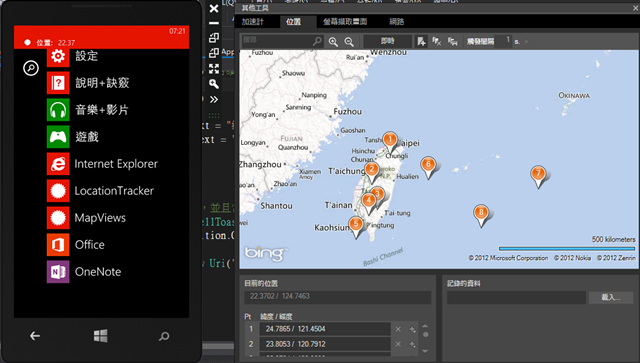
位置改變事件:
1: void geolocator_PositionChanged(Geolocator sender, PositionChangedEventArgs args)
2: {
3: if (!App.RunningInBackground)//持續追蹤並且更新頁面
4: {
5: Dispatcher.BeginInvoke(() =>
6: {
7: LatitudeTextBlock.Text = "緯度:"+args.Position.Coordinate.Latitude.ToString("0.00");
8: LongitudeTextBlock.Text = "經度:"+args.Position.Coordinate.Longitude.ToString("0.00");
9: });
10: }
11: else
12: {
13: // 則程式run在background,並且當location改變時send toast提醒。
14: Microsoft.Phone.Shell.ShellToast toast = new Microsoft.Phone.Shell.ShellToast();
15: toast.Content = args.Position.Coordinate.Latitude.ToString("0.00");
16: toast.Title = "位置: ";
17: toast.NavigationUri = new Uri("/Page2.xaml", UriKind.Relative);
18: toast.Show();
19:
20: }
21: }
-
MapView 範例
註記:
- 設定map畫面跳轉時的動畫效果。
- MapAnimationKind
-
SetView() 可以定義MapView屬性
- Center: 給定中心點的Geoposition
- ZoomLevel: 地圖顯示倍數
- Heading: 方位角
- Pitch: 仰視角
- BoundingRectangle: a LocationRectangle object that contains the Map control
- AnimationKind: 地圖轉換的動畫效果
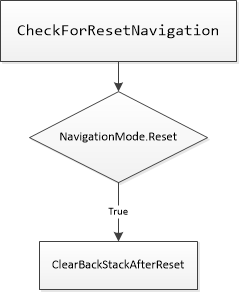
補充 Fast app resume
- 如果非FAR程式,跳至page2,那麼page2是back鍵內的唯一page,則按下back鍵之後會退出程式。
- 但在FAR的程式中,跳至page2,但因為BackStack內存有mainpage,所以當運行新程序,按下back鍵,則會以mainpage的程序退出。
- 流程:
如有任何問題、錯誤,可在下面留言,謝謝您的指教。