摘要:iPhone開發實作系列
新建一個Project
iOS / Application / View-based Application / iPhone / Choose...
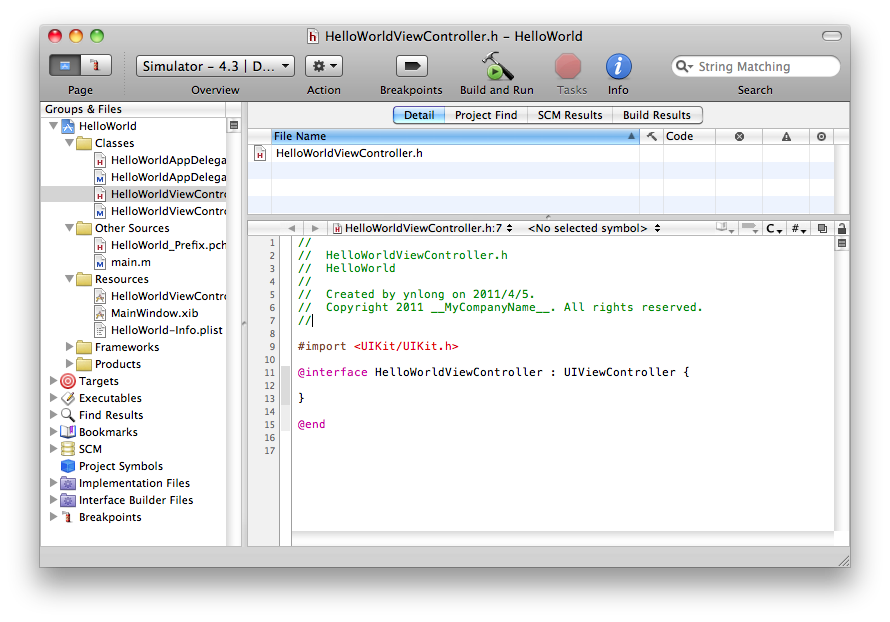
取名為 Hello World
在 Resources 目錄中點兩下 HelloWorldViewController.xib, 可進入 Interface Builder 設計介面
在工具列中選 Tools / Library 以顯示出 Library視窗
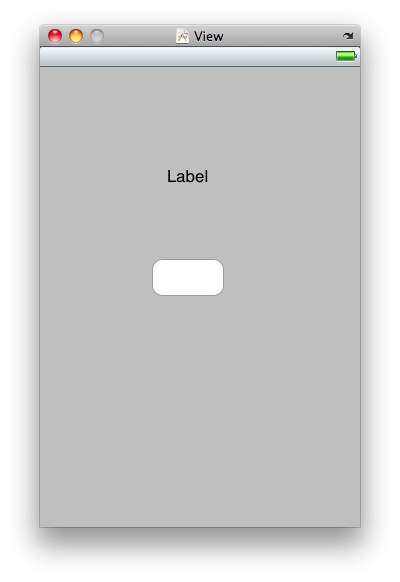
在 Objects頁籤,拖拉一個 Label 和 Round Rect Button 到 View 中,畫面如下:
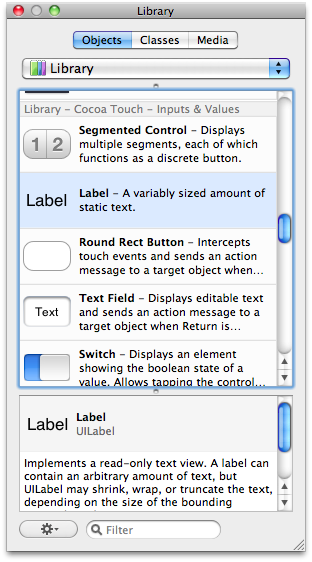
接著加入一些宣告,方式為在 Library視窗中的 Classes頁籤
找尋 Library 中的 HelloWorldViewController,將下方的下拉選單改成 Outlets
按+號,加入 myLabel, 右方改成 UILabel
按+號,加入 myButton, 右方改成 UIButton
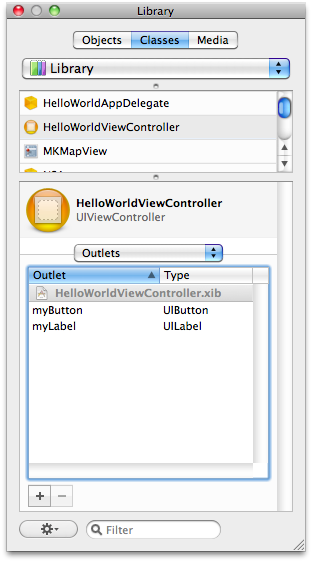
再將下方的下拉選單改成 Actions
按+號,加入 myAction: 右方仍為 id
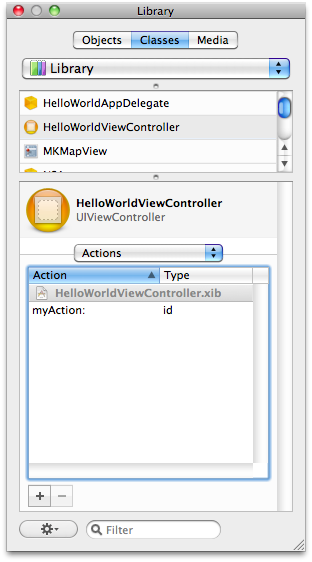
接著選 Tools / Connections Inspector
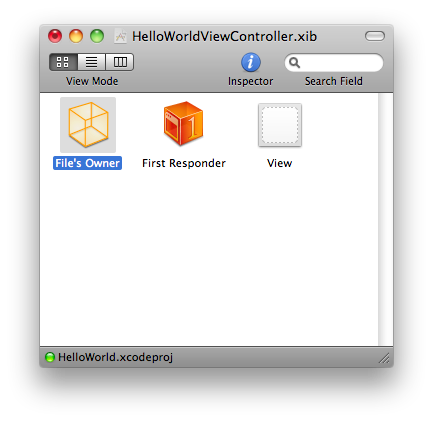
選取 HelloWorldViewController.xib 中的 File's Owner
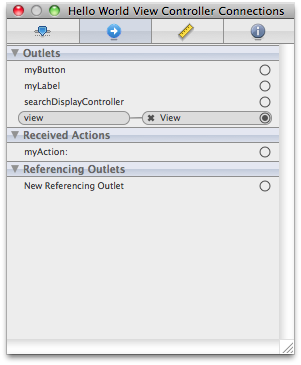
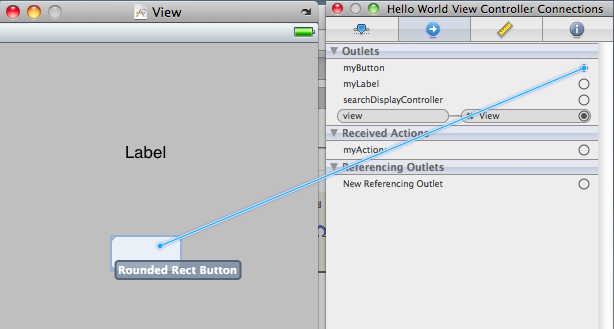
接著在 myLabel 右方的小圈圈中按 mouse 並拖拉到 View 中的 Label 上方並放開,以關聯變數與物件
同法關聯 myButton 到 View 中的 Round Rect Button
同法關聯 myAction 到 View 中 Round Rect Button 的 Touch Down 事件
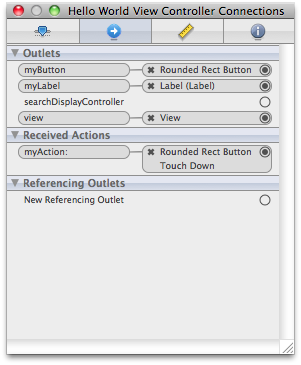
最後結果如下:
再到 Library視窗中的 HelloWorldViewController, 點選 mouse 右鍵的 Write Updated Class Files
選 Save 存到 HelloWorldViewController.m, 選 Replace
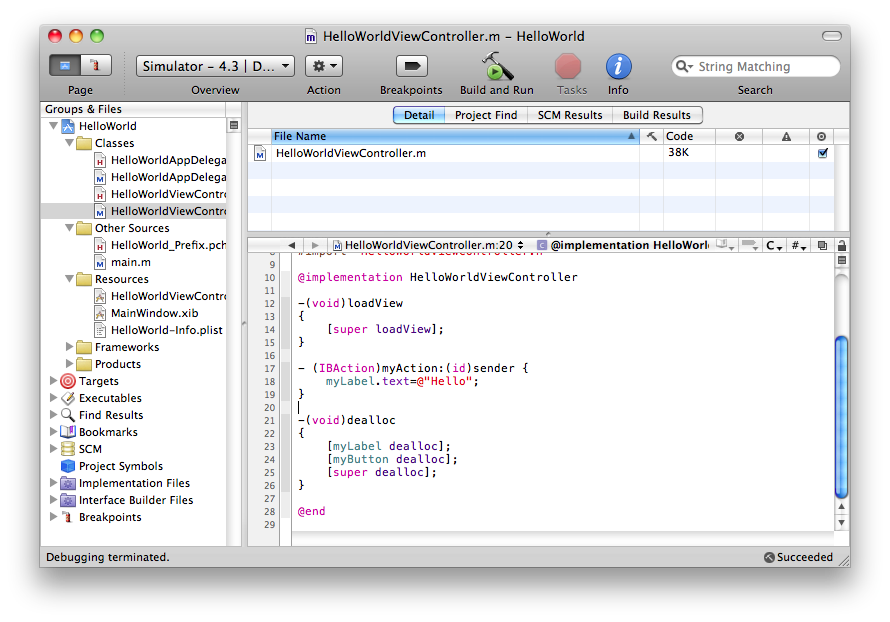
接著到 HelloWorldViewController.m 中加入數行程式,以在按 Button 時顯示 Hello
- -(void)loadView
- {
- [super loadView];
- }
- - (IBAction)myAction:(id)sender {
- myLabel.text=@"Hello";
- }
- -(void)dealloc
- {
- [myLabel dealloc];
- [myButton dealloc];
- [super dealloc];
- }
接著 Build / Build 以編譯程式
於程式視窗左上方,確定模擬器為 iPhone Simulator 4.3
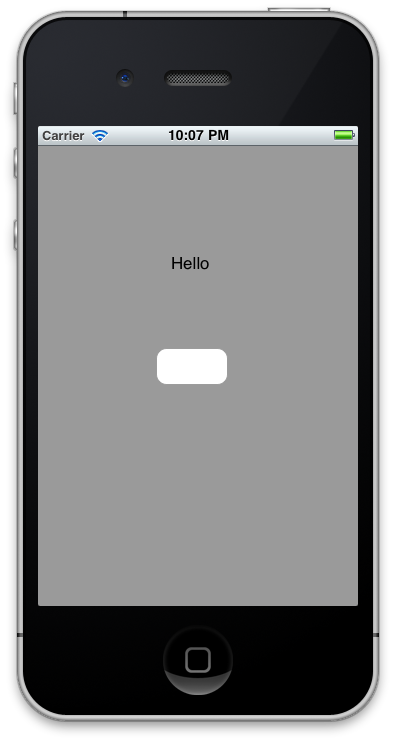
再按 Run / Run 以執行模擬程式,結果如下: