[ASP.NET] 解決 System.Web.HttpException 超出最大的要求長度
最近在使用 GridView 列出資料時,要對 GridView 裡的資料做動作時,
出現【System.Web.HttpException 超出最大的要求長度】的錯誤訊息如下: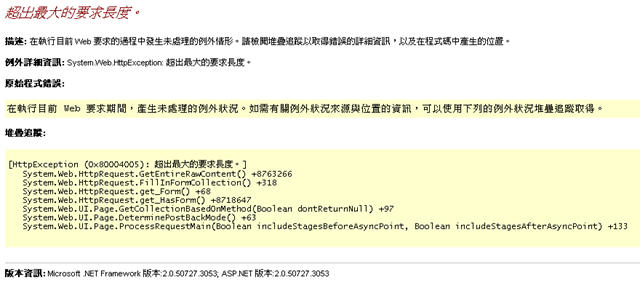
搜尋網路上資料時,發現是因為資料量太龐大所導致(2萬多筆),
大到超過 maxRequestLength 在 Machine.config 檔案所定義的預設上限值 4096 (4 MB),
這個限制。
解決方法如下:
- 開啟 GridView 的分頁功能,將資料做分頁之後即可解決。
- maxRequestLength這個限制是ASP.NET為了要預防可能的「拒絕服務」攻擊(Denial of Service attacks),
要解除這個限制,可在 Web.config 檔案中的<System.Web>段落中,覆寫應用程式 maxRequestLength 的值,
例如,下列的 Web.config 設定會允許最大 10 MB 的檔案上傳:
<System.Web>
<httpRuntime maxRequestLength="10240" />
</System.Web>
不過,只要 POST 請求的內容(例如上傳檔案)超過 Web.config 的 maxRequestLength 設定,還是會收到
錯誤訊息。 - 在 Global.asax 檔案中建立錯誤處理程序的程式碼:
<%@ Application Language="C#" %>
<%@ Import Namespace="System.Web.Configuration" %>
<script runat="server">

void Application_BeginRequest(object sender, EventArgs e)
{
    HttpRuntimeSection section = (HttpRuntimeSection)ConfigurationManager.GetSection("system.web/httpRuntime");
    int maxFileSize = section.MaxRequestLength*1024;

    if (Request.ContentLength > maxFileSize)
    {
        Response.Redirect("~/FileTooLarge.aspx");
    }
}
</script>
本次我只使用了第1點和第2點解決了這次的問題
參考資料: