Windows Services
延續上一篇 http://www.dotblogs.com.tw/orozcohsu/archive/2011/05/23/25838.aspx (Windows Service)
這邊介紹利用 System.Timers 來執行程式 (不能用 loop 來判斷時間喔)
** 這個範例為經過20秒後,就會執行程式,當然你也可以利用時間來判別是否需要執行
例如利用 (DateTime.Now.Hour 或是 DateTime.Now.Minute) 來判別
** 請先完成 Windows Service 的程序,才會看到下列 OnStart 的函式
1. 首先在 protected override void OnStart(string[] args)
Timer tt = new Timer();
tt.Elapsed += new ElapsedEventHandler(OnTimedEvent);
tt.Interval = 20000;
tt.Enabled = true;
Console.WriteLine("Raritan Internal Reporting process.");
Console.ReadLine();
// Keep the timer alive until the end of Main.
GC.KeepAlive(tt);
2. 在註冊的Handler裡面完成要執行的程式,這邊範例是執行一個EXE,並且會將執行時間寫入記錄檔(test.txt)
private static void OnTimedEvent(object source, ElapsedEventArgs e)
{
Console.WriteLine("Generating:" + DateTime.Now);
string lines = "Generating:" + DateTime.Now + "\r\n";
System.IO.StreamWriter file = new System.IO.StreamWriter("c:\\test.txt", true);
file.WriteLine(lines);
file.Close();
System.Diagnostics.Process.Start(@"C:\DCC_GlobalTP\DCC_GlobalTP.exe");
}
執行畫面如下:
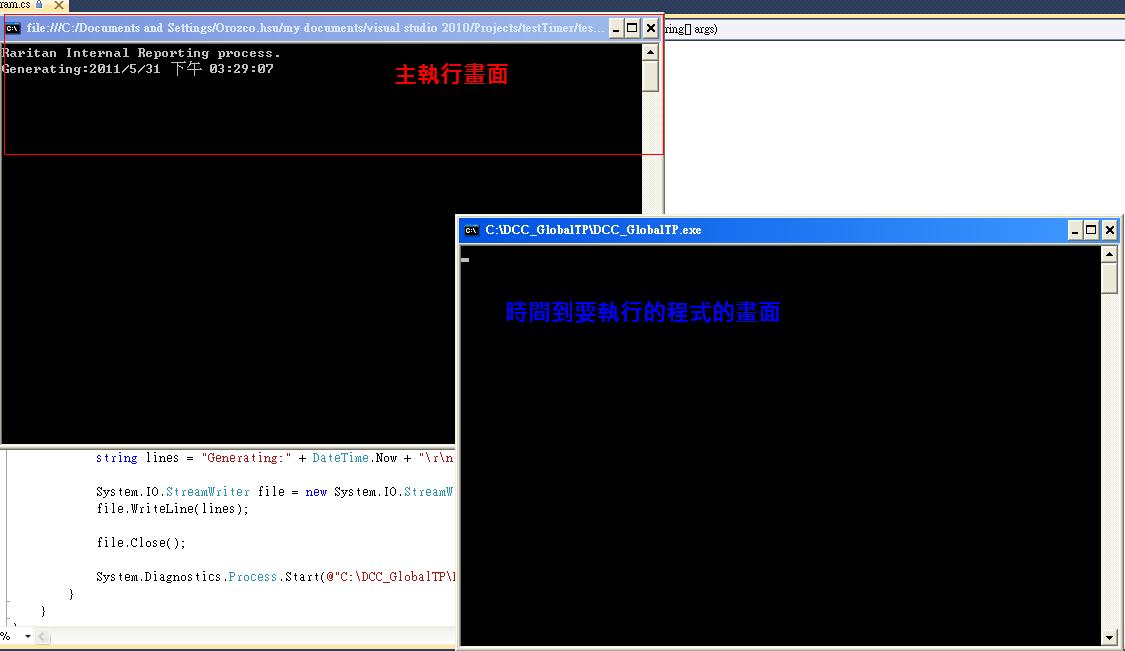
總結: 此方法就是要有一個Console的主程式一直活著,然後判別時間點,一旦時間到了,就會執行程式