摘要:[ASP.NET MVC]實作ActionResult來讀取二進位圖片並顯示
前言:
在ASP.NET WebForm時要顯示二進位圖片或是加工後的圖片,通常會將Image的路徑指定為ashx(泛型處理常式),雖然也可以在MVC網站中加入ashx,但還是覺的怪怪的,不太符合MVC的精神,因為回應資訊通常是透過action來傳回ActionResult物件給View.
仔細研究ActionResult後你會發現MVC Framework並沒有提供用來回應圖片資訊的ActionResult類別,所以我們就自已動手做吧!!
實作:
按照慣例一樣使用北風資料庫來讀取員工的二進位圖片XD
1.在網站根目錄下建立一個資夾料名為Helper,在其中加入一個類別檔名為MyActionResult. 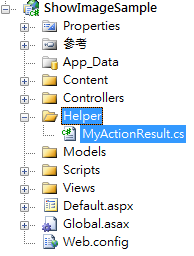
2.在類別檔中建立一個繼承自ActionResult(抽象類別)的類別名為ImageResult,接著覆寫ExecuteResult方法
using System;
using System.Collections.Generic;
using System.Linq;
using System.Web;
using System.Web.Mvc;
using System.IO;

namespace ShowImageSample.Helper
{
    public class ImageResult : ActionResult
    {
        private MemoryStream _imgStream;
        private string _contentType;

        public ImageResult(MemoryStream imgStream, string contentType)
        {
            _imgStream = imgStream;
            _contentType = contentType;
        }

        public override void ExecuteResult(ControllerContext context)
        {
            if (context == null)
                throw new ArgumentException("context");
            if(_imgStream == null)
                throw new ArgumentException("imgStream is null");
            if(_contentType == null)
                throw new ArgumentException("contentType is null");

            HttpResponseBase response = context.HttpContext.Response;

            response.Clear();
            response.Cache.SetCacheability(HttpCacheability.NoCache);
            response.ContentType = _contentType;

            _imgStream.WriteTo(response.OutputStream);
        }
    }
}
3.在Model資料夾下建立一個Linq To Entity包含員工資料夾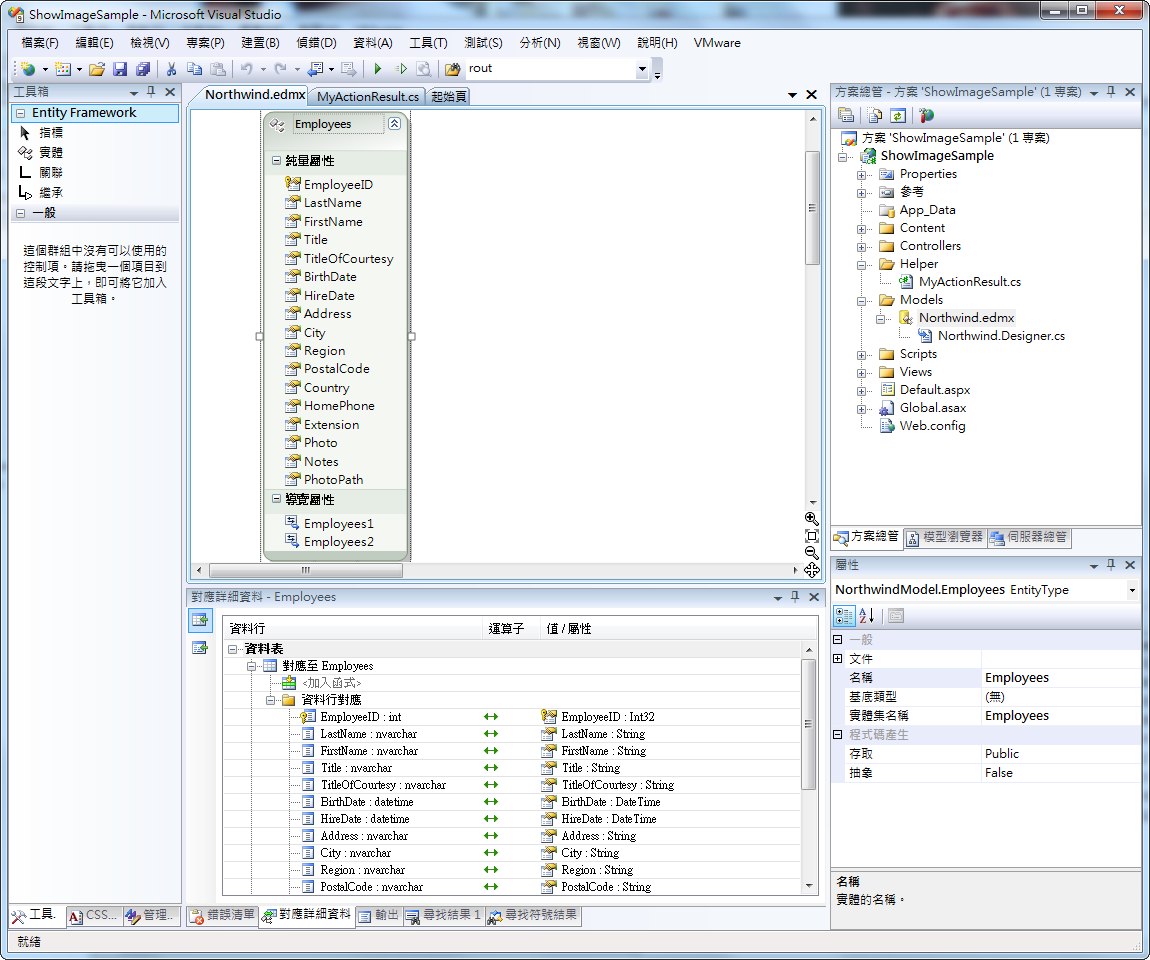
在Models資料夾下再建立一個Employees的Repository類別,名為EmployeeRepository,其中包含取得所有員工列表與員工圖片的方法.
using System;
using System.Collections.Generic;
using System.Linq;
using System.Web;

namespace ShowImageSample.Models
{
    public class EmployeeRepository
    {
        private NorthwindEntities _entity;
        public EmployeeRepository()
        {
            _entity = new NorthwindEntities();
        }

        public IQueryable<Employees> GetEmpList()
        {
            return _entity.Employees;
        }

        public byte[] GetEmployeePhotoByID(int empid)
        {
            return _entity.Employees.First(x => x.EmployeeID == empid).Photo;
        }
    }
}
4.建立一個Controller,名為Employee
using System;
using System.Collections.Generic;
using System.Linq;
using System.Web;
using System.Web.Mvc;
using System.Web.Mvc.Ajax;
using System.IO;
using ShowImageSample.Helper;
using ShowImageSample.Models;

namespace ShowImageSample.Controllers
{
    public class EmployeeController : Controller
    {
        //
        // GET: /Employee/

        public ActionResult Index()
        {
            EmployeeRepository emp = new EmployeeRepository();
            return View(emp.GetEmpList());
        }

        //用來顯示圖片的actioin
        public ActionResult EmployeePhoto(int id)
        {
            EmployeeRepository emp = new EmployeeRepository();
            byte[] empPhoto = emp.GetEmployeePhotoByID(id).Skip(78).ToArray();
            MemoryStream ms = new MemoryStream(empPhoto);
            return new ImageResult(ms, "image/jpeg");
        }

    }
}
5.在Index action上右鍵點選Add View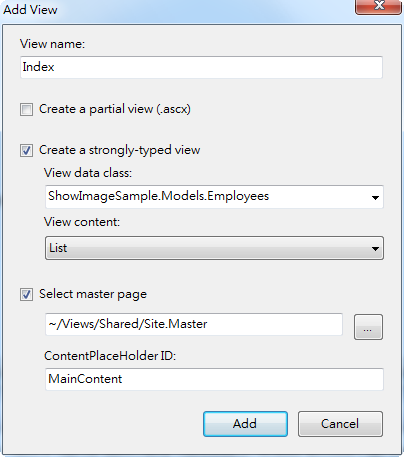
6.這時會自動建立一個強型別的View,修改一下他的html,只顯示員工編號,名字,照片三個Column
    <table>
        <tr>
            <th>
                編號
            </th>
            <th>
                名字
            </th>
            <th>
                照片
            </th>
        </tr>
    <% foreach (var item in Model) { %>
        <tr>
            <td>
                <%= Html.Encode(item.EmployeeID) %>
            </td>
            <td>
                <%= Html.Encode(item.FirstName + " " + item.LastName) %>
            </td>
            <td>
                <img alt="photo" src='<%= string.Format("Employee/EmployeePhoto/{0}", item.EmployeeID)%>' />
            </td>
        </tr>
    <% } %>
    </table>
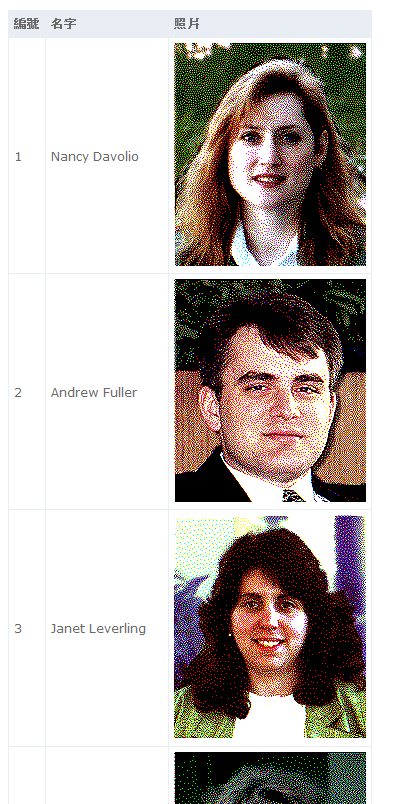
圖片的路徑指定的是 EmployeePhoto action
這時網頁會呈現如下: