摘要:Kinect SDK 初探(下)-b01
想把ShapeGame改成Seated Mode看看
二話不說先直接設了
        private void InitializeKinectServices(KinectSensorManager kinectSensorManager, KinectSensor sensor)
        {
...
            kinectSensorManager.SkeletonTrackingMode = SkeletonTrackingMode.Seated;
...
很好, 隨便加也沒有當掉, 表示這個程式寫得還滿Robust的
但是點的位置有點太高了, 而且不知道Depth是不是NearMode 太近好像捉不到
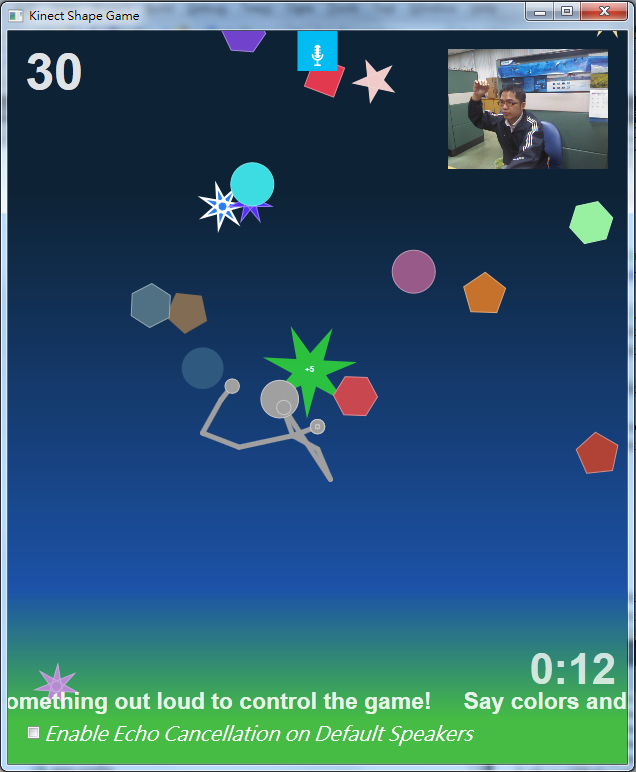
那麼 在畫面中再加一個Depth的View吧(學習Color View)
        private void InitializeKinectServices(KinectSensorManager kinectSensorManager, KinectSensor sensor)
        {
            // Application should enable all streams first.
...

            kinectSensorManager.DepthFormat = DepthImageFormat.Resolution640x480Fps30;
            kinectSensorManager.DepthStreamEnabled = true;
在MainWindow.xaml中加上
<kt:KinectDepthViewer Width="160" HorizontalAlignment="Right" Margin="0,168,19,0" Height="120" VerticalAlignment="Top"/>奇怪沒有出現, 後來加上 KinectSensorManager="{Binding}"
<kt:KinectDepthViewer Width="160" HorizontalAlignment="Right" Margin="0,168,19,0" Height="120" VerticalAlignment="Top" KinectSensorManager="{Binding}"/>終於出現了, 雖然Binding內容是空的, 我猜應該是DataContext的關係
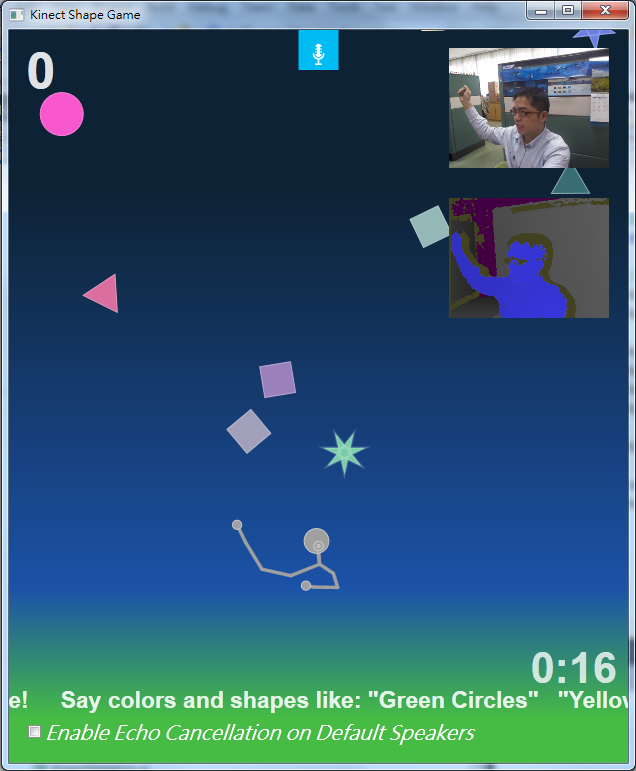
岔個題, 這個方案會一直把KinectSensor轉回0度的位置, 於是在 MainWindow的Constructor裏下一個指令
kinectSensorManager.ElevationAngle = -20;
它就會在初始的時候自己轉到我要的-20度(記得要在KinectSensorManager啟動前下指令, 以免啟動後先轉到0度再轉到你想要的角度)
Seated Mode
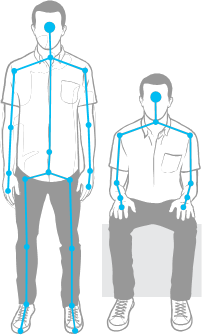
Default Mode 和 Seated Mode的差別在於 Seated Mode 只偵測雙手和Head , ShoulderCenter
Seated Mode有一些注意事項
To get recognized (locking) in Default mode, users can just stand in front of Kinect. To get recognized in seated mode, users should lean forward and/or move their hands or body for initial locking. Leaning back on soft couches without movement will make locking and tracking hard even in seated mode.
站立模式的時候, 使用者只要乖乖站在鏡頭前就可以開始偵測了, 但是坐姿模式時, 使用者必需先動一動才行...
Default mode is not optimal to track players in a seated position; seated mode can recognize players in standing positions, but still requires some movement for initial locking.
站立模式並未對坐著的使用者最佳化, 坐姿模式可以偵測站立的人, 但初始化還是要有動作...
The seated mode uses more resources than the default pipeline and will deliver a lower frames per second throughput on the same scene.
坐姿模式判斷的資訊比較少, 所以更耗資源, 也比較站立模式慢
Seated mode provides the best way to recognize a skeleton when the Kinect depth sensor is in near range.
坐姿模式最好把深度偵測調成Near Range(近距模式)
- Slideshow Gesture WPF
這個程式示範了一個簡易的圖片瀏覽 判斷左手往右揮為下一頁, 右手往左揮為上一頁
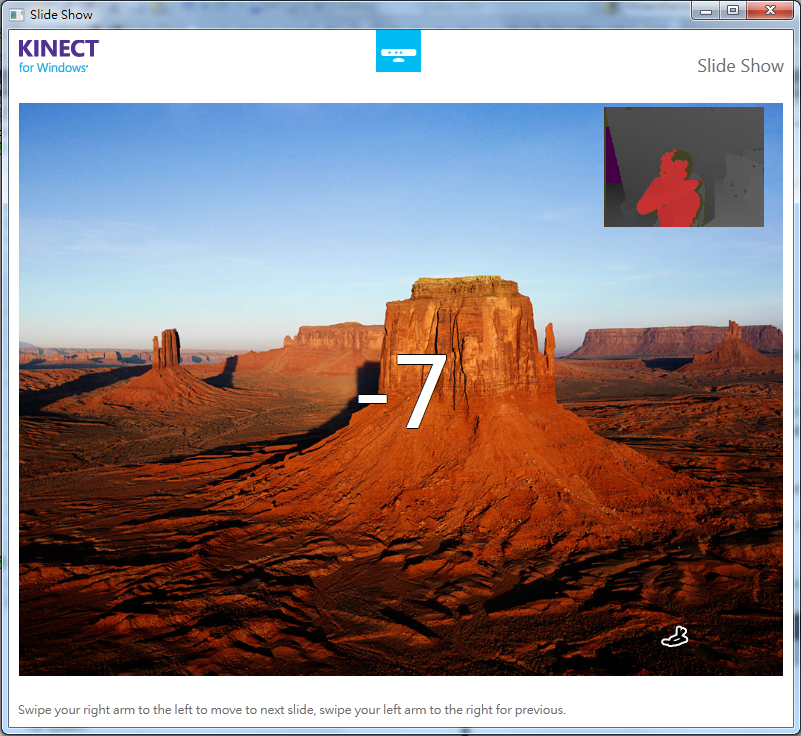
右下角會出現一個小火柴人 表示目前的骨架動態
為了方便作業, 我把它改成Seated Mode, 另外加了一個DepthView在畫面右上方
追了一下程式碼, 它使用了一個 Recognizer 物件 using Microsoft.Samples.Kinect.SwipeGestureRecognizer;
結果它也是包在一個 .dll 裏面, 看不到它判斷的依據和數值
得到一個結論:
只要是有關判讀數值最佳化的技術, 微軟都不想讓你看到
使用了一下, 感覺...不知道是環境不好還是怎樣, 判讀的結果實在不理想
下週要開始研究OpenNI了
 |
|