摘要:Kinect Human Interface Guidelines 文件重點摘要
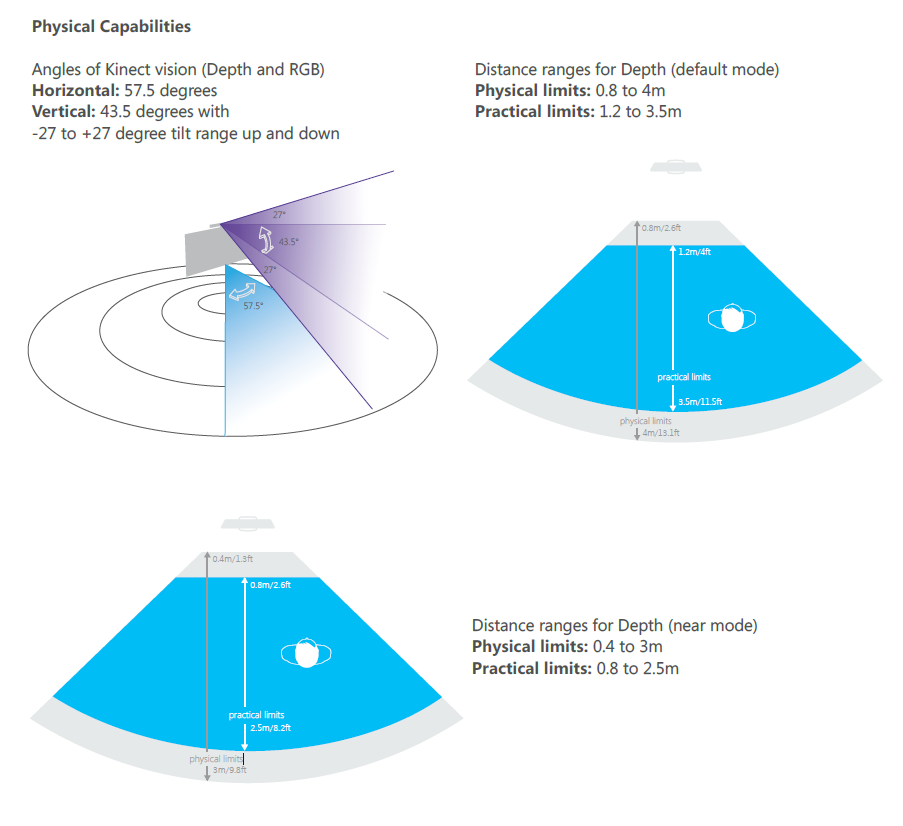
- 今天有關心到一點, 就是在戶外陽光的環境問題:
Lighting
Avoid environments that have large amounts of
natural light as it will make depth tracking less
reliable. The depth camera won’t work at all in
direct sunlight. Dim lighting is fine for depth but will
degrade the RGB image quality.
- 有一點很有趣, 就是遊戲動作和操作動作的設計理念是大相徑庭的
Design for Appropriate User Mindset
People still often associate Kinect with gaming, but when you are designing Kinect for Windows applications,
remember: Game Mindset is NOT the same as UI Mindset
- 在遊戲時, 難的動作被視為一種挑戰, 但在操作介面的時候, 變成了一種折磨了
- 有一點要注意的是揮手這個動作, 每個人對揮手動作的定義就不同了
- 在動作與動作之間, 最好設一個緩衝時間(Dead Time), 以免動作完成的恢復動作, 被判斷成另一個有意義的動作
Think about the complete scenario. What does the user do after completing a gesture? Might that look like
the start of another unintended gesture? You can also add dead times, where all gesture input is ignored, at
the end of a gesture to allow a user to reset to a neutral position before starting the next action.
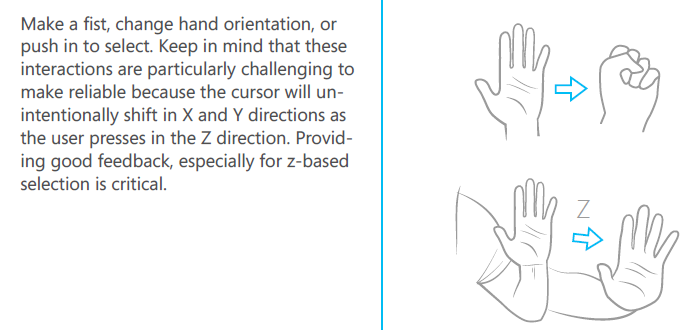
- 手往前推這個動作並不容易判讀, 因為攝影機在深度值的判斷上, 不容易找到手的特徵
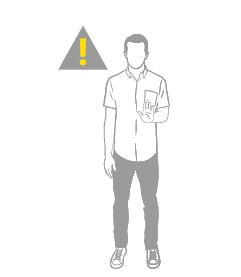
- 使用者要正面對著攝影機, 太側超過一定的角度不行
- 不要設計太容易累壞使用者的動作
- 使用Progress在手的週圍是一種常用的技巧, 可以避免誤觸 或是可以中途取消

- 用一個隱形的磁鐵把游標吸引到中間, 可以節省使用者必須時常大範圍移動的機會
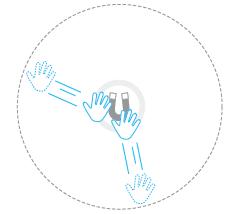
- 下面這個圖解坐實了我對NITE範例中的不良試範, 當手往前推時, 其實判讀程式最容易感受到的是左右移動
 |
|
