C# 取得視窗大小
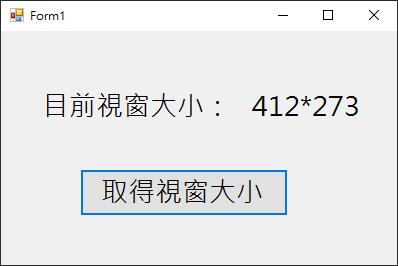
【功能介紹】點擊按鈕取得使用中視窗的大小
【程式步驟】
一、畫面
1. 新增『Label』,用於顯示視窗大小。
2. 新增『Button』,取得使用視窗大小。
二、片段程式解釋
        private void button1_Click(object sender, EventArgs e)
        {
            int width = this.Width; // 取得視窗寬度
            int height = this.Height; // 取得視窗高度
            string str;


            str = width.ToString() + "*" + height.ToString();
            label2.Text = str.ToString();

        }
1.『Width』為視窗寬度、『Height』為視窗高度,因兩者皆是數字可宣告『int』(整數型別)
2. 因要顯示使用中視窗大小中,會有 『*』特殊符號,所以要宣告String(文字字串),
才能輸入特殊符號或是文字。
3.『label2.Text』 Label 文字讀取 『str.ToString()』(使用 ToString() 才能轉換為視窗顯示文字)
二、程式整體
    public partial class Form1 : Form
    {
        public Form1()
        {
            InitializeComponent();
        }

        private void button1_Click(object sender, EventArgs e)
        {
            int width = this.Width; // 取得視窗寬度
            int height = this.Height; // 取得視窗高度
            string str;


            str = width.ToString() + "*" + height.ToString();
            label2.Text = str.ToString();

        }
    }