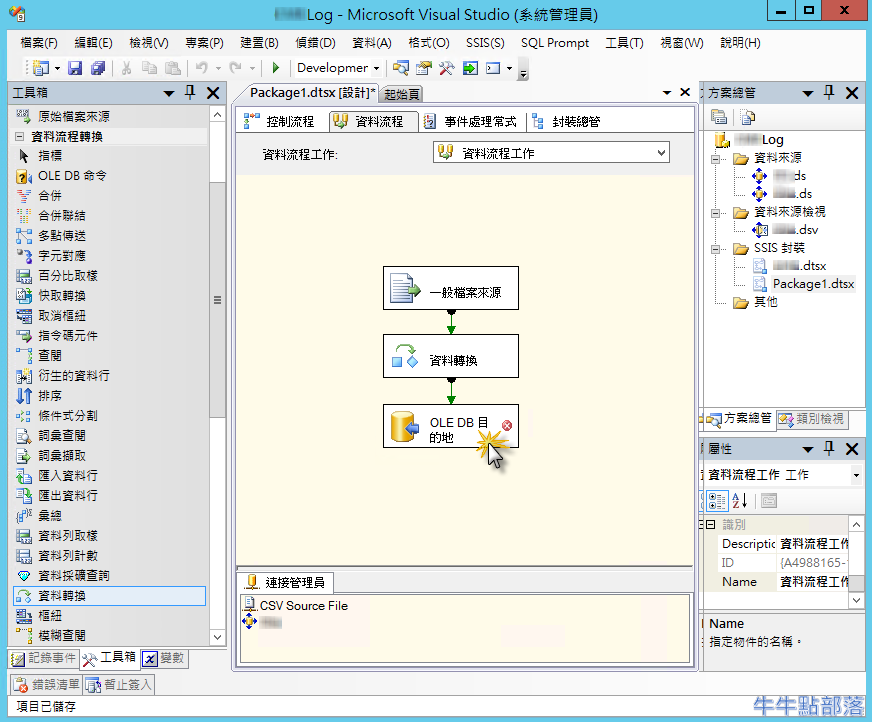
[一般檔案來源] 錯誤: 資料轉換失敗。資料行 "XXX" 的資料轉換傳回狀態值 4 和狀態文字 "文字已截斷,或者一個或多個字元在目標字碼頁裡沒有相符者。
Data conversion failed. The data conversion for column "XXX" returned status value 4 and status text "Text was truncated or one or more characters had no match in the target code page.
使用 SSIS 想將 CSV 檔案匯入至 SQL DB Table 中,出現錯誤訊息:
[一般檔案來源] 錯誤: 資料轉換失敗。資料行 "XXX" 的資料轉換傳回狀態值 4 和狀態文字 "文字已截斷,或者一個或多個字元在目標字碼頁裡沒有相符者。"。
I tried to import data from .CSV file to MS SQL DB Table by SSIS, the error message shows " Data conversion failed. The data conversion for column "XXX" returned status value 4 and status text "Text was truncated or one or more characters had no match in the target code page. ", there are two solutions below:

方法1:從 [連接管理員] 修改資料長度
Solution 1:Adjust your [OutputColumnWidth] by [Connections]
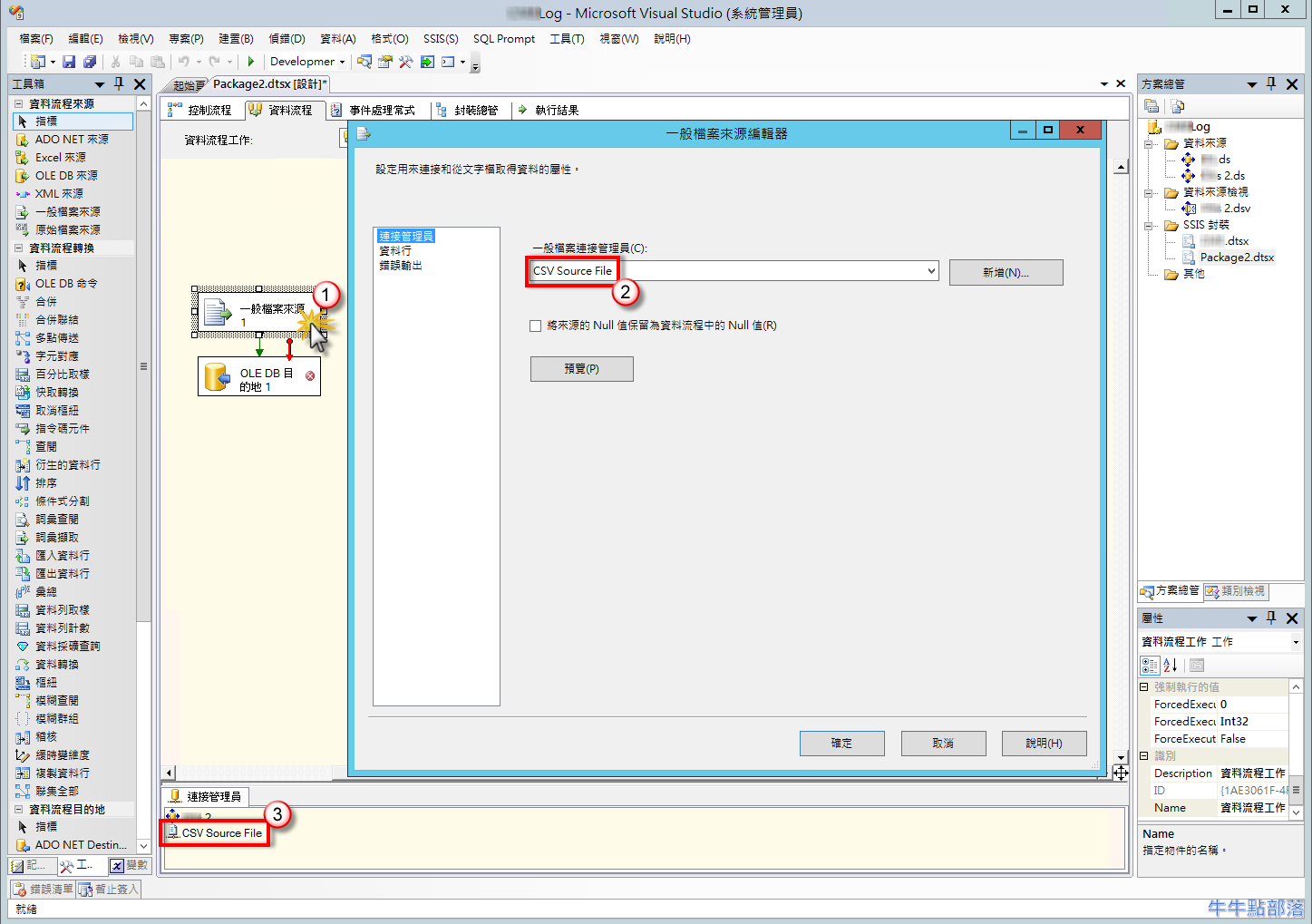
- 找到連接 CSV 檔案來源的[連接管理員]開啟,不確定名稱的話可以點開[一般檔案來源]查看:
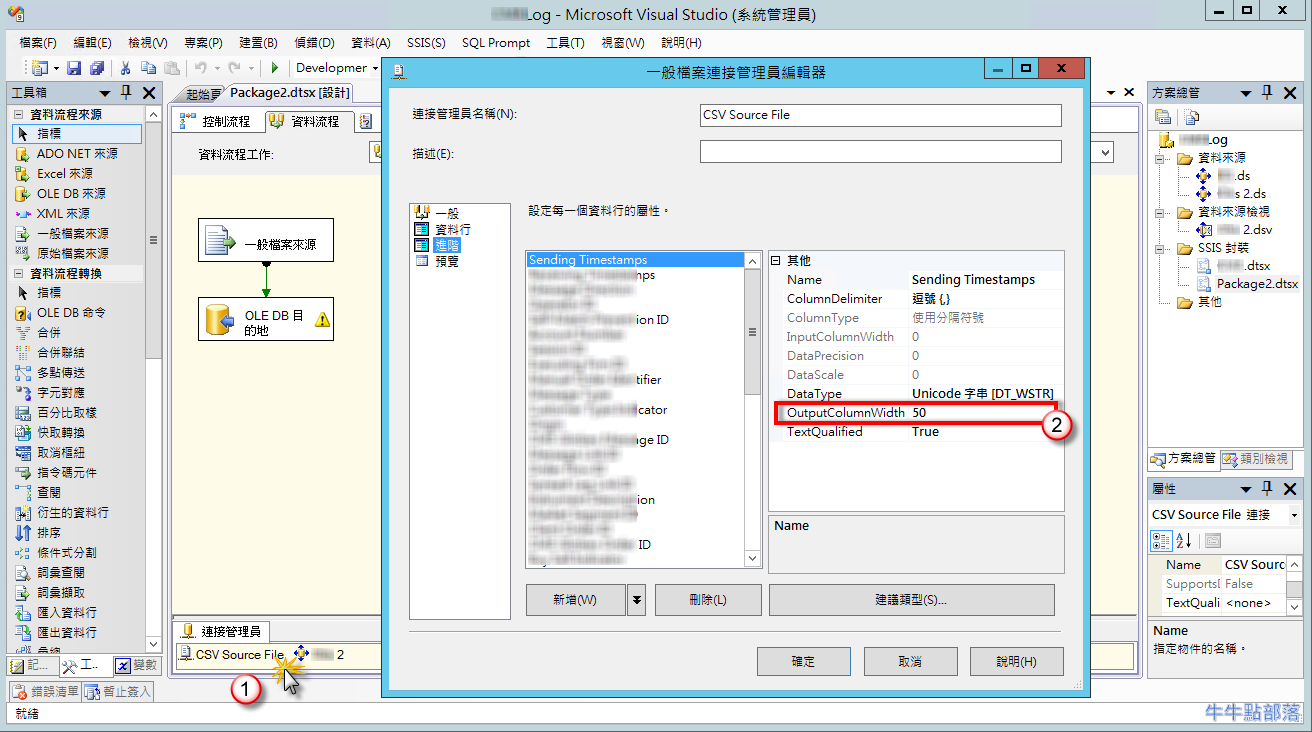
- 調整問題欄位的 [OutputColumnWidth],修改為比 DB Table 設計小或一樣,才不會被截斷:
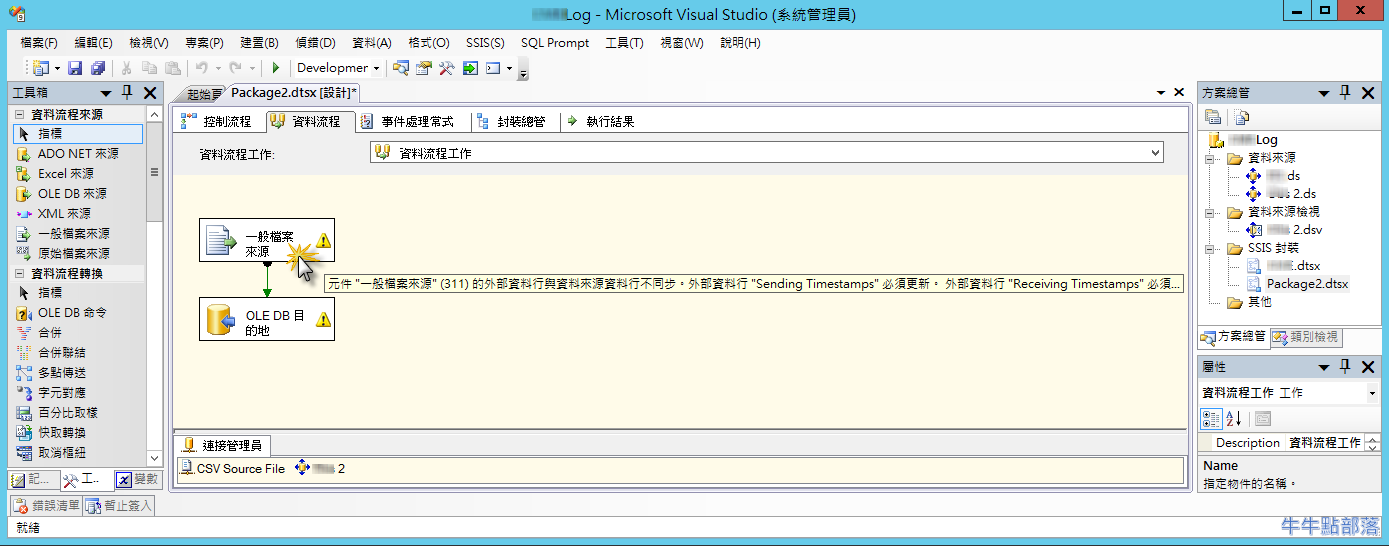
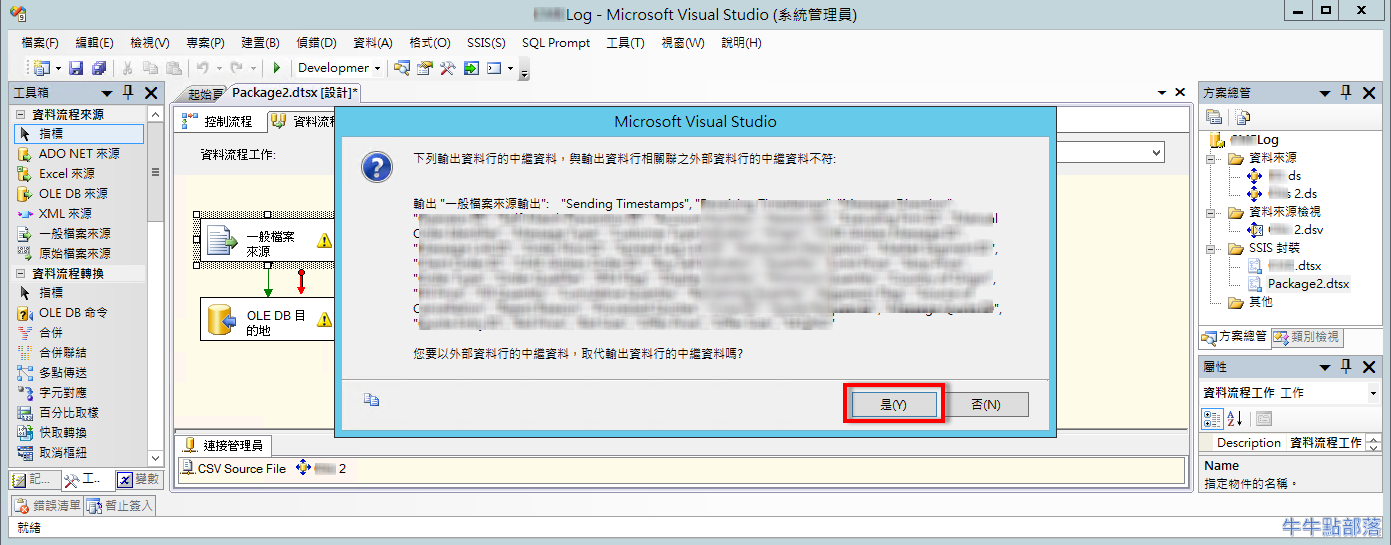
- 因資料欄位有調整過,會出現需要更新訊息,點開一般檔案來源 > 點選[是],即可更新:
方法2:新增 [資料轉換] 元件轉換資料型態
Solution 2:Adjust the data length by adding [Data Convertion] between data source(Flat File Source) and destination(OLE DB Destination)
- 在 [一般檔案來源] 及 [OLE DB 目的地] 中加入一個 [資料轉換] :

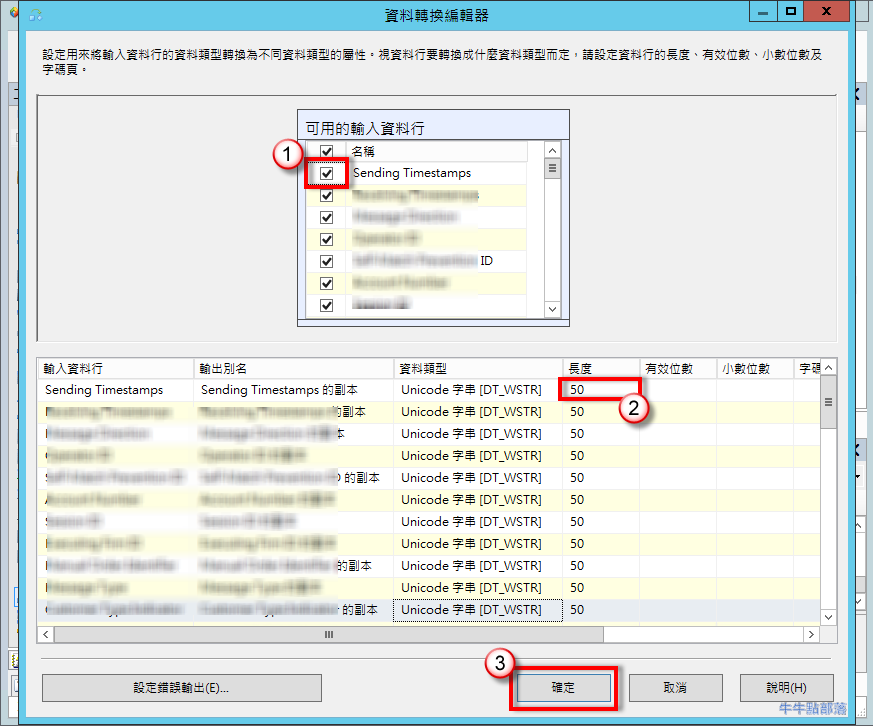
- 選取問題資料行,調整資料長度為比 DB Table 設計小或一樣,點選 [確定] :
- 因資料行被 [資料轉換] 修改為新資料行名稱(預設為"原資料行名稱 + 的副本"),在 [OLE DB 目的地] 的欄位對應的來源部份要調整為新資料行: