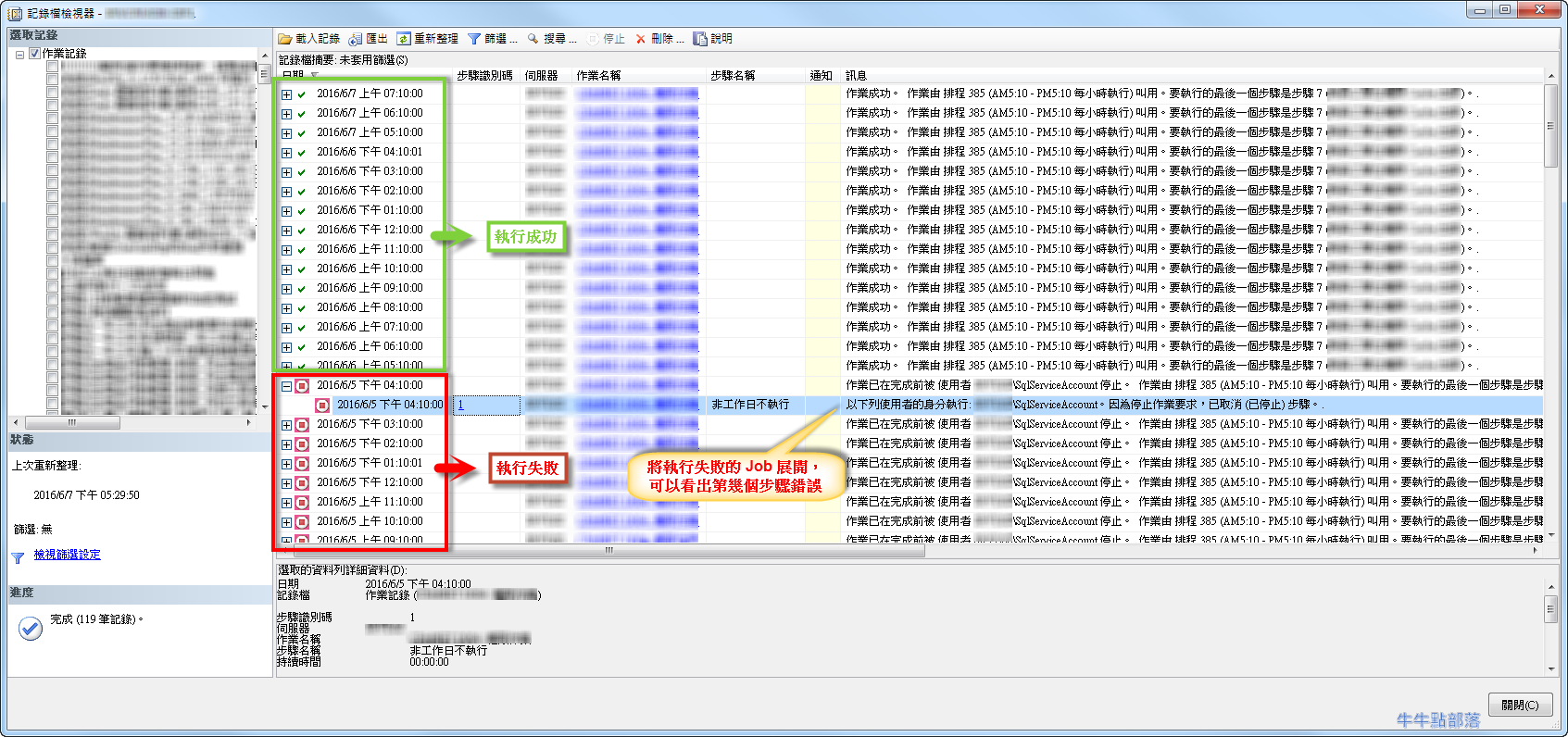
若已設定了 SQL Server Job 排程,時間到了未執行或某一個步驟執行失敗,都可以透過 SQL Server Agent Job 執行記錄來查看錯誤的步驟以及發生的時間,方便查詢問題
how to view the Microsoft SQL Server Agent job history log in SQL Server by using SQL Server Management Studio
若已設定了 SQL Server Job 排程,時間到了未執行或某一個步驟執行失敗,都可以透過 SQL Server Agent Job 執行記錄來查看錯誤的步驟以及發生的時間,方便查詢問題:
how to view the Microsoft SQL Server Agent job history log in SQL Server by using SQL Server Management Studio
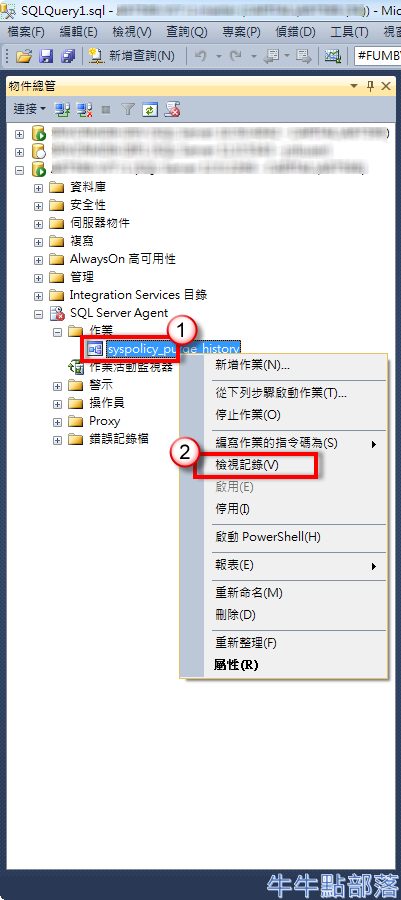
在 SQL JOB 右鍵點選 [檢視記錄] 即可查看:
In [Object Explorer] , expand [SQL Server Agent] , and then expand [Jobs] , right-click the job you would like to check , and then click [View History]
由記錄檔檢視器查看:
Log File Viewer
參考文件:
View the Job History: https://msdn.microsoft.com/en-us/library/ms181046.aspx