[WCF] 啟用 mex Endpoint
每個服務上最多會有一個mex endpoint,它是用來決定是否公開服務的 wsdl 描述
以上篇為例 http://www.dotblogs.com.tw/yc421206/archive/2013/10/28/125731.aspx,最後的結果出現了
Metadata publishing for this service is currently disabled.
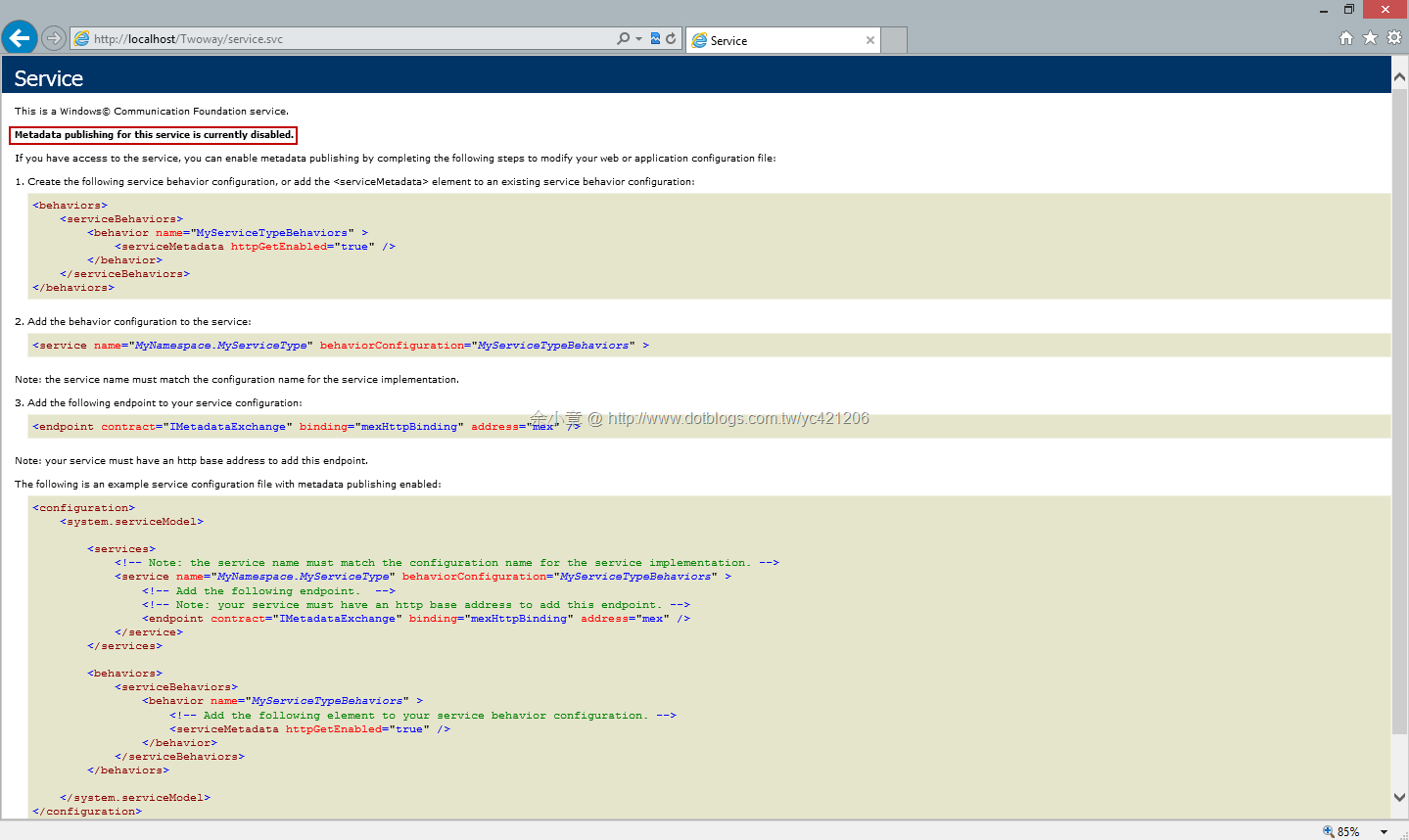
這表示我們把 mex Endpoint 給關了
我們可以依下列步驟將它啟用
建立一個新的服務行為,名為 serviceBehavior,設定 serviceMetadata.HttpGetEnabled=true
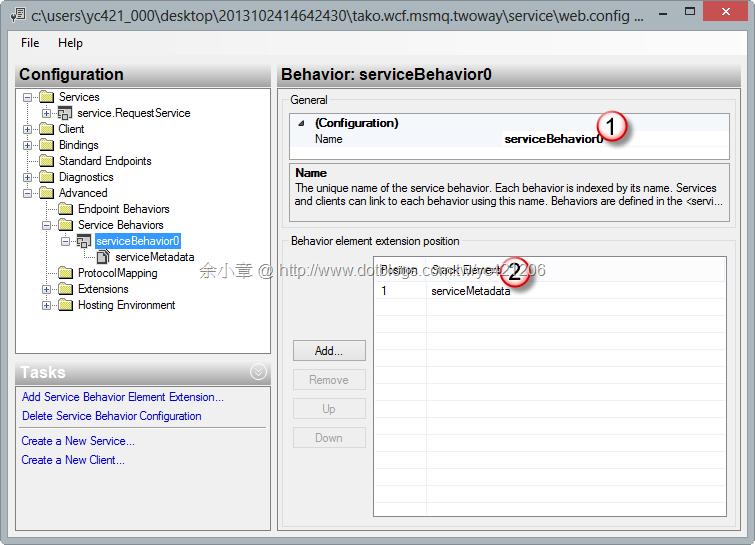
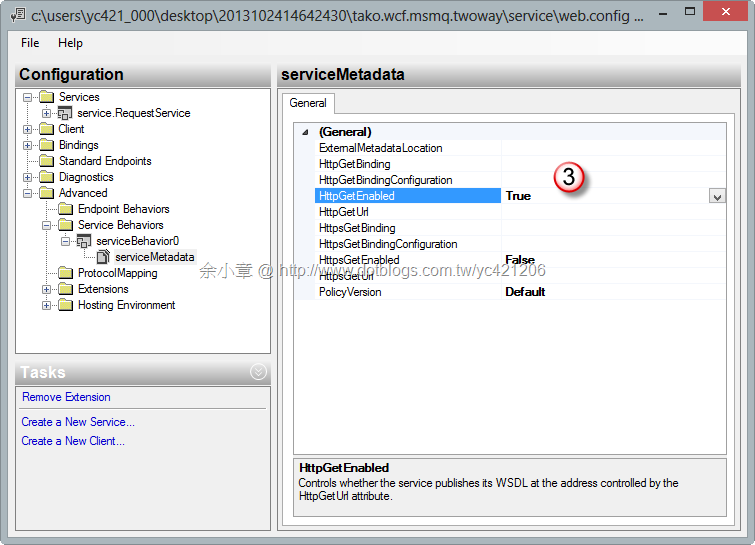
套用行為
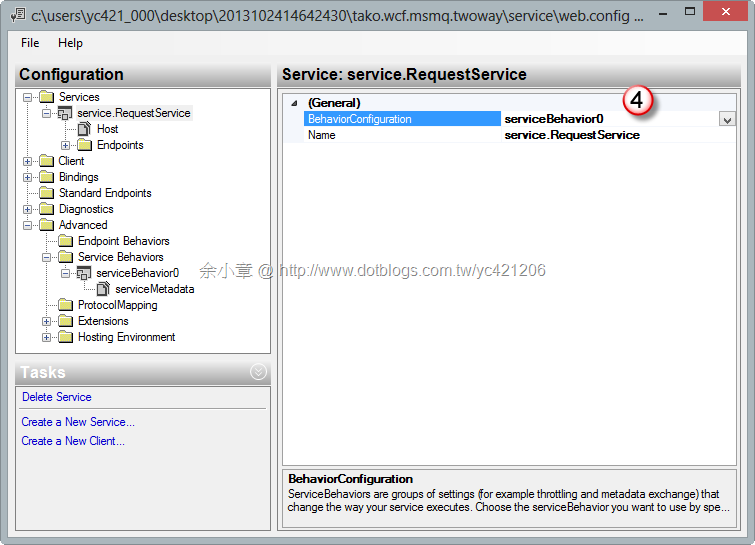
新增服務位置
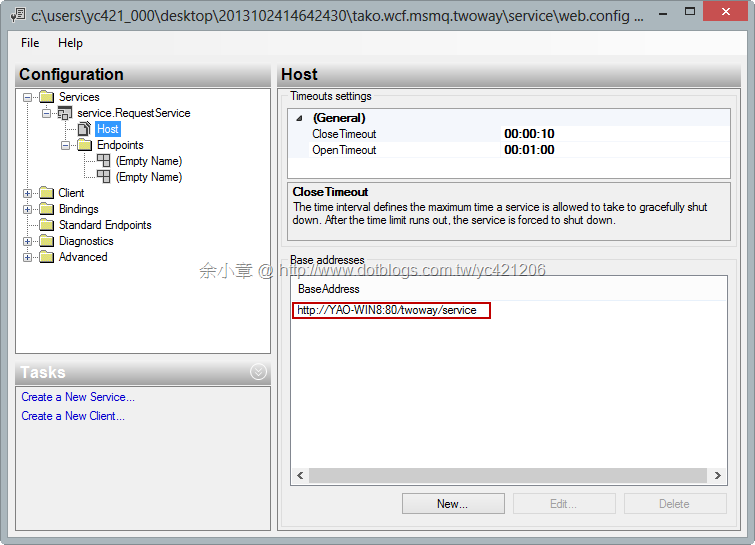
新增mex endpoint
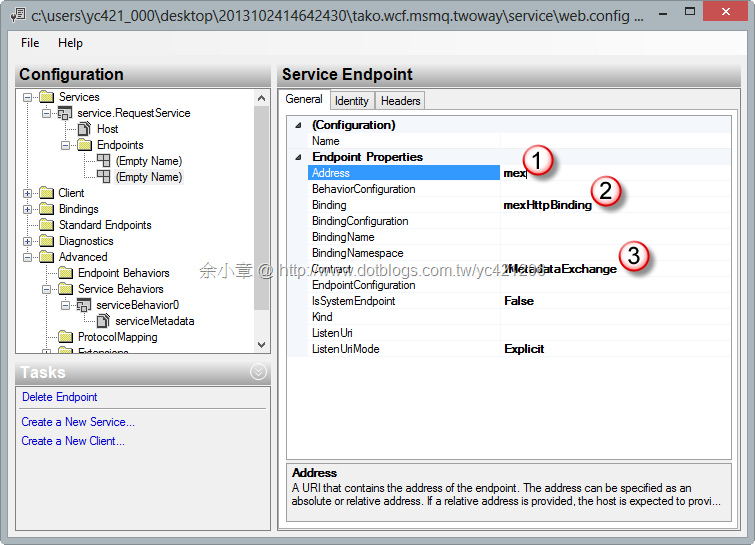
最後完成的 Xml 如下:
<configuration>
  <startup>
    <supportedRuntime version="v4.0" sku=".NETFramework,Version=v4.5" />
  </startup>
  <system.serviceModel>

    <behaviors>
      <serviceBehaviors>
        <behavior name="serviceBehavior0">
          <serviceMetadata httpGetEnabled="true" />
        </behavior>
      </serviceBehaviors>
    </behaviors>
    <bindings>
      <netMsmqBinding>
        <binding name="NoSecurity">
          <security mode="None" />
        </binding>
      </netMsmqBinding>
    </bindings>
    <services>
      <service behaviorConfiguration="serviceBehavior0" name="service.RequestService">
        <endpoint address="net.msmq://localhost/private/twoway/service.svc"
          binding="netMsmqBinding" bindingConfiguration="NoSecurity" contract="service.Contract.IRequestService" />
        <endpoint address="mex" binding="mexHttpBinding" bindingConfiguration=""
          bindingName="" contract="IMetadataExchange" />
        <host>
          <baseAddresses>
            <add baseAddress="http://YAO-WIN8:80/twoway/service.svc" />
          </baseAddresses>
        </host>
      </service>
    </services>
  </system.serviceModel>
</configuration>
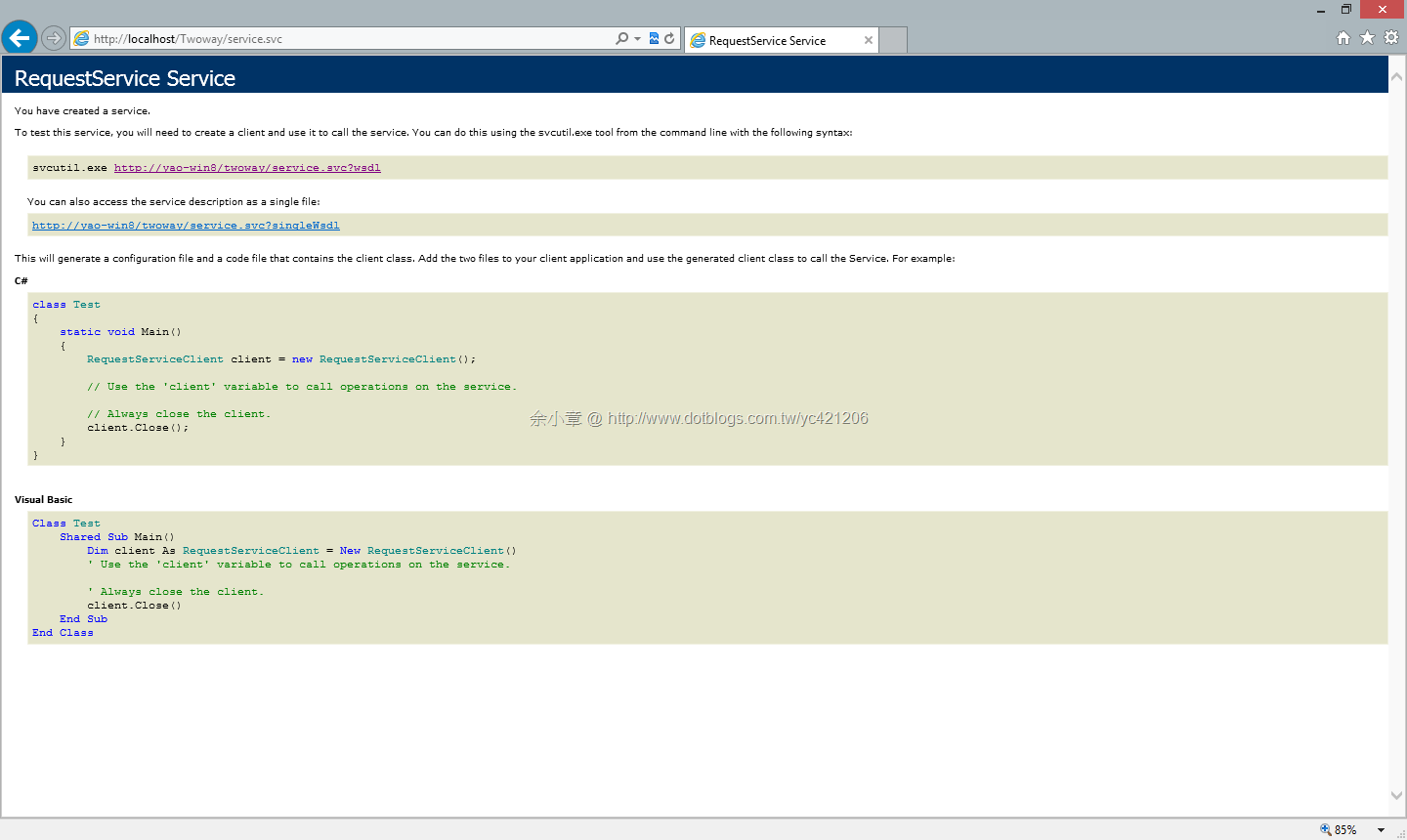
再次瀏覽 http://localhost/Twoway/service.svc
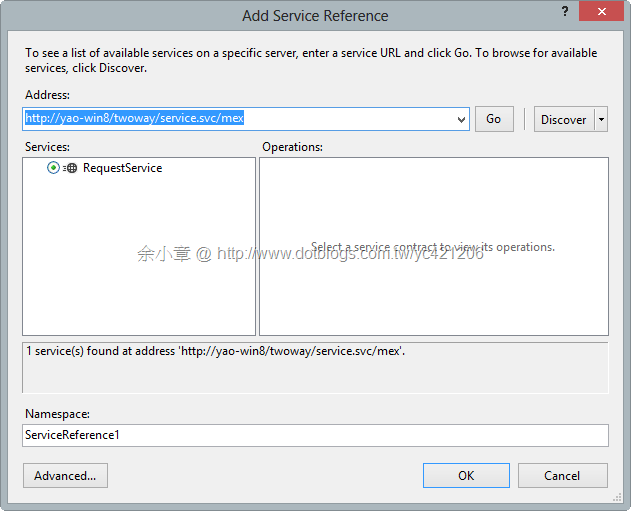
Client 也能透過 VS 工具,加入Web Reference,進而產生 Proxy class
Note.到目前為止已經得知三種產生 Proxy 的方法
1. svcutil.exe 參考: [WCF] 使用 svcutil.exe 產生合約 Client 程式碼
2. ChannelFactory Class,參考:[C#.NET][WCF] 實作 雙向 MSMQ @self-host for NetMsmqBinding
3. mex endpoint
文章出自:http://www.dotblogs.com.tw/yc421206/archive/2013/10/28/125837.aspx
若有謬誤,煩請告知,新手發帖請多包涵

Microsoft MVP Award 2010~2017 C# 第四季
Microsoft MVP Award 2018~2025 .NET
