[C#.NET][Sharepoint 2013] Use CSOM upload attachments in List
續上篇:http://www.dotblogs.com.tw/yc421206/archive/2014/06/05/145383.aspx
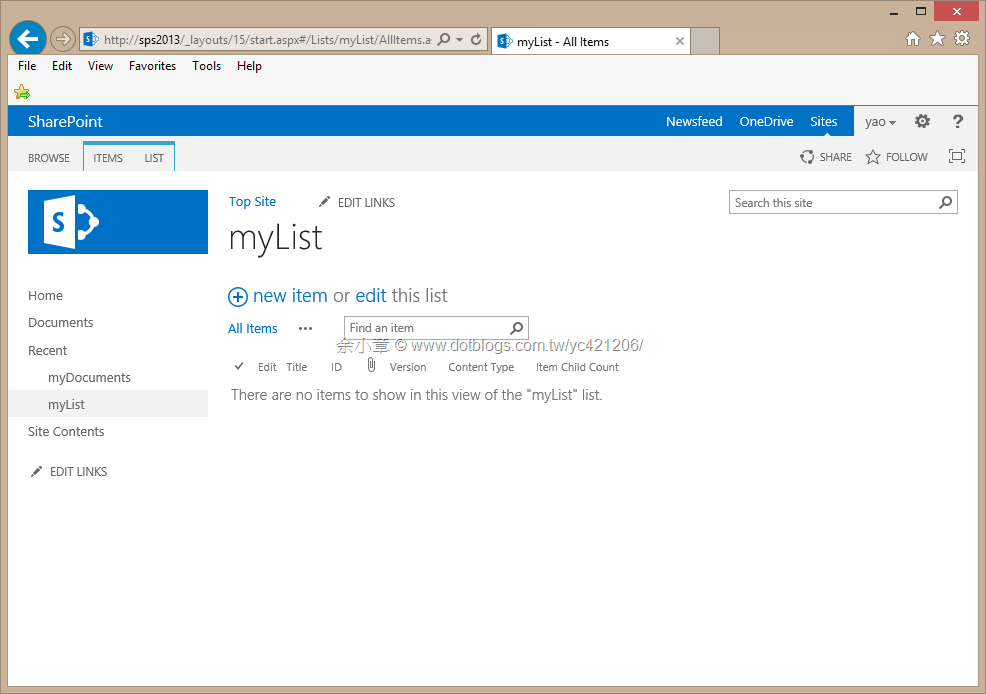
文件庫可以上傳檔案,清單也可以,我新增了一個 Custom List 的 App,命名為 myList,如下圖所示:
開始寫 Code 之前,要先瞭解一下以下幾點
- 一筆項目可以擁有多個附件
- 每一個附件有自己的 Url
- 項目有版控,附件沒有,所以同一筆項目的附件,檔名不能重複
範例位置:
項目裡的欄位用 CamlQuery.CreateAllItemsQuery() 全部撈出來,並根據 Title 取得特定項目,拋棄舊有的 CAMLQuery,擁抱 LINQ
ListItemCreationInformation 用來新增一筆項目
{
using (ClientContext client = new ClientContext("http://sps2013"))
{
client.Credentials = new NetworkCredential(YourId, YourPassword, YourDomai
var list = client.Web.Lists.GetByTitle("myList");
ListItemCollection items = list.GetItems(CamlQuery.CreateAllItemsQuery());
client.Load(list);
client.Load(items);
client.ExecuteQuery();
var findItem = items.FirstOrDefault(o => o["Title"] == YourItemTitle);
if (findItem != null)
{
Console.WriteLine("Item Exist");
Console.ReadKey();
return;
}
ListItem newItem = list.AddItem(new ListItemCreationInformation());
newItem["Title"] = YourItemTitle;
newItem.Update();
client.Load(newItem);
client.ExecuteQuery();
Console.WriteLine("Item already Created!! GUID is {0}", newItem["GUID"]);
Console.ReadKey();
}
}
程式碼沒有太大的困難,很明顯的 AttachmentCreationInformation 用來新增附件;記得,項目內的附件不能重覆
{
    using (ClientContext client = new ClientContext("http://sps2013"))
    {
        client.Credentials = new NetworkCredential(YourId, YourPassword, YourDomain);

        var list = client.Web.Lists.GetByTitle("myList");
        CamlQuery query = CamlQuery.CreateAllItemsQuery();
        var items = list.GetItems(query);

        client.Load(items);
        client.ExecuteQuery();

        var findItem = items.FirstOrDefault(o => o["Title"].ToString() == YourItemTitle);
        if (findItem == null)
        {
            Console.WriteLine("Not Found");
            Console.ReadKey();
            return;
        }

        findItem.AttachmentFiles.Add(
            new AttachmentCreationInformation()
            {
                ContentStream = System.IO.File.Open("myDoc.docx", FileMode.Open),
                FileName = "myDoc.docx",
            });

        findItem.AttachmentFiles.Add(
          new AttachmentCreationInformation()
          {
              ContentStream = System.IO.File.Open("簡歷.docx", FileMode.Open),
              FileName = "簡歷.docx",
          });
        client.Load(findItem);
        client.ExecuteQuery();
        Console.WriteLine("Attachment already Upload!! GUID is {0}", findItem["GUID"]);
        Console.ReadKey();
    }
}
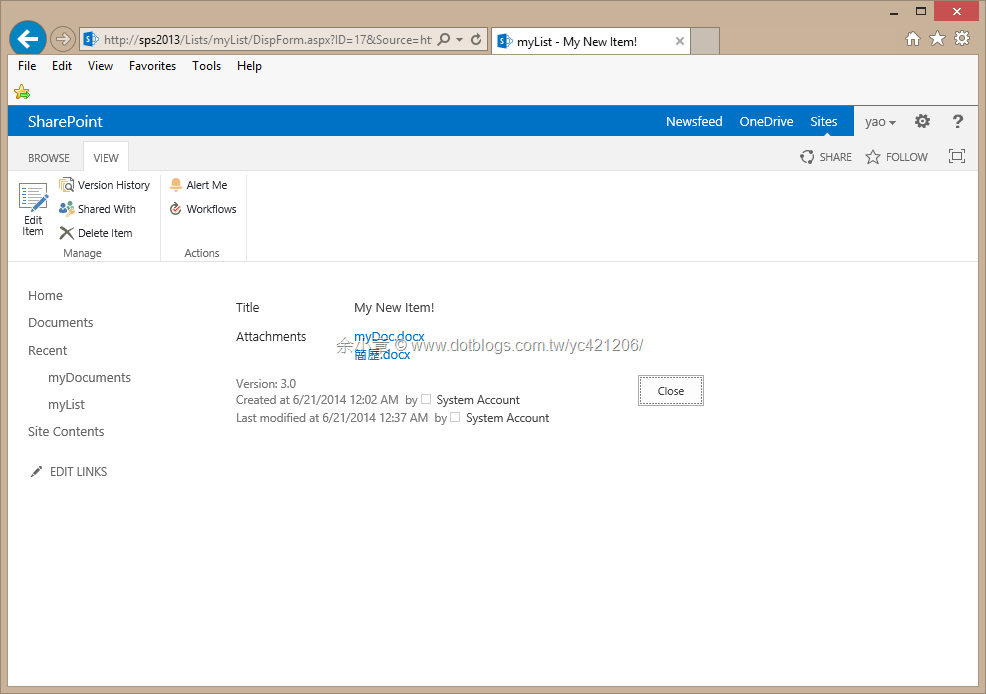
執行結果如下圖:
ListItem.ServerRelativeUrl 可被 OpenBinaryDirect 方法解析正確的路徑,並下載
{
    using (ClientContext client = new ClientContext("http://sps2013"))
    {
        client.Credentials = new NetworkCredential(YourId, YourPassword, YourDomain);

        var list = client.Web.Lists.GetByTitle("myList");

        var items = list.GetItems(CamlQuery.CreateAllItemsQuery());

        client.Load(items);
        client.ExecuteQuery();

        var findItem = items.FirstOrDefault(o => o["Title"].ToString() == YourItemTitle);
        if (findItem == null)
        {
            Console.WriteLine("Not Found");
            Console.ReadKey();
            return;
        }
        client.Load(findItem.AttachmentFiles);
        client.ExecuteQuery();

        var findAttachment = findItem.AttachmentFiles.FirstOrDefault(o => o.FileName == "myDoc.docx");
        if (findAttachment == null)
        {
            Console.WriteLine("Not Found Attachment");
            Console.ReadKey();
            return;
        }
        var fileInfo = Microsoft.SharePoint.Client.File.OpenBinaryDirect(client, findAttachment.ServerRelativeUrl);

        byte[] readbuffer = null;
        using (var memory = new MemoryStream())
        {
            while (true)
            {
                byte[] buffer = new byte[1024];
                var length = fileInfo.Stream.Read(buffer, 0, buffer.Length);
                if (length <= 0)
                {
                    break;
                }
                memory.Write(buffer, 0, length);
            }

            memory.Seek(0, SeekOrigin.Begin);
            readbuffer = memory.ToArray();
        }
        var targetStream = new FileStream("download.docx", FileMode.Create, FileAccess.Write);
        targetStream.Write(readbuffer, 0, readbuffer.Length);
        targetStream.Dispose();
        fileInfo.Dispose();

        Console.WriteLine("Attachment already Upload!! File Name is {0}", findAttachment.FileName);
        Console.ReadKey();
    }
}
Delete Attachment
找出特定 Attachment,調用 DeleteObject 方法,砍掉它
{
    using (ClientContext client = new ClientContext("http://sps2013"))
    {
        client.Credentials = new NetworkCredential(YourId, YourPassword, YourDomain);

        var list = client.Web.Lists.GetByTitle("myList");

        var items = list.GetItems(CamlQuery.CreateAllItemsQuery());

        client.Load(items);
        client.ExecuteQuery();

        var findItem = items.FirstOrDefault(o => o["Title"].ToString() == YourItemTitle);
        if (findItem == null)
        {
            Console.WriteLine("Not Found");
            Console.ReadKey();
            return;
        }
        client.Load(findItem.AttachmentFiles);
        client.ExecuteQuery();

        var findAttachment = findItem.AttachmentFiles.FirstOrDefault(o => o.FileName == "myDoc.docx");
        if (findAttachment != null)
            findAttachment.DeleteObject();

        client.Load(findItem);
        client.ExecuteQuery();
        Console.WriteLine("Attachment already Delete!! File Name is {0}", findAttachment.FileName);
        Console.ReadKey();
    }
}
本文出自:http://www.dotblogs.com.tw/yc421206/archive/2014/06/21/145658.aspx
若有謬誤,煩請告知,新手發帖請多包涵

Microsoft MVP Award 2010~2017 C# 第四季
Microsoft MVP Award 2018~2025 .NET
