"對 GitHub 的 Organization 中的成員設定 GitHub Copilot : 解釋篇" 所提到的 Organization 請理解為:
群體
這個 "群體" 可能會是:
- "團體"
- "組織"
- "學校"
- "部門"
- "機關/構"
- "公司"
- "企業"
…等這樣的詞彙解釋。
在 AI 盛行起來後,在數位世界中的任何一個 "單位" 中有可能存在多個 "人類" 或 "Agent" 的個體,那就適用這個 "Organization" 的觀點。
此 "群體" 要再進一步解釋成 GitHub 當中所設立的 "Enterprise" 的話,可以看到 "Enterprise" 底下就會同時存在很多個 "Organization";這時候在整個 "群體" 的架構就可能比較像是台灣常見的詞彙上所稱的 "事業群" 與 "集團" 的觀點。
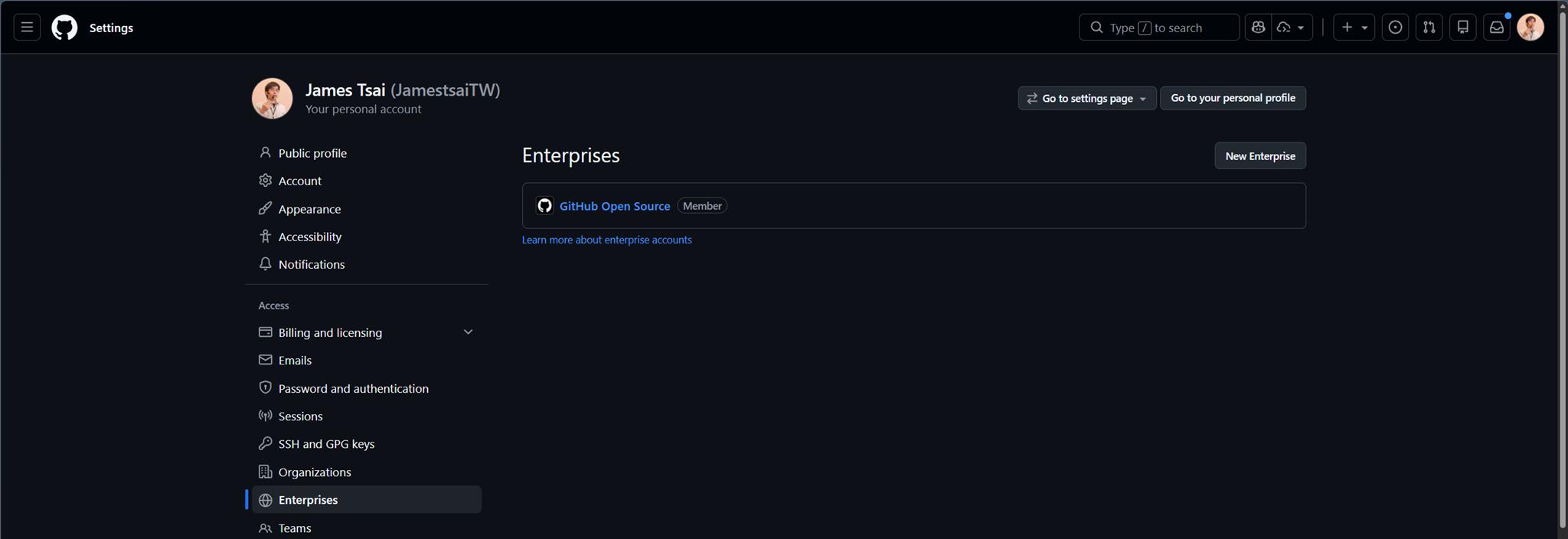
當 GitHub 帳號歸屬在某個 Enterprise 的時候,大概會長這樣:
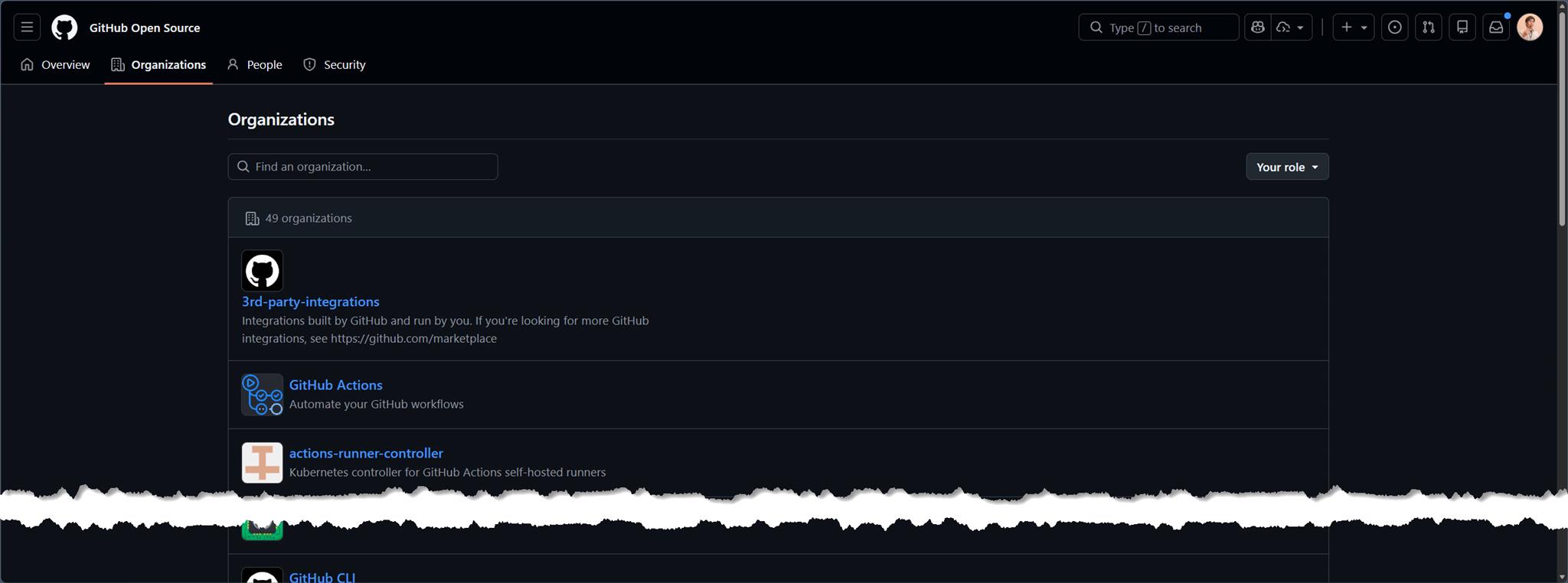
該 Enterprise 底下則有多個 Organizations:
當然本篇也還是本持著這樣的定義來繼續敘述。
以下進入正題。
所以在建立好的 Organization 當中,點選 "Settings"

就可以 GitHub 在 Setting 中提供的選單中找到 "Code, planning, and automation" 這個分類,再進一步地看到 "Copilot" 點選 "Access":
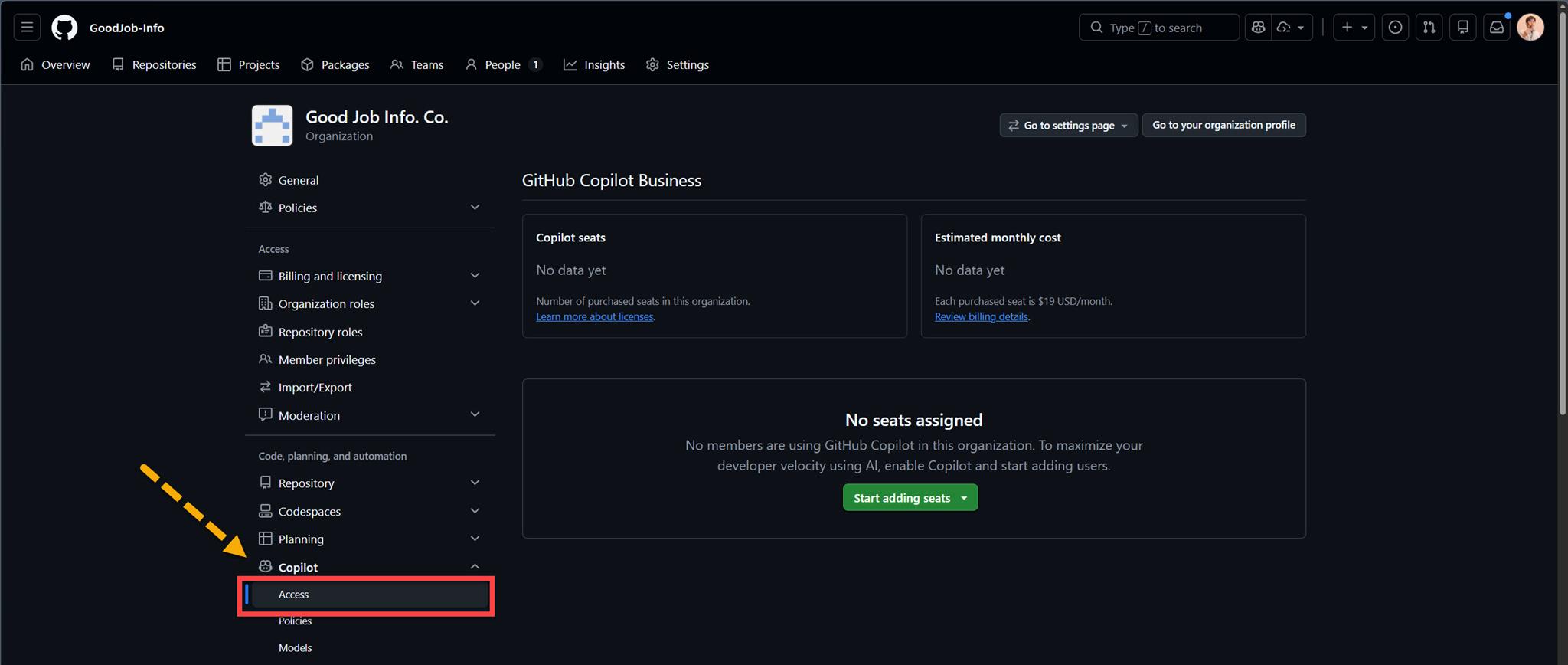
如果這個 Organization 真的都沒啟用過 GitHub Copilot 的話,那 "Copilot" 下的 "Access" 會長這樣:
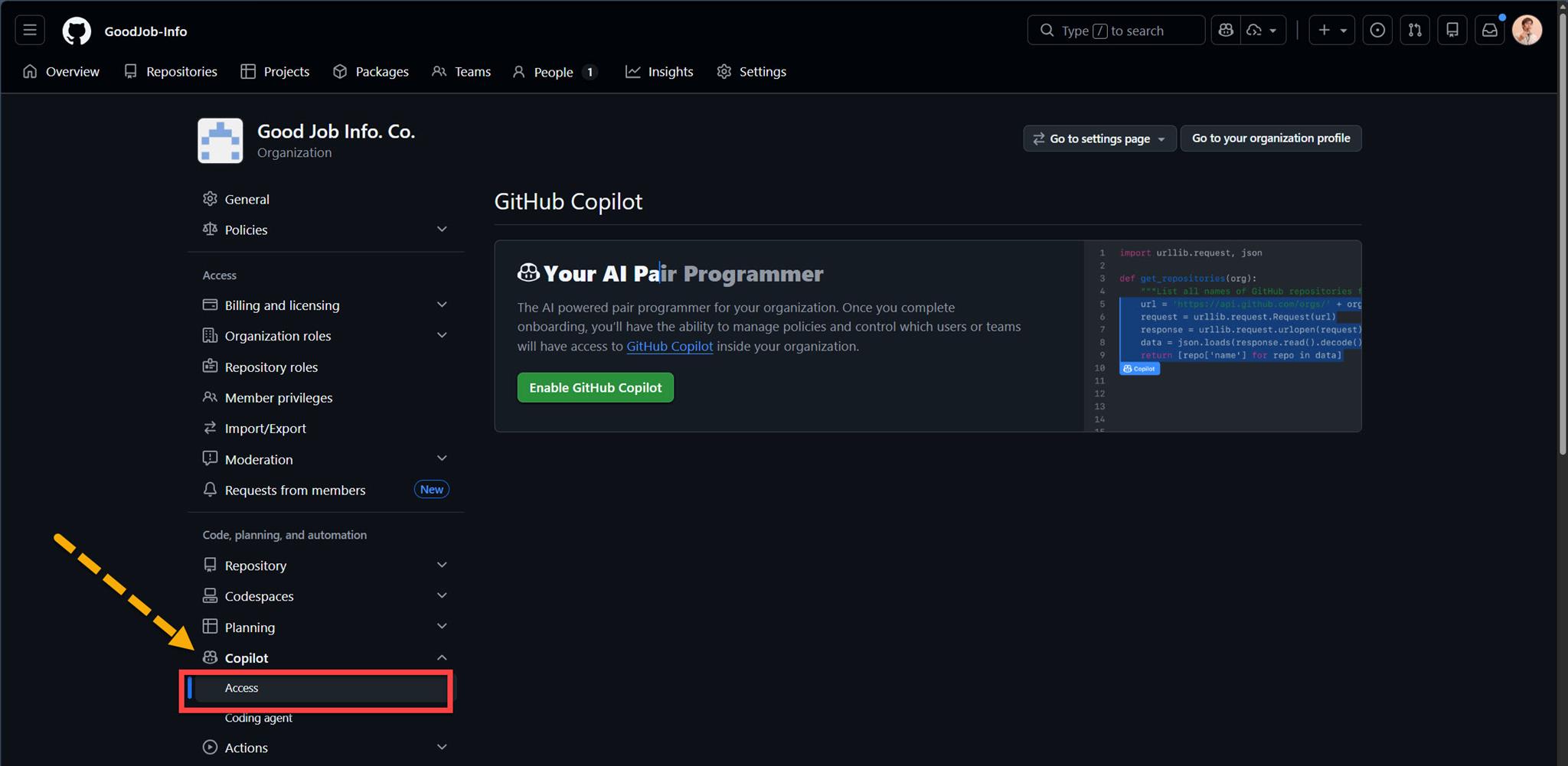
請點選畫面中間的 "Enable GitHub Copilot" ,後續還要做一些設定,但這就岔題了。
如果畫面中間呈現的是 "Start adding seats" → "Purchase for selected members":
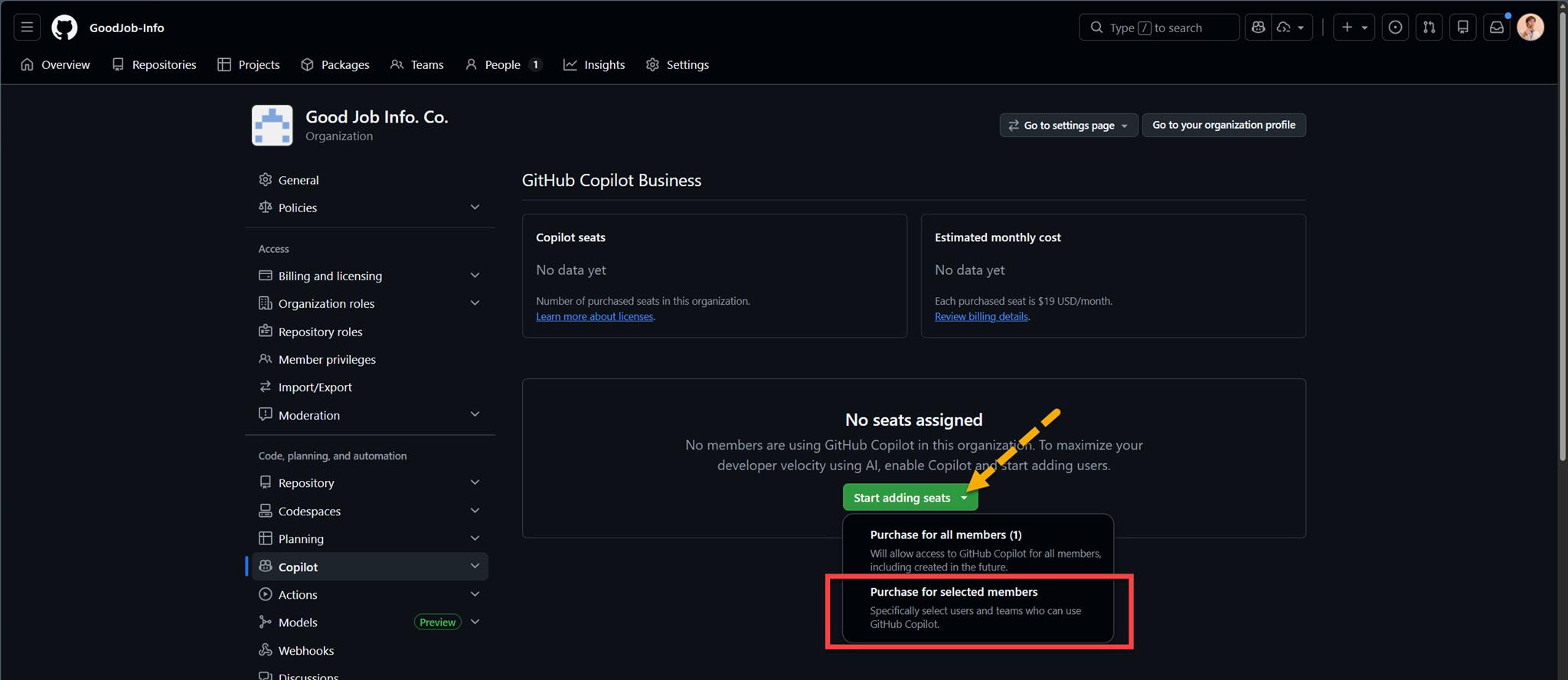
這裡不建議選擇 "Purchase for all members"。
畢竟整個 Organization 當中會有一些 member (成員),是不需要使用 Copilot 的,下面的就是最佳的例子:
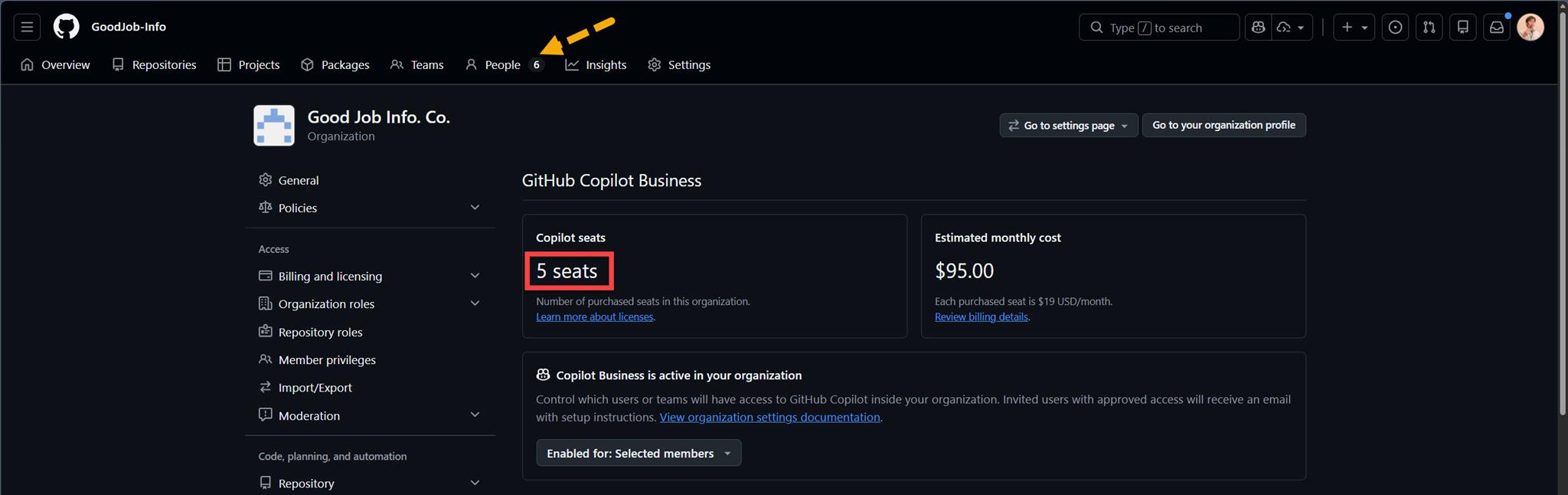
這個 Organization 有 6 個 people 但只開了 5 個 GitHub Copilot Business 的 seats,因為其中有 "一個" 帳號是要用來付帳的,而它不會被 "人類" 或 "Agent" 使用。
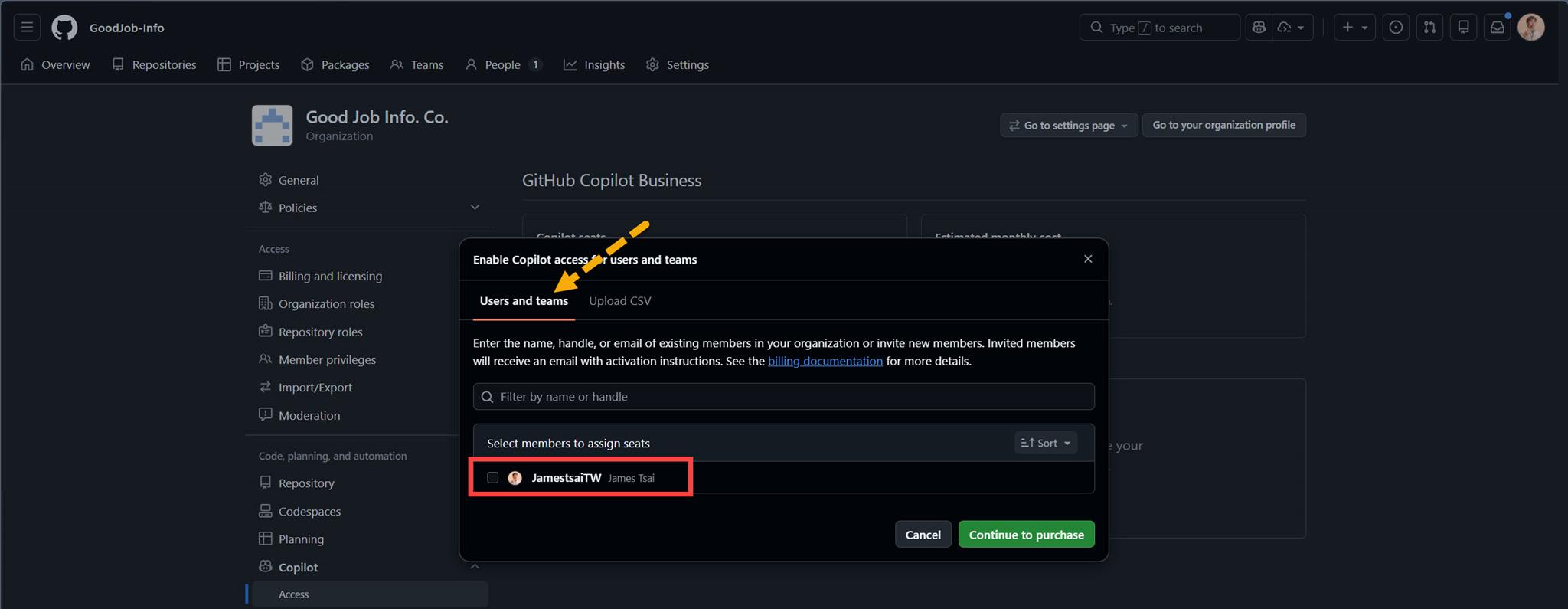
點選後,就可以選擇 Organization 當中的 "Users and teams",再勾選那些 members 需要 "GitHub Copilot Business" :
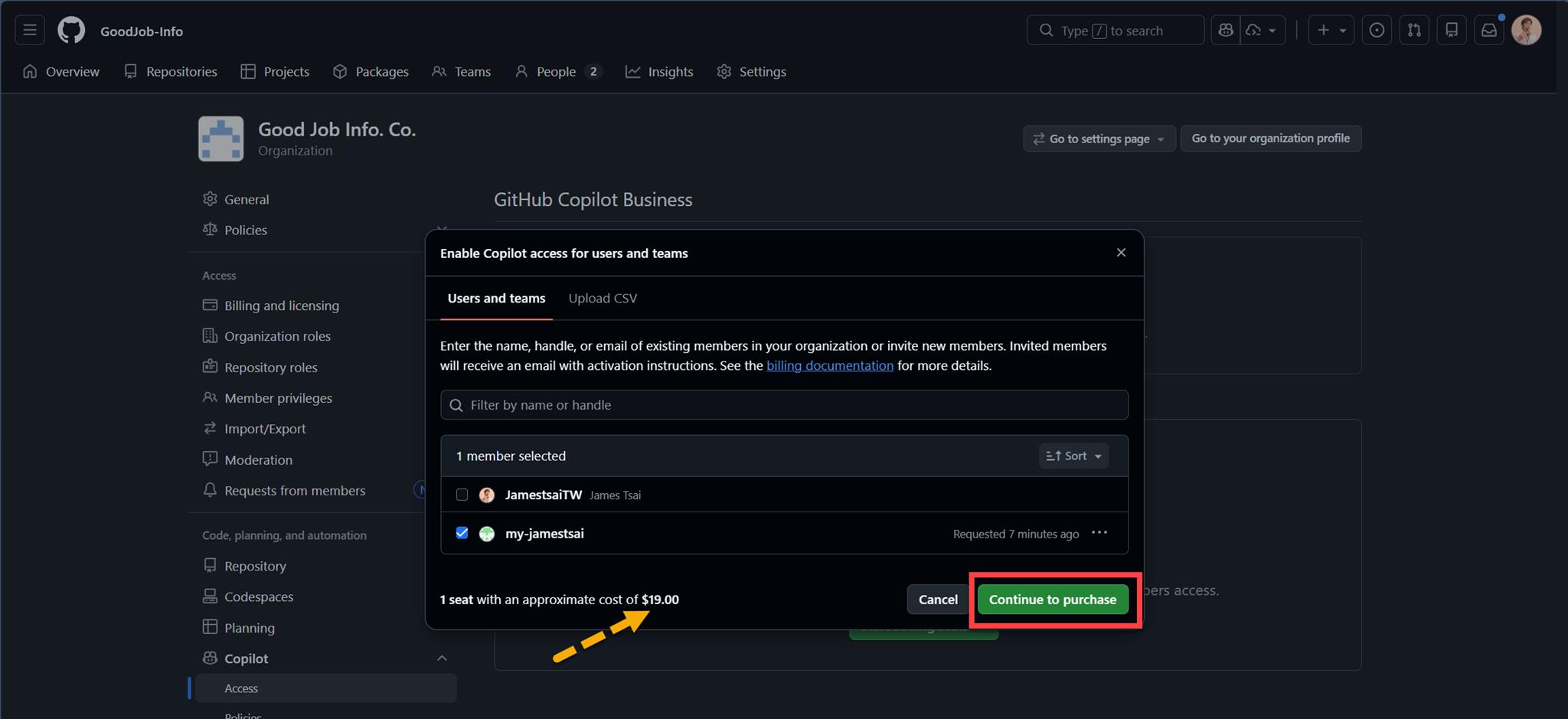
如下圖會看到 GitHub 會提醒,這 Organization 內勾選這樣的 member 名單後,每個月 "最多" 會付多少費用,確定沒問題的話就點選 "Continue to purchase" 進行付費:
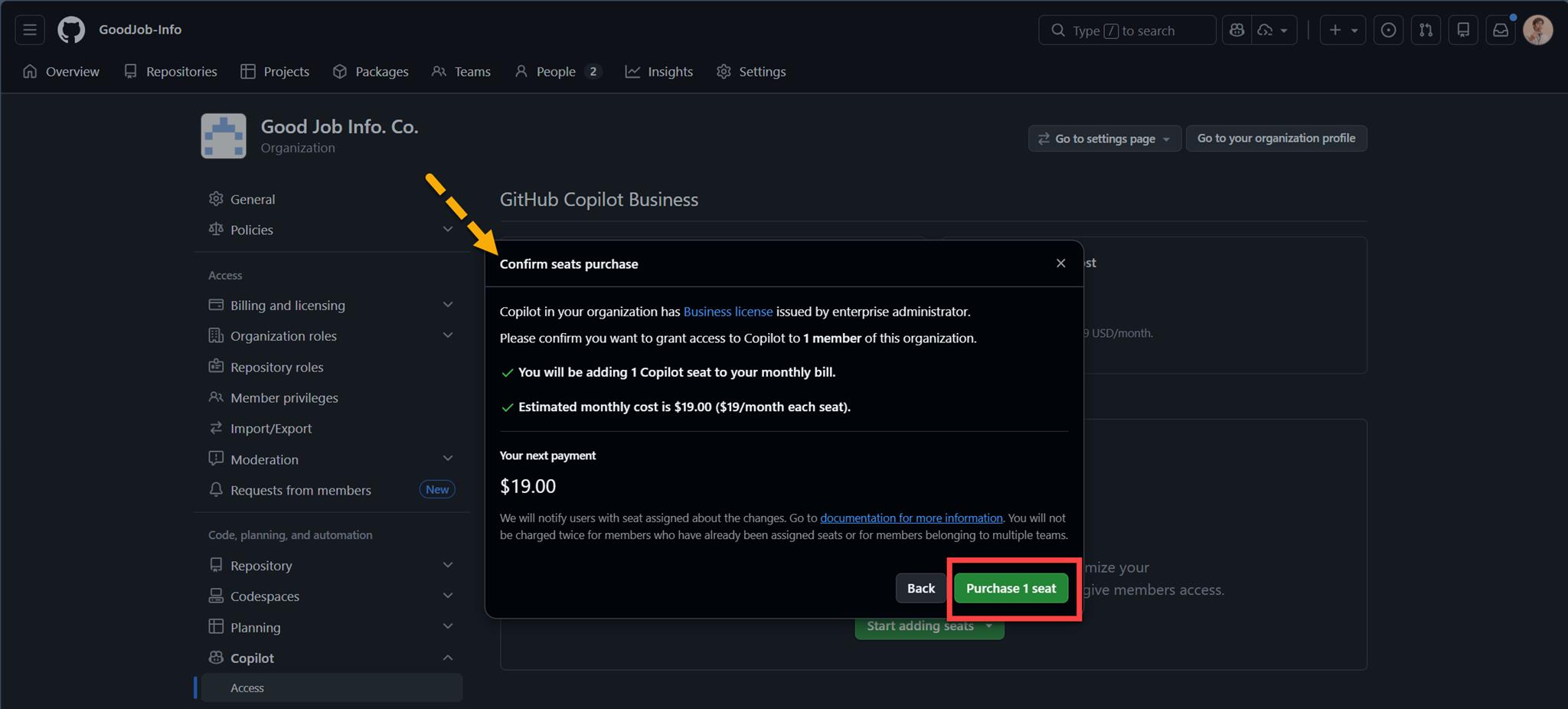
最後會再跳出 "Confirm seats purchase" 的一個提示,再次點選 "Purchase 1 seat":
回到這個 Copilot 的 Access 畫面中,就會變成這樣:
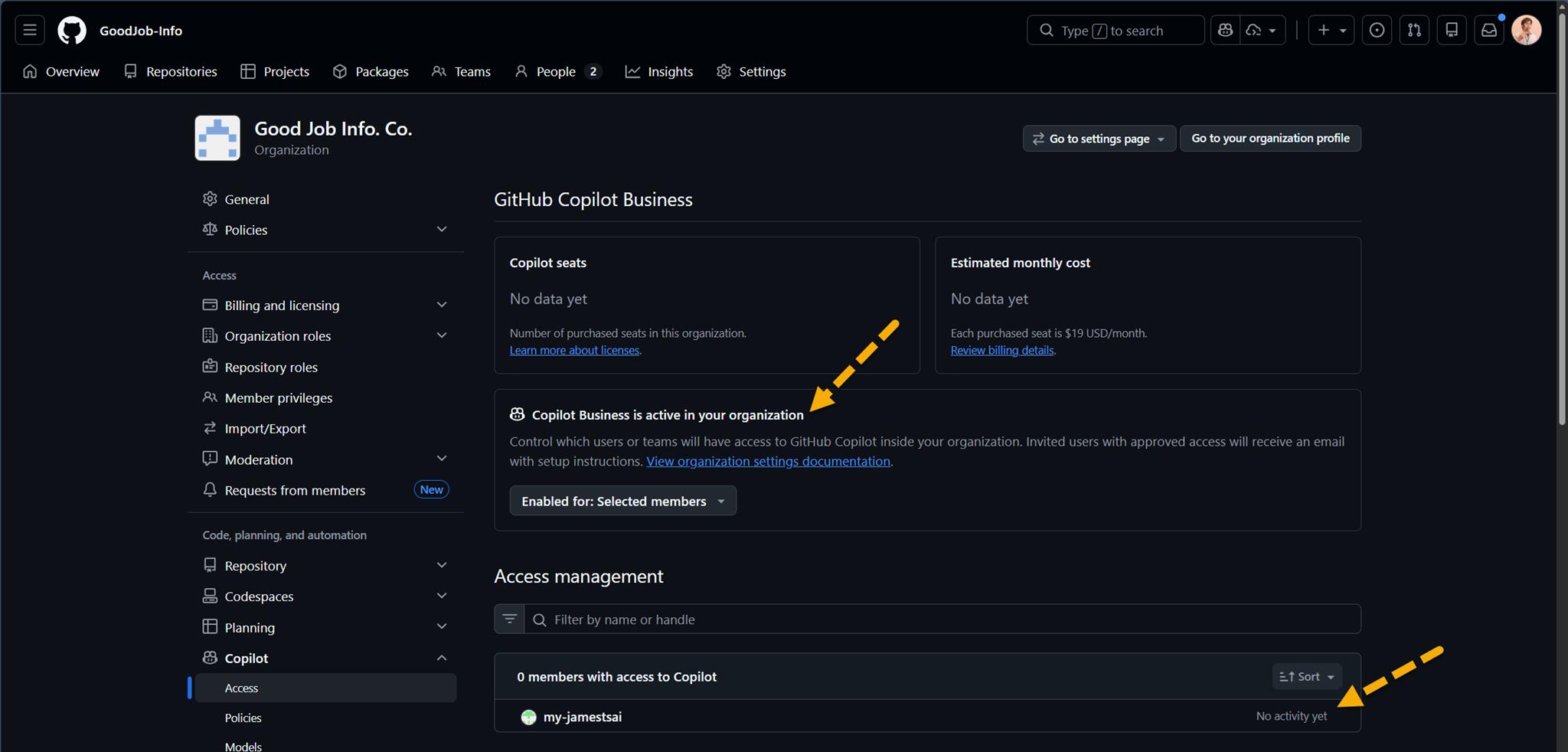
這個帳號尚未開始使用的話,會顯示 "No activity yet"。
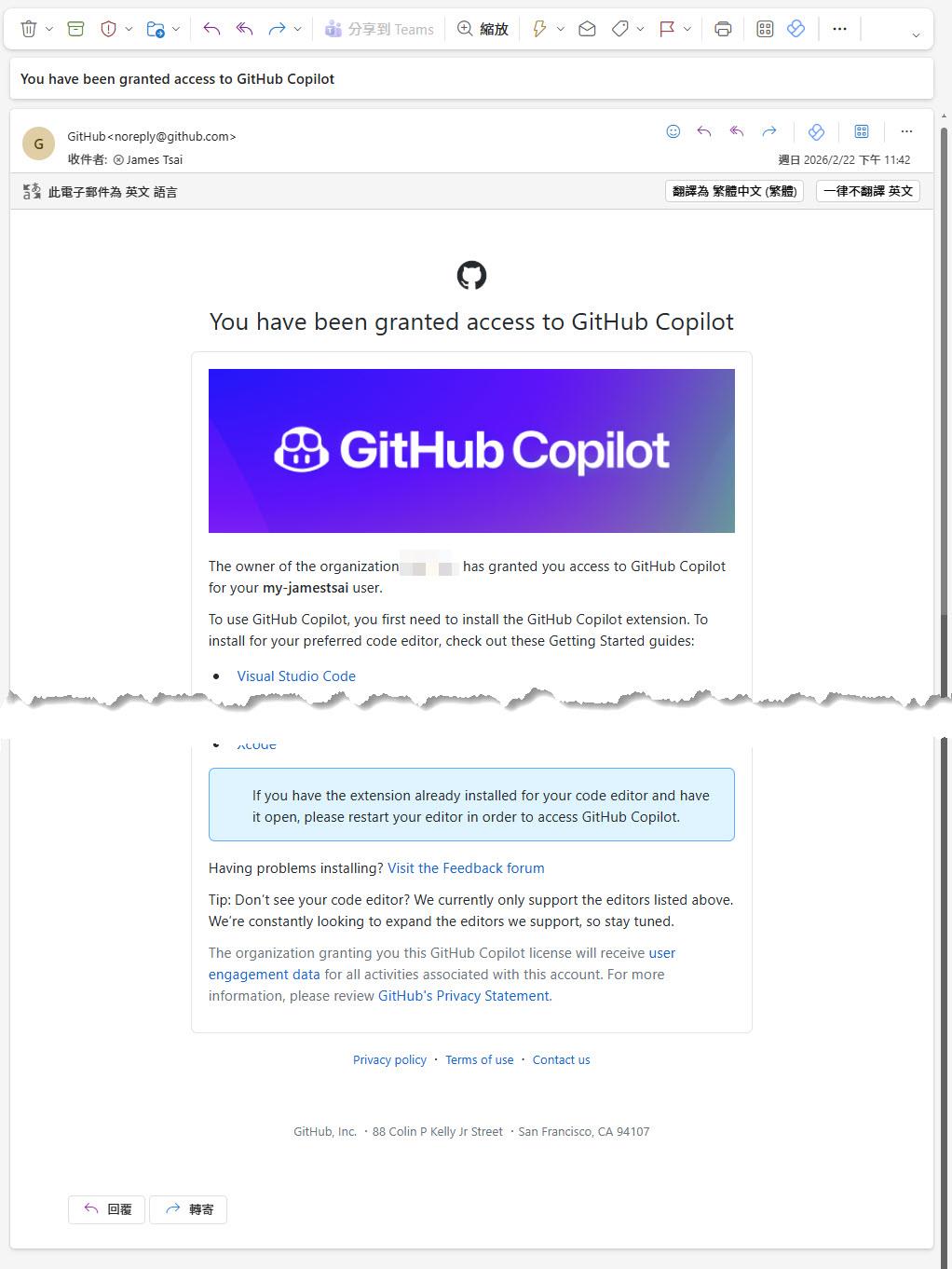
在 GitHub 這邊則會發一封 Email 信件 "通知" 此 GitHub 帳號,已經受邀使用 GitHub Copilot:
到這邊,該 GitHub 帳號只要登入帳號,理論上就可以開始使用 GitHub Copilot 的各種 Features 了。
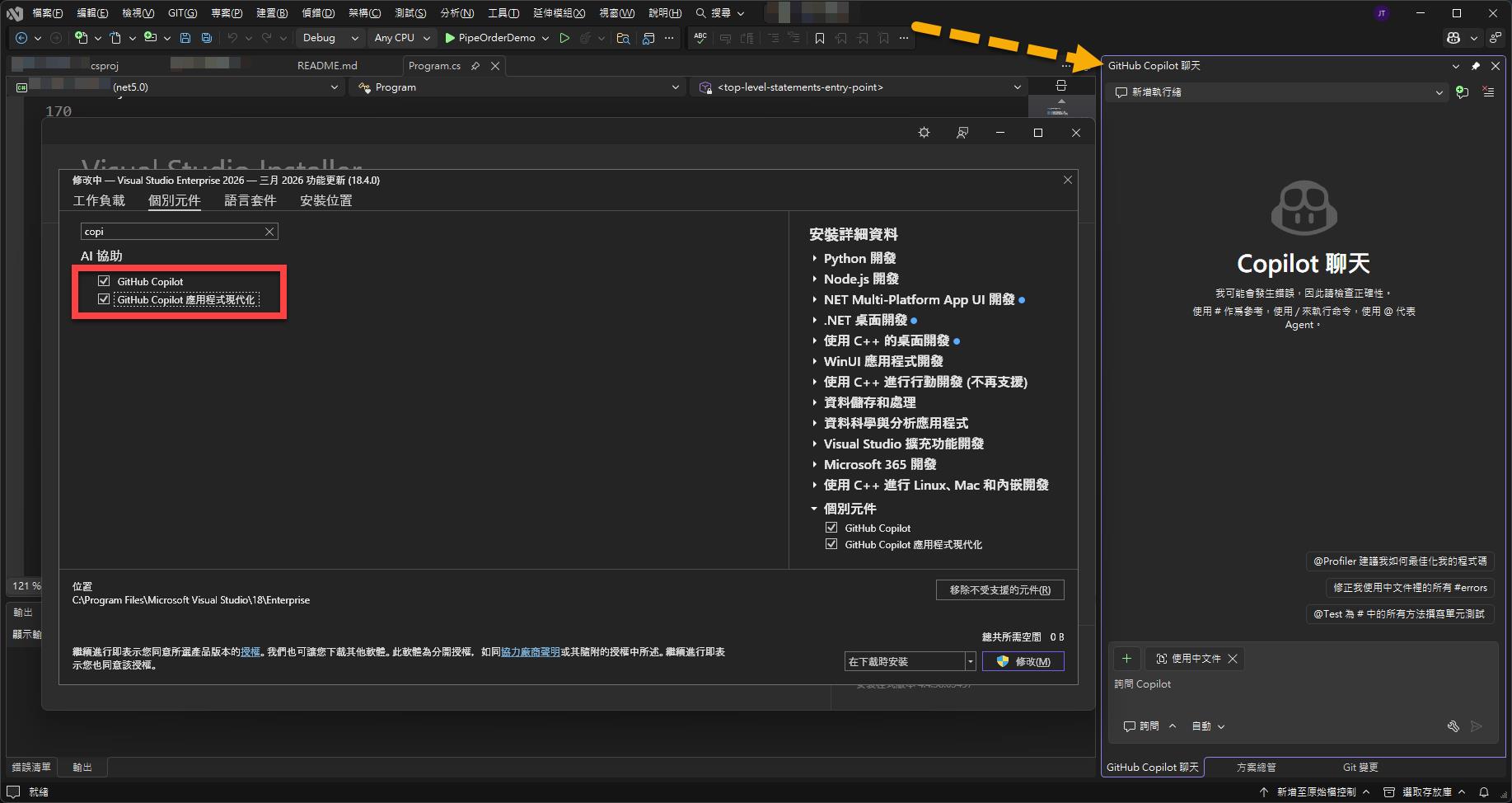
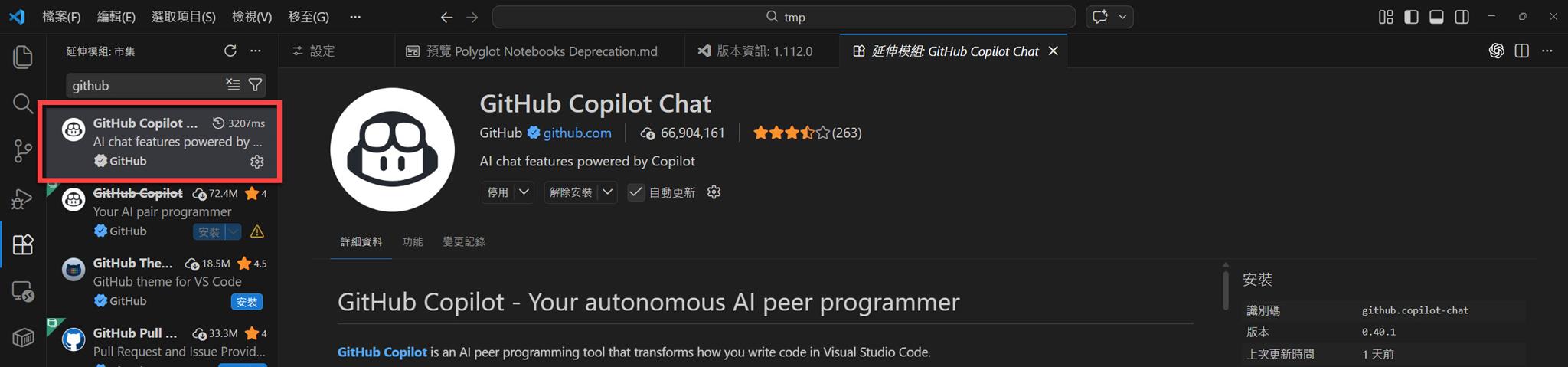
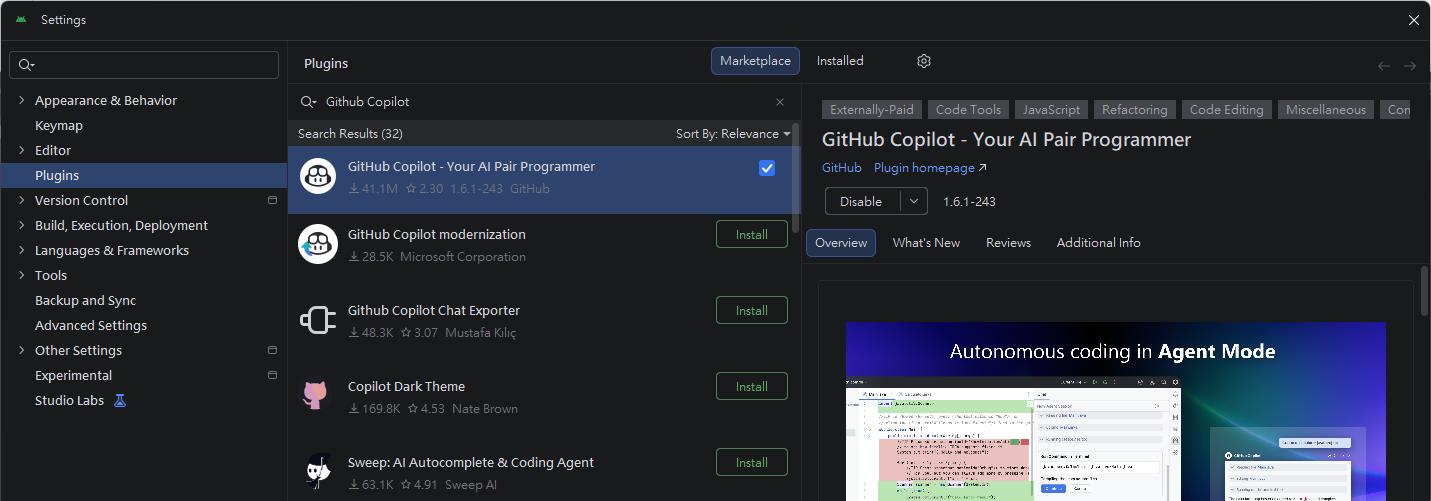
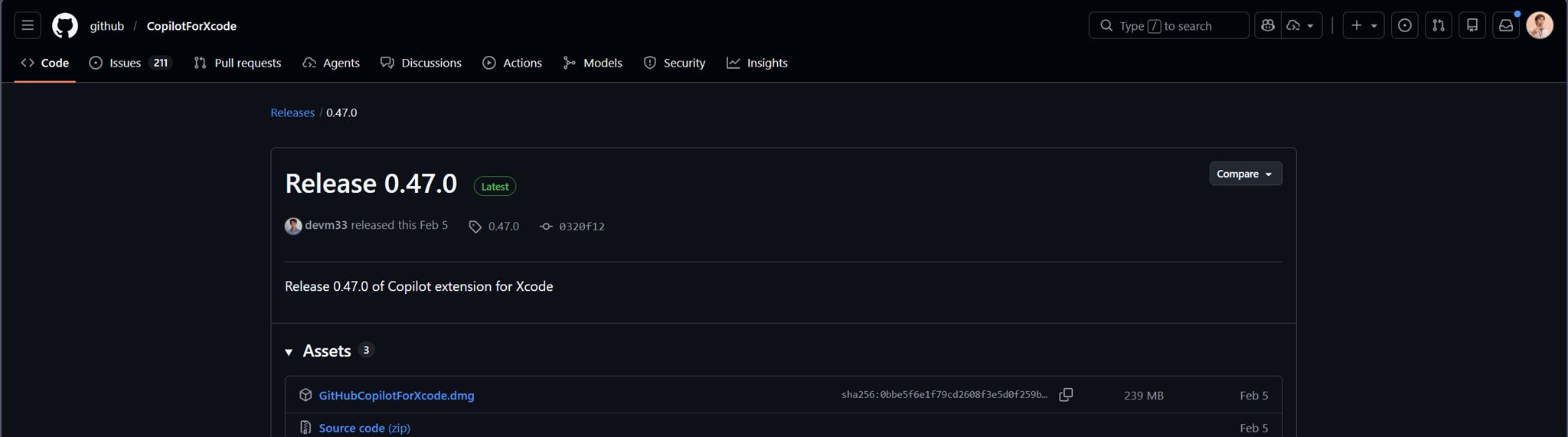
而在各家 IDE 要安裝 Plugin 或 Extension 通常就是選擇 "GitHub Copilot Chat / GitHub Copilot":
Visual Studio。
Visual Studio Code。
Android Studio。
Xcode (這 IDE 是 Apple 專屬的開發工具,懂得都懂…總之就是會很明顯的比較特殊,目前只能透過另外安裝 dmg 的方式)。
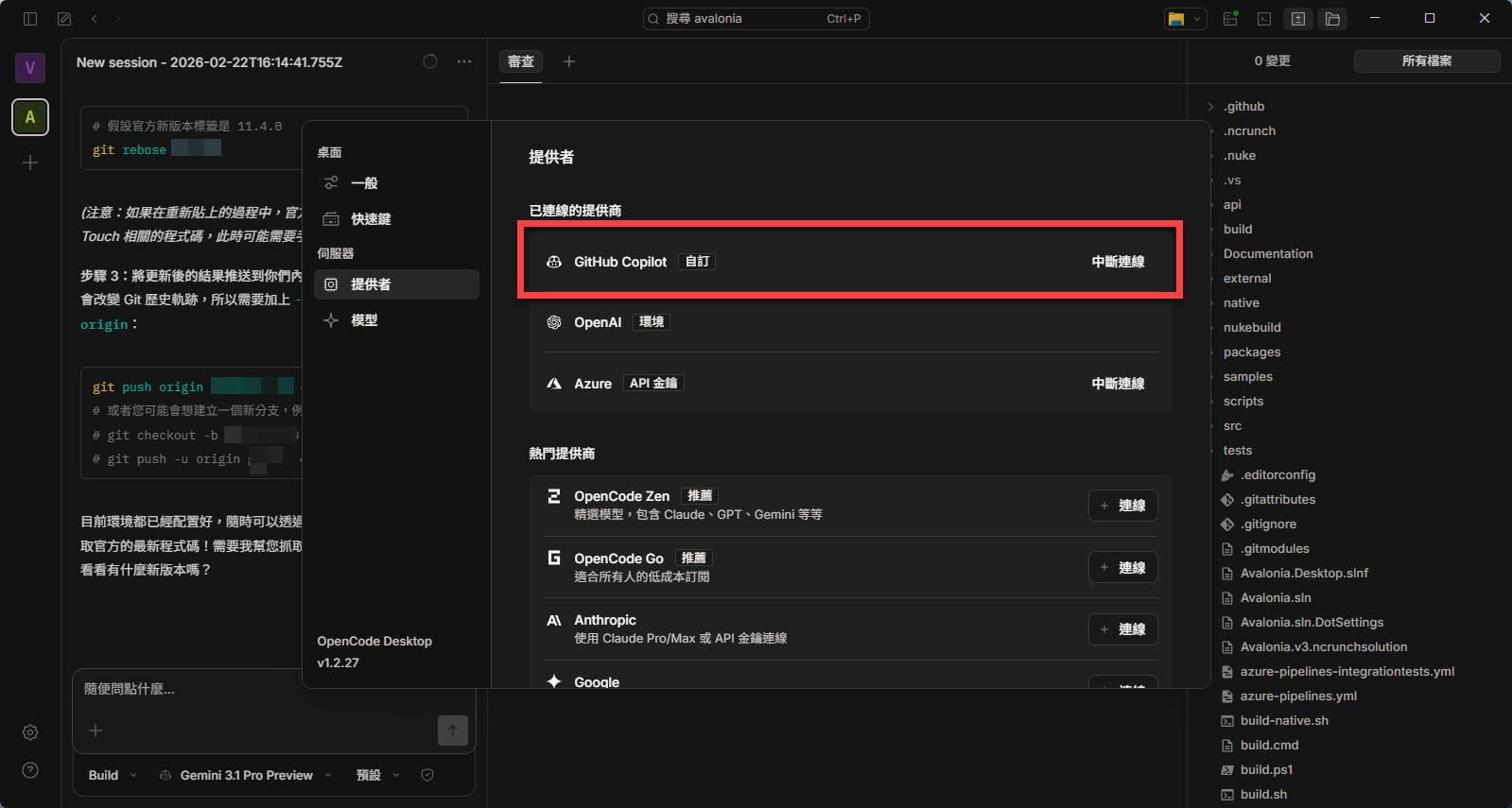
或是近幾年出現有 AI driven 的 IDE:
OpenCode Desktop。
當然,要讓各家 IDE 可以使用 GitHub Copilot,要搭配 GitHub Copilot 當中給 IDE 開發工具使用的這個 Feature:"Copilot Chat in the IDE" 。
如下圖所示:
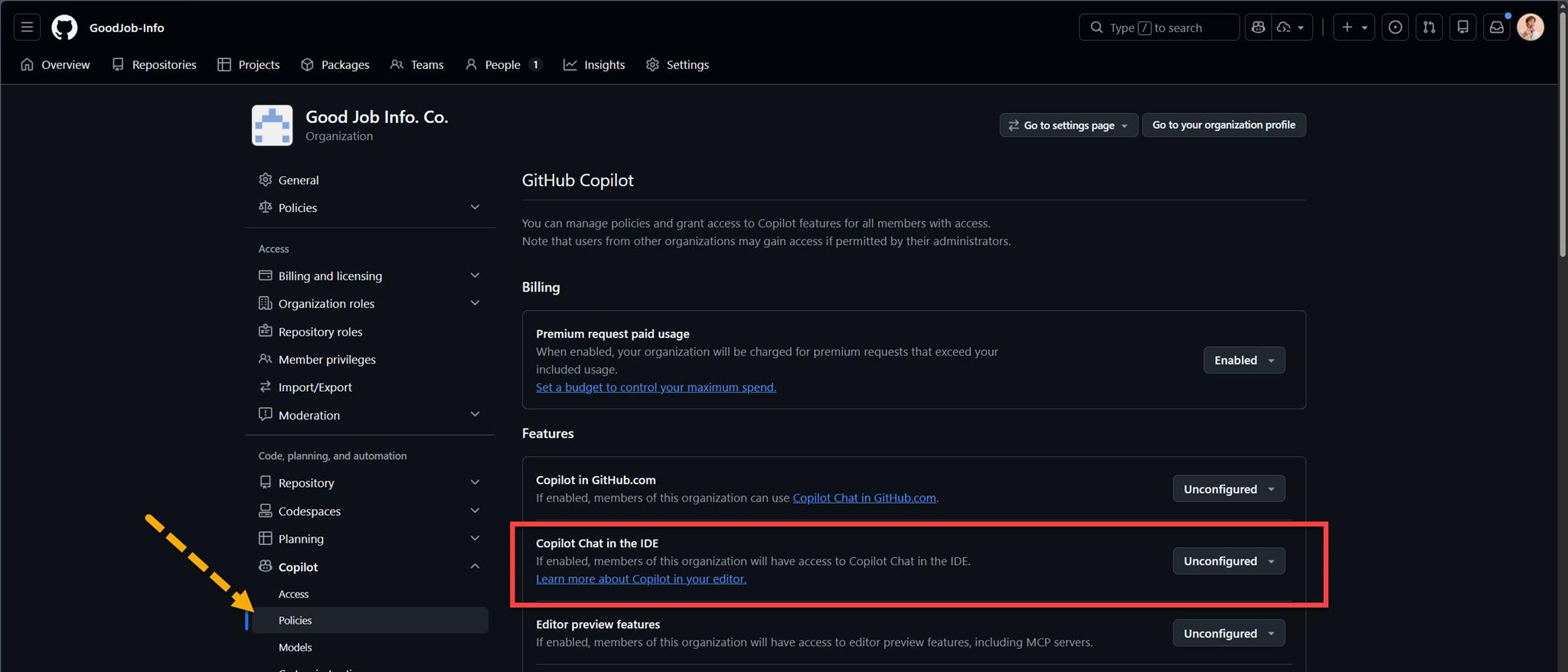
"Copliot Chat in the IDE" 的設定上要切到 Enabled:


GitHub Copilot 的各個 Features 可以由該 Organization 的 owner 決定要不要開放,這就是 GitHub Copilot 使用 Organization 時發揮出 "管理" 的好處。
I'm a Microsoft MVP - Developer Technologies (From 2015 ~).

I focus on the following topics: Xamarin Technology, Azure, Mobile DevOps, and Microsoft EM+S.
If you want to know more about them, welcome to my website:
https://jamestsai.tw
本部落格文章之圖片相關後製處理皆透過 Techsmith 公司 所贊助其授權使用之 "Snagit" 與 "Snagit Editor" 軟體製作。